Building the whole landing page, not just this section?
You just browsed 31 Tailwind hero sections. Cruip makes complete Tailwind CSS templates for landing pages, SaaS websites and admin dashboards, coded in HTML, React, Next.js and Vue and used by 60K+ developers. Single templates start at $49.
The artisanal SaaS hero — pill eyebrow, a tall Instrument Serif headline, prose subhead, a terracotta primary CTA beside a quiet ghost button and a small trust row. Sage on warm cream, ported whole into utilities with a zero-JS staggered entrance via starting:.
Two-column hero — copy left, a pure-HTML analytics dashboard right, with KPI tiles, bars that grow on load and an SVG trend line that draws itself. Rust and ochre on deep workshop brown with hard offset shadows. No images, no JS.
A sunset mesh gradient — four blurred radial blobs in mango, papaya and dragon fruit drifting on a deep coral base, with a fine grain overlay, glass eyebrow pill and a white pill CTA. Animation lives in @theme; everything else is utilities.
A frosted-glass card floating over a slowly rotating spa aurora — pale mint, champagne gold and soft rose. Wellness / luxury beauty editorial, with a solid-card fallback via supports-[backdrop-filter]: so it never turns illegible.
A vintage-CRT terminal hero for a modern dev tool — phosphor-green output and amber prompts in a framed window, with scanlines, a blinking cursor and log lines that print in sequence on load. Ruled beige paper behind, monospace headline in front.
A Memphis-modern alternative to a video background — circle, triangle, pill and square float in a loop behind cobalt-on-bone copy with a lemon neo-brutalist CTA. No video file, no licensing, no layout shift.
Newsletter
Enjoying these demos? Get new ones by email.
A short email when a new collection ships. Unsubscribe any time.
A Mediterranean social-proof hero — a review pill with avatar stack and stars above an olive serif headline, aubergine CTA, and an as featured in wordmark row set in distinct typefaces. Every proof point is real text, not an image.
A 1950s-diner hero where each word lifts out of a mask with a staggered delay — coral and ivory on jet black, with a neon-outline CTA that glows on hover. Words rise from behind a clip, not just fade, for a crisper editorial reveal.
A native <input type=range> drives a single CSS custom property that wipes a clip-path between a scorched before landscape and a restored after one. Keyboard-accessible with a visible focus ring on the handle. Burnt orange, petrol blue and cream.
A full-screen cabin-retreat hero with an animated mouse-wheel scroll cue — forest green on birch, a soft-yellow neo-brutalist CTA and a booking detail strip. The cue is a real link to the next section, so it works for keyboards too.
A print-magazine cover — issue line, oversized italic serif headline, a vertical spine label, a foil-stamped issue number and a double-rule offset shadow. Plum and champagne on ruled linen, with cover lines that read like a real masthead.
Construction-site asymmetric typography — three headline lines stepping across a broken grid, a hi-vis outlined word, a giant italic ampersand and an animated caution-tape stripe. Safety yellow on concrete grey, hard black rules. Collapses to a clean stack on phones.
A vintage wine-label poster — a colossal 1924 drawn as a fading gold-to-burgundy outline behind italic serif copy, with a ruled tasting strip and a ghost CTA. Cream paper, gold-leaf accents, a century of quiet.
A streetwear drop hero — two counter-scrolling marquee bands frame the drop details, a countdown-style date strip and a hot CTA. Tangerine on chocolate. Seamless loops (no jump), pause on hover, and frozen under reduced motion.
Newsletter
Enjoying these demos? Get new ones by email.
A short email when a new collection ships. Unsubscribe any time.
An Aesop-style editorial product hero — a moody, CSS-lit still life of a chore coat on a peg (swap in your photo), with a linen copy card anchored bottom-right and a catalogue meta line. Desaturated denim, rust accent.
Raw Swiss-punk brutalism — pure black, traffic-cone orange highlight, acid-lime italic, hard 8px offset shadows that collapse on press, and a mono index line. No images, no gradients, no soft anything.
Traditional Japanese vertical typography — the headline reads top-to-bottom with writing-mode: vertical-rl, set in Noto Serif JP beside English copy, with a double-ringed vermilion hanko seal. Indigo on washi white.
Rave-poster kinetic type — every letter of FULL BASS MODE jitters, tilts and scales on its own delay over a pulsing acid-green / magenta haze. Accessible: the headline reads as words, not letters, and a zero-JS toggle pauses the motion.
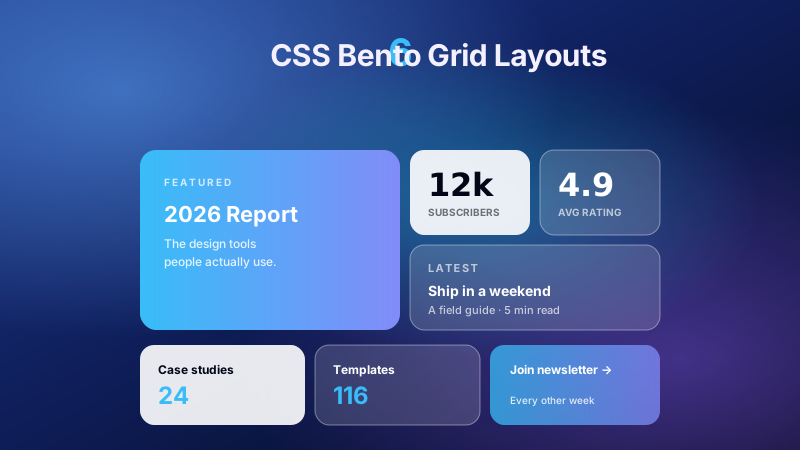
An Apple-style bento hero — one large headline tile with stat, testimonial, rating and download tiles around it. Matte-ceramic palette: salmon, terracotta, ivory and olive. Tiles lift on hover; whole tiles are clickable where they should be.
An oversized headline with a marigold → ruby → grape gradient sweeping through two words, over a plum spotlight — plus a real inline waitlist form (email + button) instead of a lone link. The Linear / Apple shimmer, made useful.
An Apple-keynote product shot — a CSS-built laptop (lid, lit screen, hinge and base) centred on an ice-blue stage, with three spec badges bobbing around it. Chrome silver and ice blue on warm white, with price and compare CTAs.
A heritage-banking, pricing-led hero — copy left, a single-tier brass-on-forest pricing card right, now with a zero-JS monthly / yearly toggle built from radio inputs and group-has-[:checked]. The 37signals one-price pitch with a vintage finance feel.
Newsletter
Enjoying these demos? Get new ones by email.
A short email when a new collection ships. Unsubscribe any time.
An iOS-pastel app-launch hero — three phone mockups with real mini-UI screens fanned in lavender, blush and powder blue, spreading wider on hover, above App Store and Google Play download badges. Gentle, rounded, unmistakably mobile.
Tokyo-cyberpunk night market — a synthwave perspective grid scrolling toward the horizon, neon-pink and electric-cyan glows, and a single breathing CTA. The conversion-focused neon pattern, with a moving floor instead of a static one.
Three SVG ridgelines drift at different speeds in front of a glacier-blue sky with a low sun, drifting clouds and valley fog — the outdoor / travel-brand parallax landscape, with a lodge booking strip under the headline.
A cozy work-from-home isometric scene — desk, glowing laptop, steaming mug, plant and lamp — built from CSS boxes in true 3D with preserve-3d. Mauve, dusty rose and sage, with a gentle float so the room feels alive.
A luxury-fragrance hero — three 50 / 100 / 15 ml product cards in 3D perspective that fan forward on hover or keyboard focus. Champagne and blush on jet, with foil numerals, sizes and prices on each card.
A pure-CSS night sky — three tiled star layers that twinkle out of phase, an occasional shooting star, a warm horizon glow and a constellation-app hero on top. No canvas, no per-star DOM, stars that fill any screen size.
A VHS-glitch hero — RGB-split copies of the headline tear through clipped bands in short bursts, over tape static and scanlines, with a blinking REC counter. The glitch fires in bursts instead of constantly, so the headline stays readable.
A solar-corona ring orbiting a glowing core — a conic gradient whose start angle is animated through a registered @property, masked into a ring that scales with its container. Gold and ember on jet black, the AI / hardware launch treatment.
A Liquid Glass lens that follows the pointer across a shifting conic-mesh hero, refracting the headline and colours beneath it with an eased spring; on touch it drifts in a slow figure-eight until you drag. Now with real CTAs and a reduced-motion path.
FAQ
Frequently asked questions
How does the before-and-after image comparison slider work, and do I need JavaScript for it?
Demo 09 is built on a native <input type=range>. The range's value feeds a single CSS custom property, and that property drives a clip-path inset on the top (after) image, wiping it to reveal the bottom image. A tiny one-line handler on the range's input event writes the current value into the property — that's the only script, and it degrades to a static 50/50 split if it never runs. The common bug is stacking order: the range has to sit above both images with the layers below set to pointer-events: none, or the thumb stops dragging. Give the input a visible focus ring and an aria-label so keyboard users can nudge it with arrow keys — the clip updates on every value change, so keyboard control works for free. Use real equal-dimension images; mismatched aspect ratios make the wipe line reveal empty space.
How do I animate a conic-gradient angle smoothly in CSS for the ring and mesh heroes?
Demos 30 and 03 animate gradients by registering a custom property with @property and giving it syntax: '<angle>'. Because the browser now knows the value is an angle, it can interpolate it, so a keyframe sweeping the property from 0deg to 360deg makes the conic-gradient's start angle spin continuously instead of snapping. Feed that property into conic-gradient(from var(--angle), ...) for the corona ring, or into the positions of blurred radial blobs for the mesh. The classic mistake is animating the background shorthand directly — gradients aren't interpolatable that way and you get a hard jump. Keep the blur and the element count low; a handful of large blurred layers composite cheaply, but a dozen will thrash paint. Wrap the whole thing in a prefers-reduced-motion query that pauses the spin, since a constantly rotating background is exactly the kind of motion that triggers discomfort.
Why does my full-screen hero jump or get cut off on mobile, and how do the demos fix it?
This is the mobile viewport-unit trap. Sizing a hero to 100vh uses the largest viewport height, so when the browser's address bar is showing, the bottom of your hero — and the scroll-down cue in demo 10 — gets pushed below the fold, then the layout jumps as the bar hides. The fix the full-screen demos lean on is the dynamic viewport unit: use min-height: 100dvh so the hero tracks the current visible height and the scroll indicator stays anchored. Keep a 100vh fallback first for older engines, then override with dvh. Don't also pin the hero's children to 100vh — size the section and let content flow inside it, or the inner block won't shrink when the keyboard or bar appears. On very short landscape phones, cap the headline size and allow the section to scroll rather than clipping, so nothing important lands off-screen.
How do the staggered word reveal and kinetic typography heroes animate individual words, and is that accessible?
Demos 08 and 18 split the headline into per-word or per-letter spans and give each one an incrementing animation delay, so they lift out of a mask or jitter in sequence rather than all at once. The reveal uses overflow: hidden on each word's wrapper with the inner span translating up from below the mask line; the kinetic version transforms each letter on its own offset. Two things make this safe. First, the real text must live in the DOM as actual characters inside the spans — don't build the headline from background images or pseudo-element content, or screen readers and copy-paste get nothing. Second, wrap every transform in prefers-reduced-motion: reduce and collapse it to the final resting state, because staggered flying text is high-motion. The common bug is forgetting to reset animation-delay so the last letters never finish before the mask clips them — make the container tall enough and the delays bounded.
How does the infinite scrolling marquee hero loop seamlessly without a visible jump?
Demo 14 runs two counter-scrolling bands. The seam trick is that the track contains the content twice, back to back, and the animation translates the track by exactly -50% of its own width before looping. Because the second copy is identical to the first, the instant the keyframe restarts at 0 the viewer is looking at the same pixels, so there's no snap. Get the width wrong — one copy, or a translate of -100% across a double-width track — and you'll see a hard reset or a blank gap. Set the track to width: max-content so it sizes to its real content rather than wrapping. Duplicate the markup with aria-hidden on the second copy so assistive tech reads the band once, not twice. Pause it on :hover and under prefers-reduced-motion; an endlessly sliding band is distracting next to copy a user is trying to read, and it keeps the compositor busy even off-screen unless you also pause when scrolled away.
Should I build the hero's device mockups in HTML and CSS like the demos, or use a screenshot image?
The split, product and app demos (02, 21, 23) build their dashboards, laptop and phones entirely from HTML and CSS — tiles, bars, a lit screen, a hinge — rather than dropping in a PNG. The upside is crispness at every density, no asset to ship, and live touches like KPI bars that grow on load. Reach for the CSS build when the mockup is decorative and generic. Switch to a real image when the screen must show your actual product UI faithfully — nobody will hand-rebuild a complex app screen in divs, and trying produces brittle, unmaintainable markup. If you do use an image, prefer <picture> with density variants and give it concrete width and height so it reserves space and doesn't shift the hero as it loads. Either way, mark the mockup decorative — empty alt on the image, or aria-hidden on the CSS version — so a screen reader hears the headline and CTA, not a stream of fake chart labels.
Does the mouse-tracking liquid glass lens hero need JavaScript, and how does the refraction work?
Demo 31 needs a small amount of script: a pointer-move handler writes the cursor's x and y into two CSS custom properties, and everything visual is driven off those from CSS. The lens is a circle positioned at those coordinates; the glass look comes from backdrop-filter for the blur plus a background that shifts to fake refraction, over a conic-mesh that reacts to the same coordinates. Throttle the handler to one update per animation frame — writing the properties on every raw pointermove event floods style recalculation and the lens stutters. Listen for pointermove, not mousemove, so pen and touch work. Because the whole effect is hover-and-pointer driven, it has no meaning on touch or keyboard: center the lens as a static default so the hero still looks finished when nobody is tracking, and never hide the headline or CTA behind the effect. backdrop-filter support varies, so the layout must read correctly with the blur absent.
When should I not use the vertical writing-mode or heavily stylized heroes like glitch and brutalist?
Demo 17 sets the headline to writing-mode: vertical-rl for top-to-bottom Japanese-style type; demos 29 and 16 go full VHS glitch and Swiss-punk brutalism. These are striking but situational. Skip vertical text for your primary English headline and CTA — Western readers scan horizontally, line-wrapping is awkward, and a vertical CTA is easy to miss; keep it as an accent label, as the demo does with its spine, not the thing a user must read first. For glitch, the RGB-split tearing can cross contrast thresholds and the flicker is a motion risk, so always ship a calm prefers-reduced-motion fallback and keep the underlying text a plain readable layer. Brutalism's hard offset shadows and acid colors can fail color-contrast; check the real text against its background, not just the vibe. The rule across all three: the decorative treatment is a skin, and the semantic heading, subhead and button underneath must stay legible, focusable and understandable with every effect stripped away.