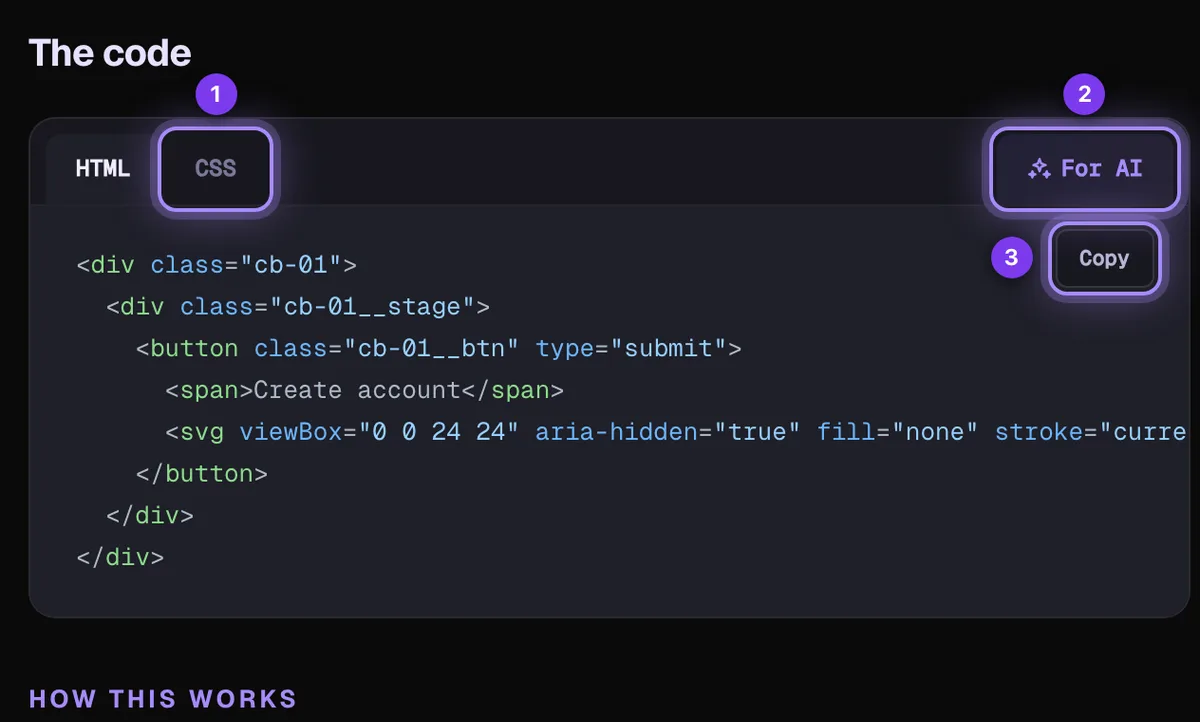
The For AI tab (2 in the picture above) prepares one block for ChatGPT, Claude, Cursor or Copilot: all the code in fenced blocks, the source link and a note about the scoped class names, so the assistant can drop the demo into your project on its first answer.
Open the For AI tab in the code panel.
Press Copy and paste it into your assistant, followed by what you want (“make it match my brand colours”, “turn it into a React component”).
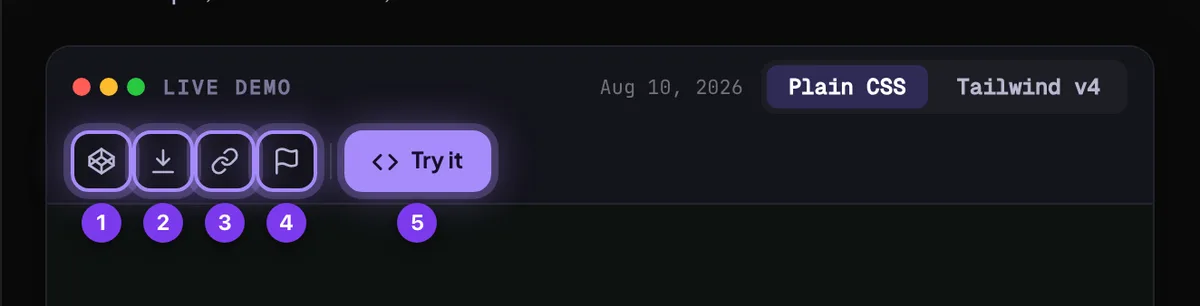
Open in CodePen, download, share, try it
The bar above the live demo has one-click actions.
CodePen (1) opens a new pen with the code filled in.
Keep the demos you want to come back to, and tell us which ones you like.
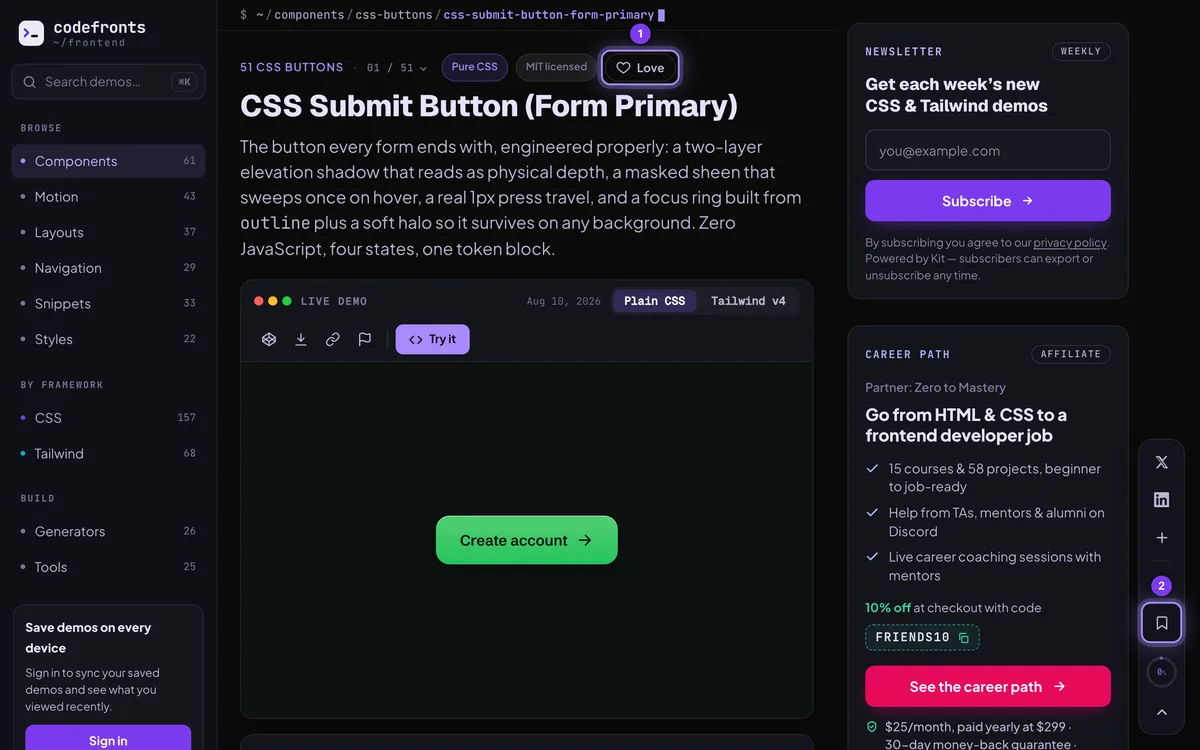
Love (1), next to the demo’s name, adds a heart. Totals are public; who loved what is never shown. Loving needs an account.
Save (2), the bookmark in the action bar on the right, keeps the page in Your library. It works without an account (kept in this browser); signed in, your saves follow you to every device.
The playground
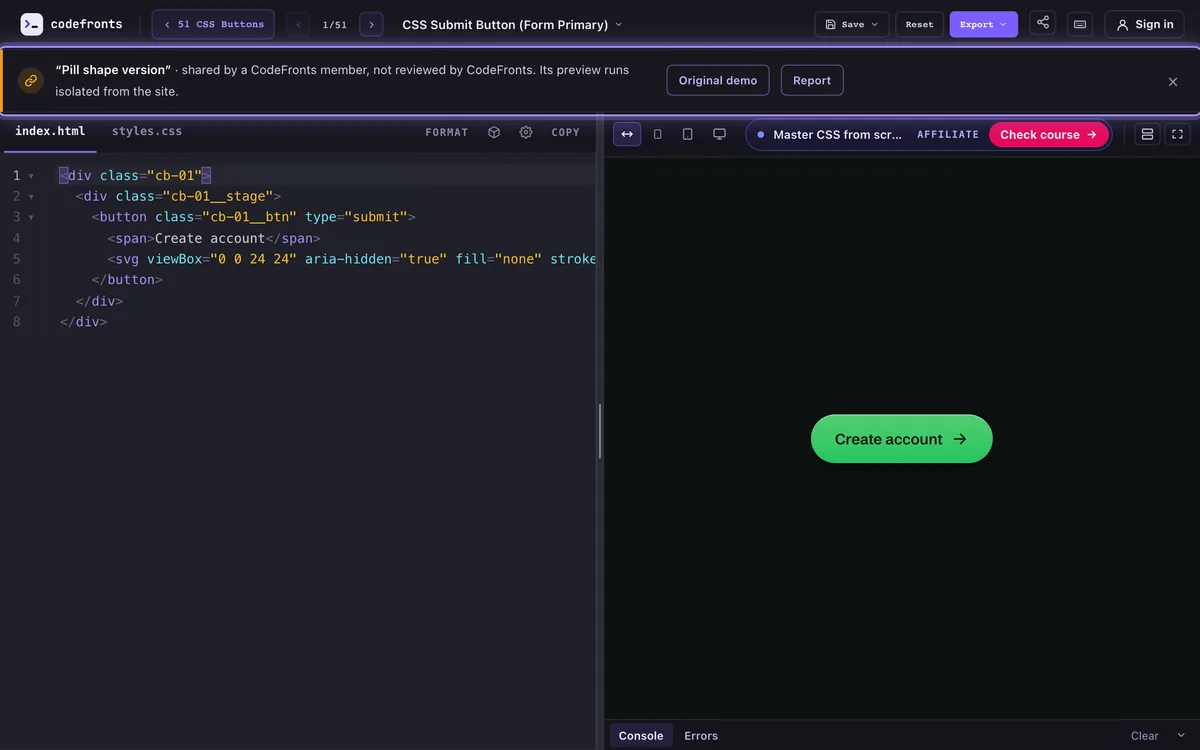
Press Try it on any demo to open it in a full code editor with a live preview.
Edit with a live preview
Change the code and the preview updates as you type.
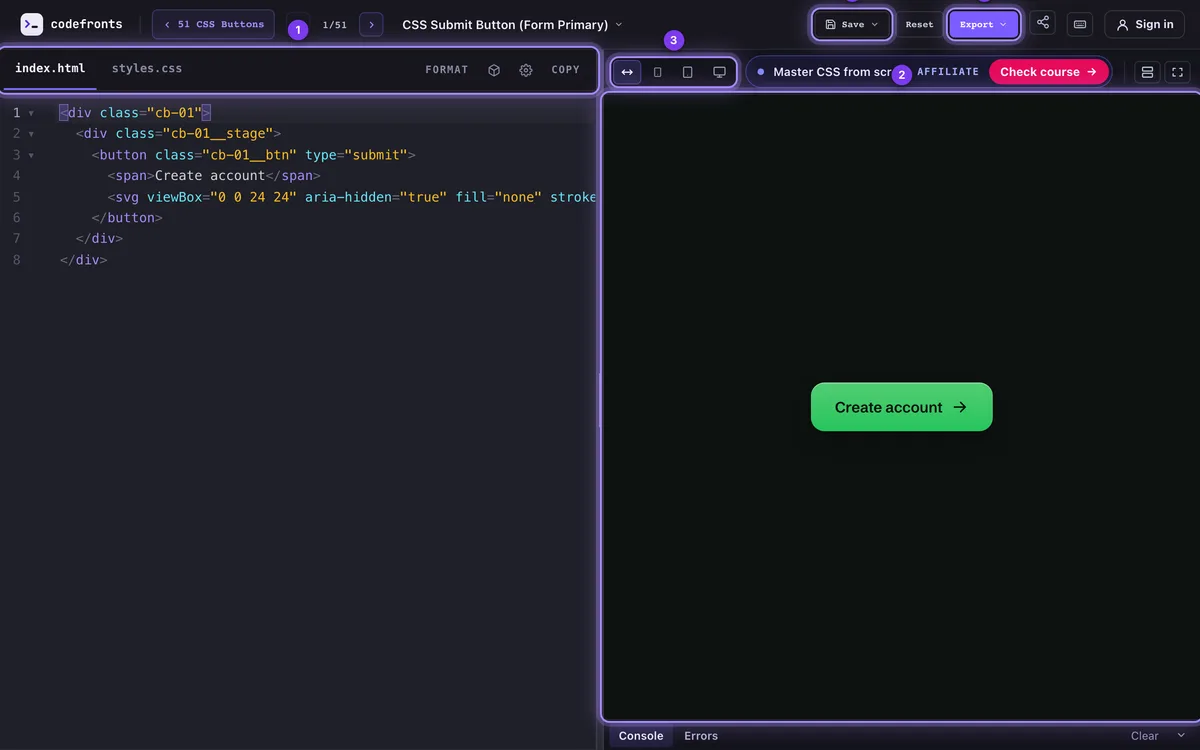
Switch files with the tabs (1): index.html, styles.css and script.js.
Watch the result in the preview (2). Check other screen sizes with the device buttons (3): fluid, phone, tablet and desktop. Drag the preview’s edges for any width.
console.log output and errors appear in the drawer under the preview; click an error to jump to its line.
The Save (4) and Export (5) menus are explained below. Press ? for every keyboard shortcut.
Editor helpers: Format (or Shift+Alt+F) tidies the file, Emmet abbreviations expand with Tab in HTML, colours in CSS show a swatch you can click to pick a new one, and the gear sets font size, tab width and line wrapping.
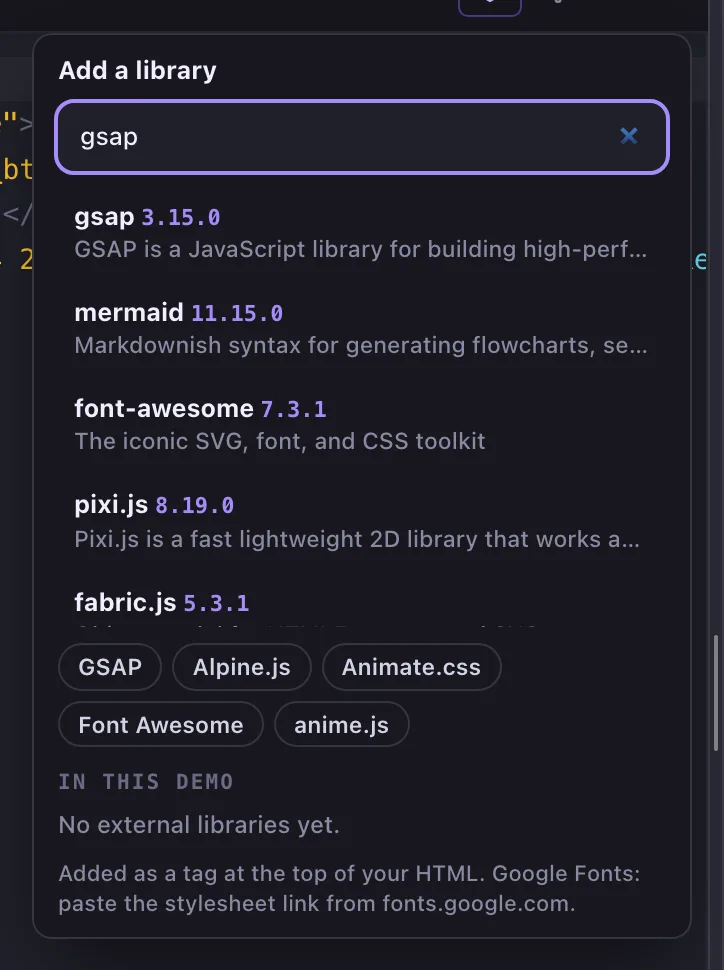
Need GSAP, Alpine.js, Animate.css or Font Awesome? Add it from cdnjs without leaving the editor.
Press the box icon next to Format.
Search for the library, or pick one of the quick buttons.
It’s added as a tag at the top of your HTML. Remove it from In this demo any time.
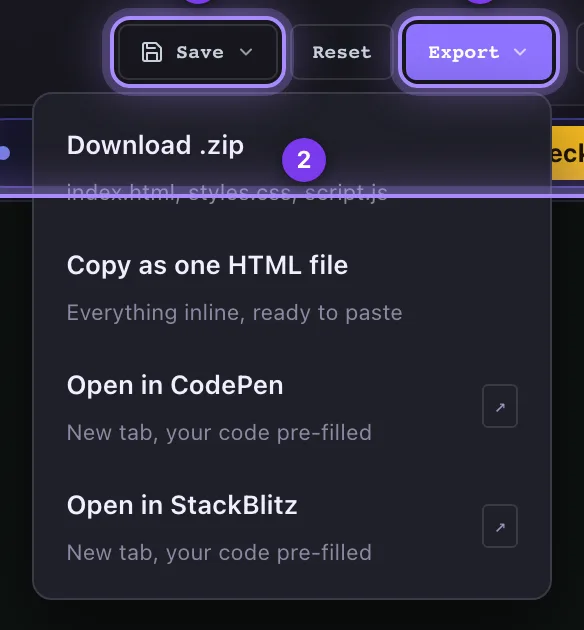
Export your code
Take your edited version anywhere.
Download .zip: separate HTML, CSS and JS files.
Copy as one HTML file: everything inline, ready to paste.
Open in CodePen or Open in StackBlitz: a new tab with your code filled in.
Save your work
Keep as many versions of a demo as you like and pick up where you left off.
Save versions
Signed in, your versions are kept in your account and open on any device. Without an account they’re kept in this browser.
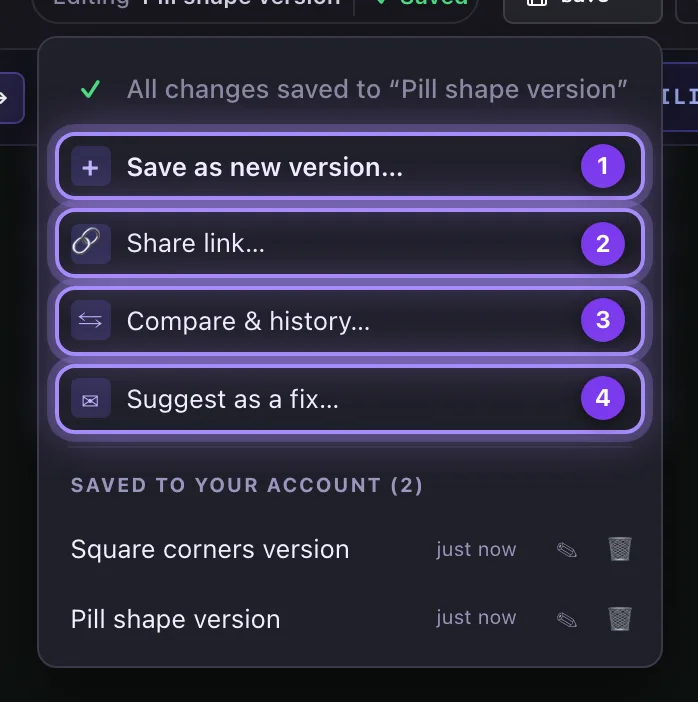
Press ⌘+S (Ctrl+S on Windows), or Save as new version… (1) in the Save menu, and give it a name.
While a version is open, the bar shows Editing “name” with ✓ Saved, or a Save button when you have changes. ⌘+S saves into that version.
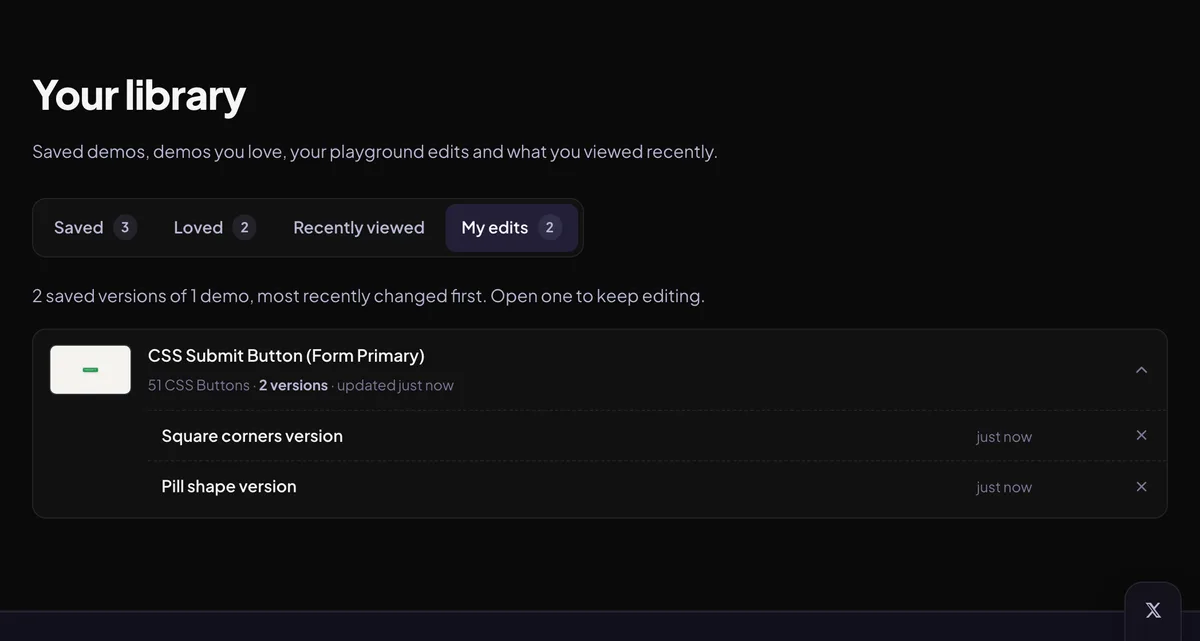
Your saved versions are listed at the bottom of the Save menu and in Your library → My edits.
Compare and go back in time
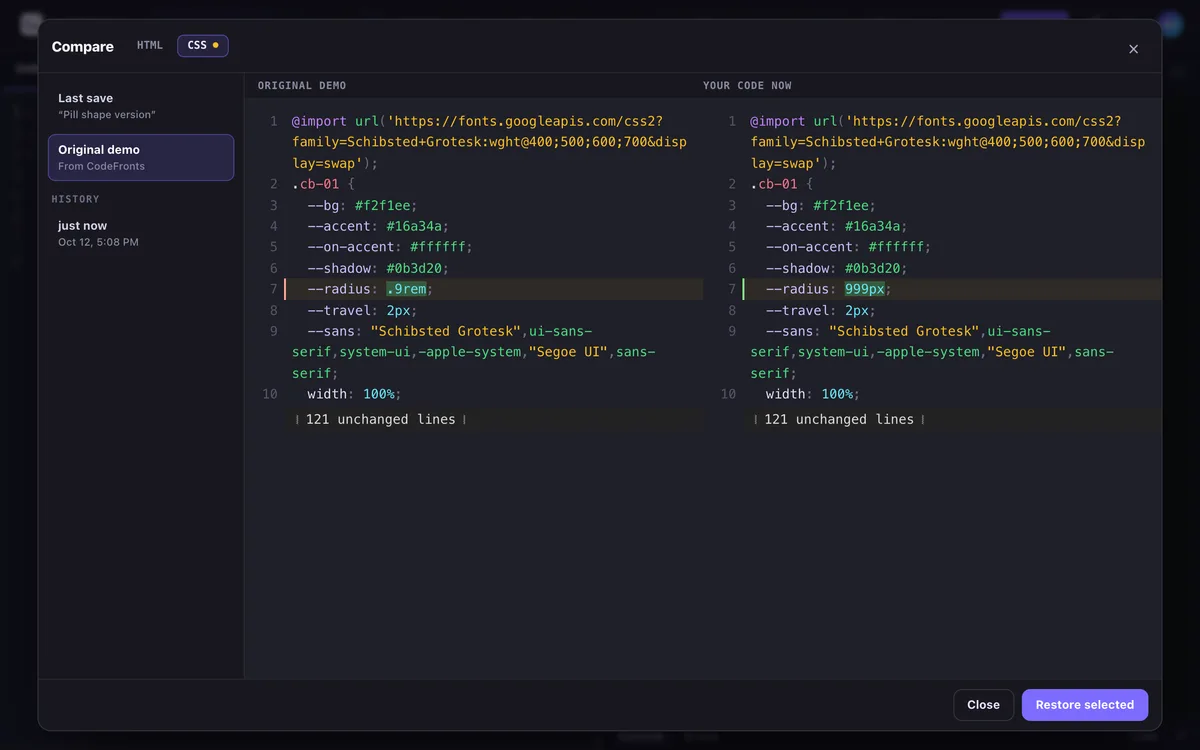
Compare & history… (3 in the Save menu) shows your code side by side with the last save, the original demo, or any of the last 20 saves of the version.
Pick what to compare with on the left, and the file at the top.
Changed lines are highlighted.
Restore selected puts that code back in the editor; press ⌘+S to keep it.
Never lose unsaved changes
Close the tab by accident? Your unsaved edits are kept. Next time you open that demo, a bar offers to restore them. Signed in, they’re kept in your account too, so you can carry on on another device.
Share your version
Send someone a link to one of your saved versions.
Share links
Share links work for versions saved to your account.
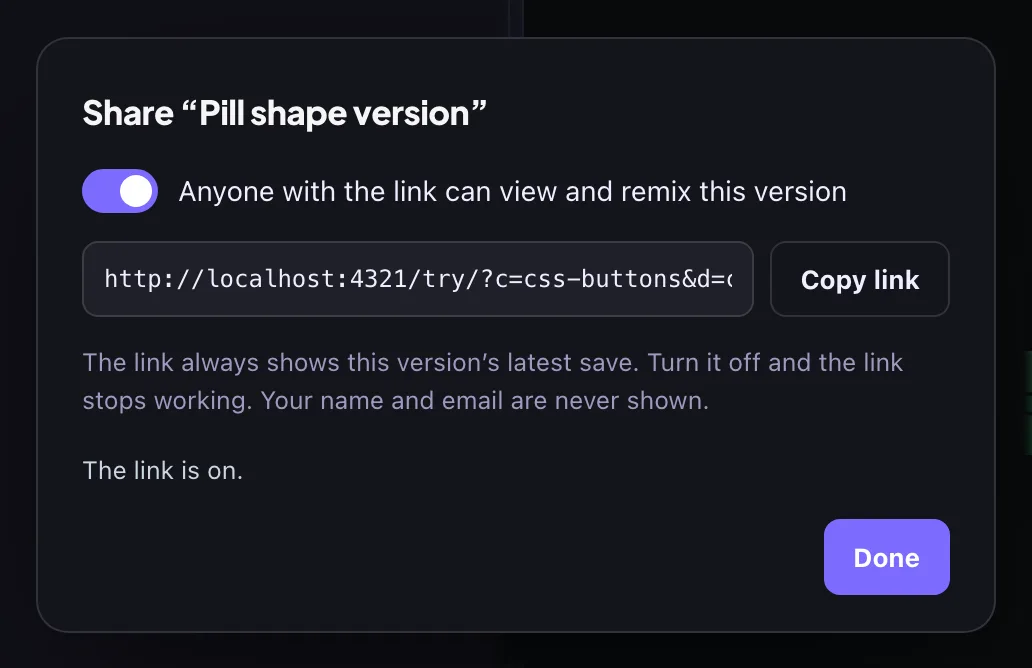
Open the version, then Save ▾ → Share link… (2 in the Save menu).
Switch it on and press Copy link. Use this link, not the address bar: the address bar’s link only works for you.
The link always shows your latest save. Switch it off and the link stops working; switching it on again makes a new link.
Anyone with the link can view, edit and copy that version; it isn’t listed anywhere on the site. Your name and email are never shown. Shared code runs in a preview that’s isolated from the site.
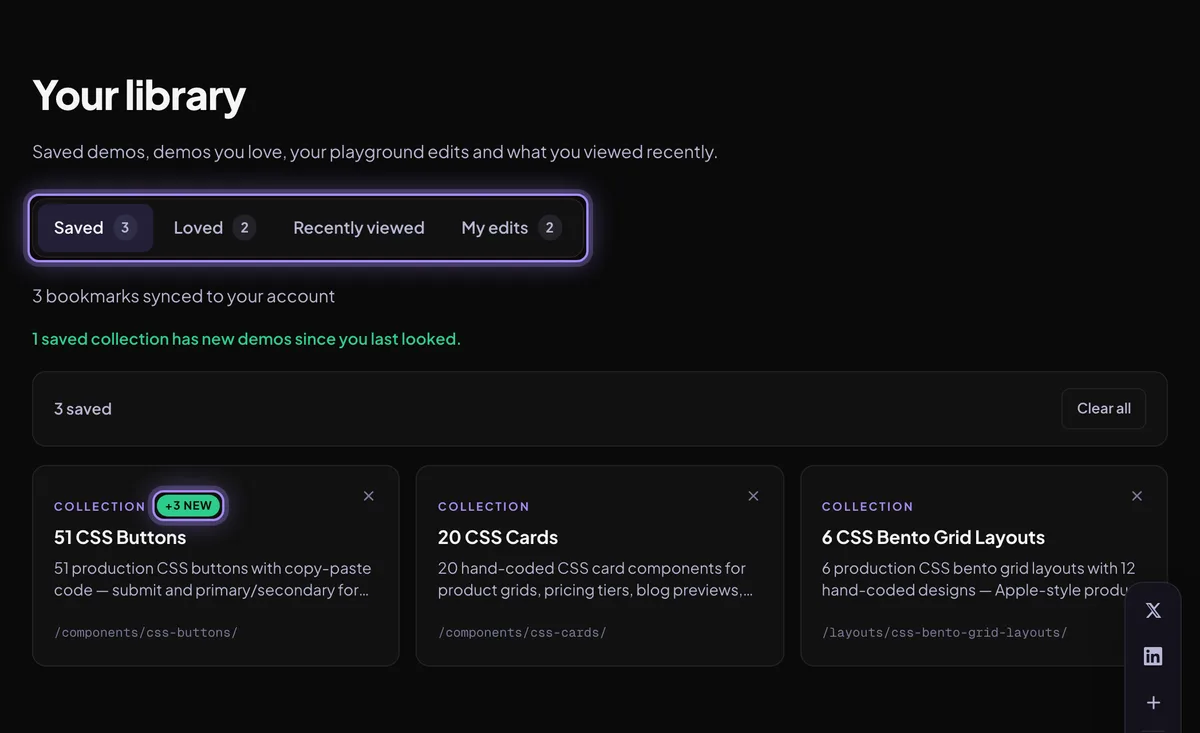
Your library
Everything you saved, loved, edited and viewed, in one place.
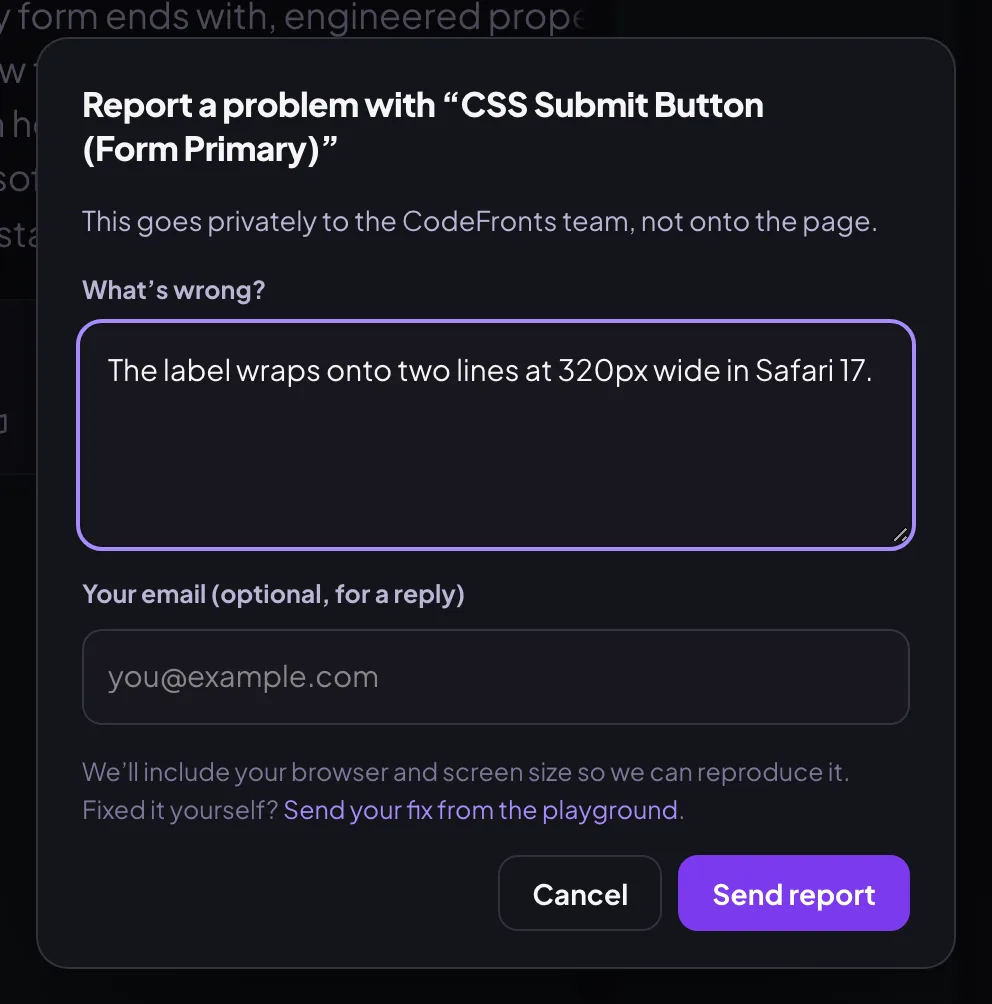
Spotted a problem, or fixed it yourself? Both go privately to the CodeFronts team, not onto the page.
Report a problem
Anyone can report, no account needed.
Press Report in the demo’s toolbar, or Report a problem in the side panel.
Say what’s wrong. Add your email if you’d like a reply.
Your browser and screen size are included so we can reproduce it.
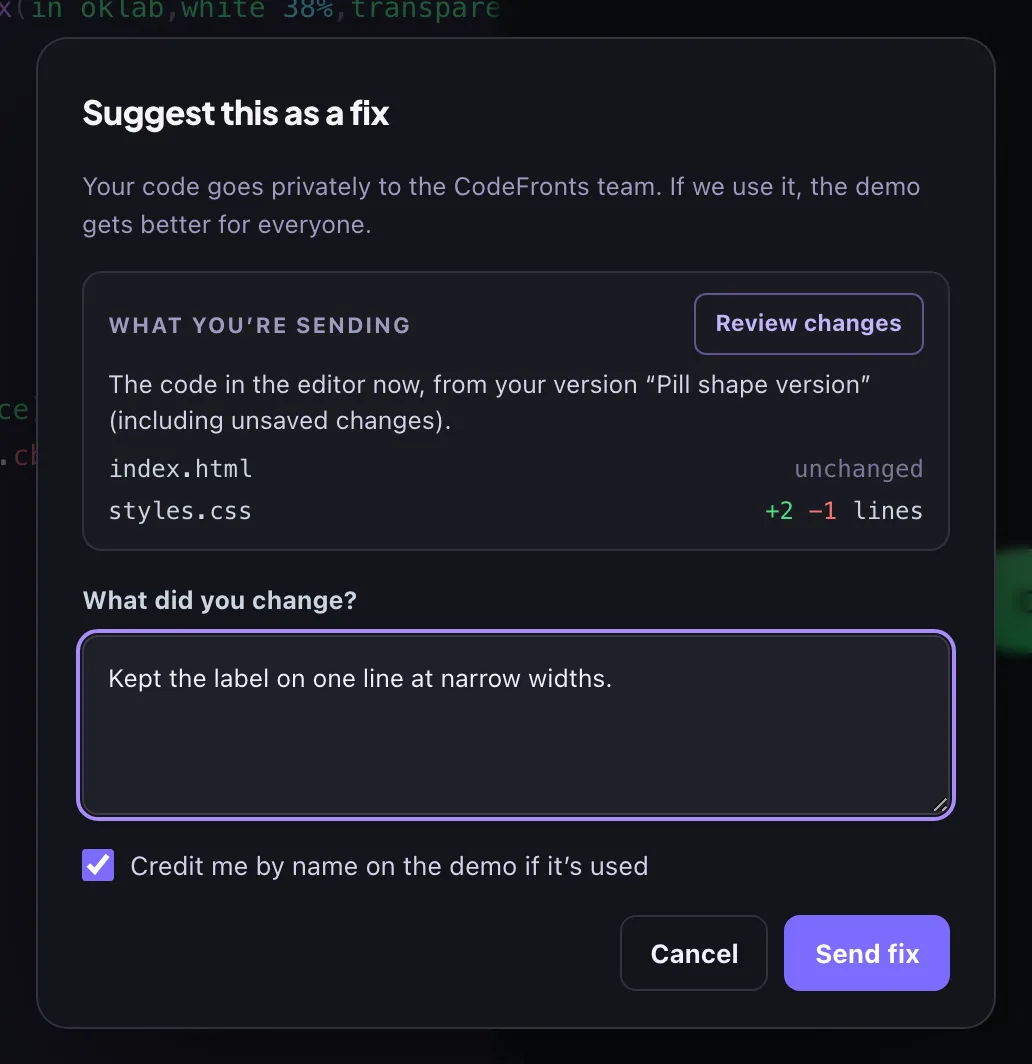
Suggest a fix
Fixed it in the playground? Send us your version. Needs an account.
Make your fix in the playground.
Choose Save ▾ → Suggest as a fix… (4 in the Save menu).
Check What you’re sending: each file’s changes against the original. Review changes shows them side by side.
Add a short note and send. Leave Credit me ticked and, if we use your fix, the demo shows “Improved by” with your name.
Your account
An account is optional. Everything on CodeFronts works without one; signing in keeps your work on every device.
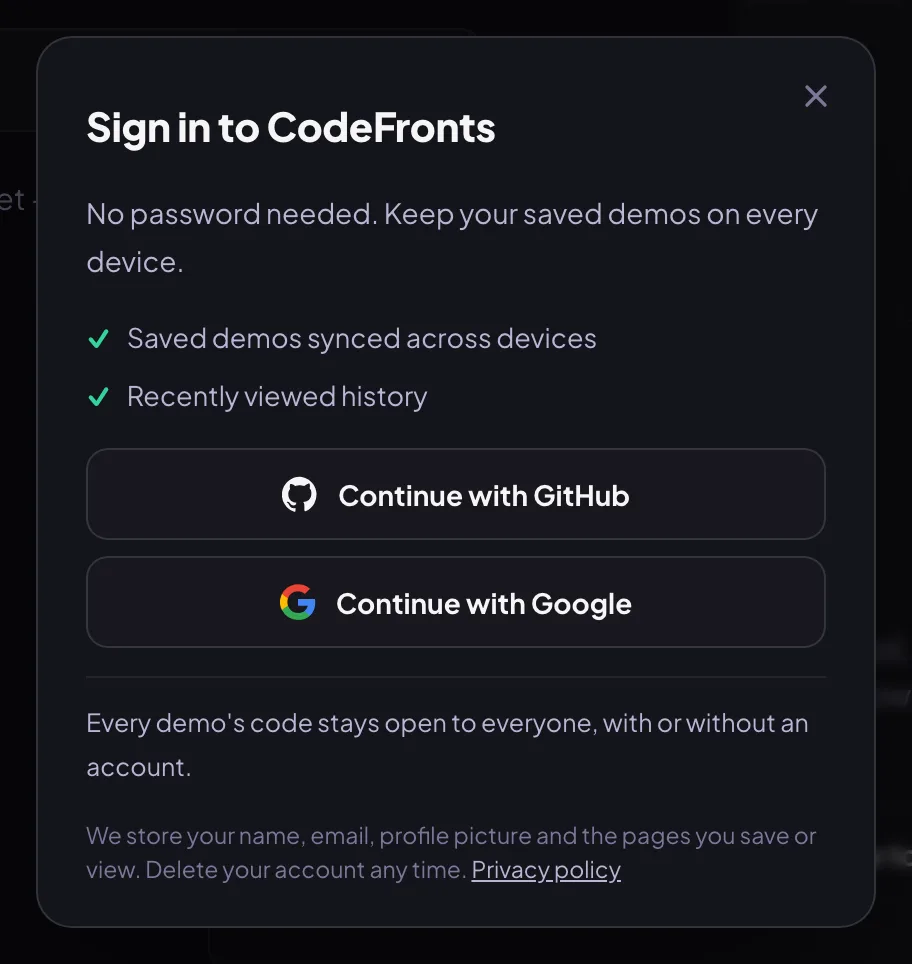
Sign in with GitHub or Google
There’s no password to create. Press Sign in and pick GitHub or Google. We receive your name, email and picture, nothing else, and never post anything for you.
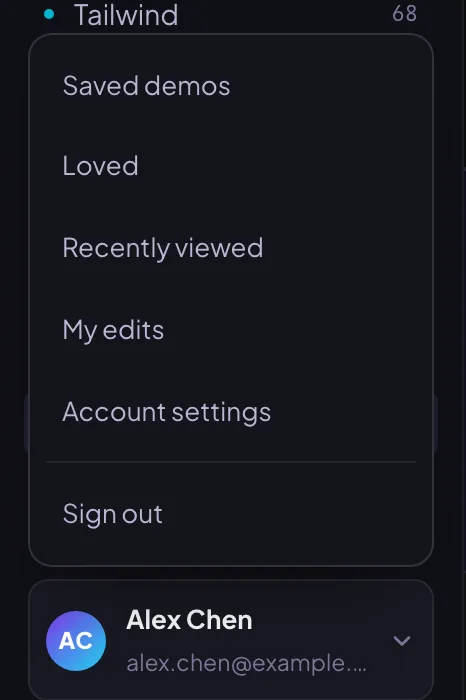
Account menu and settings
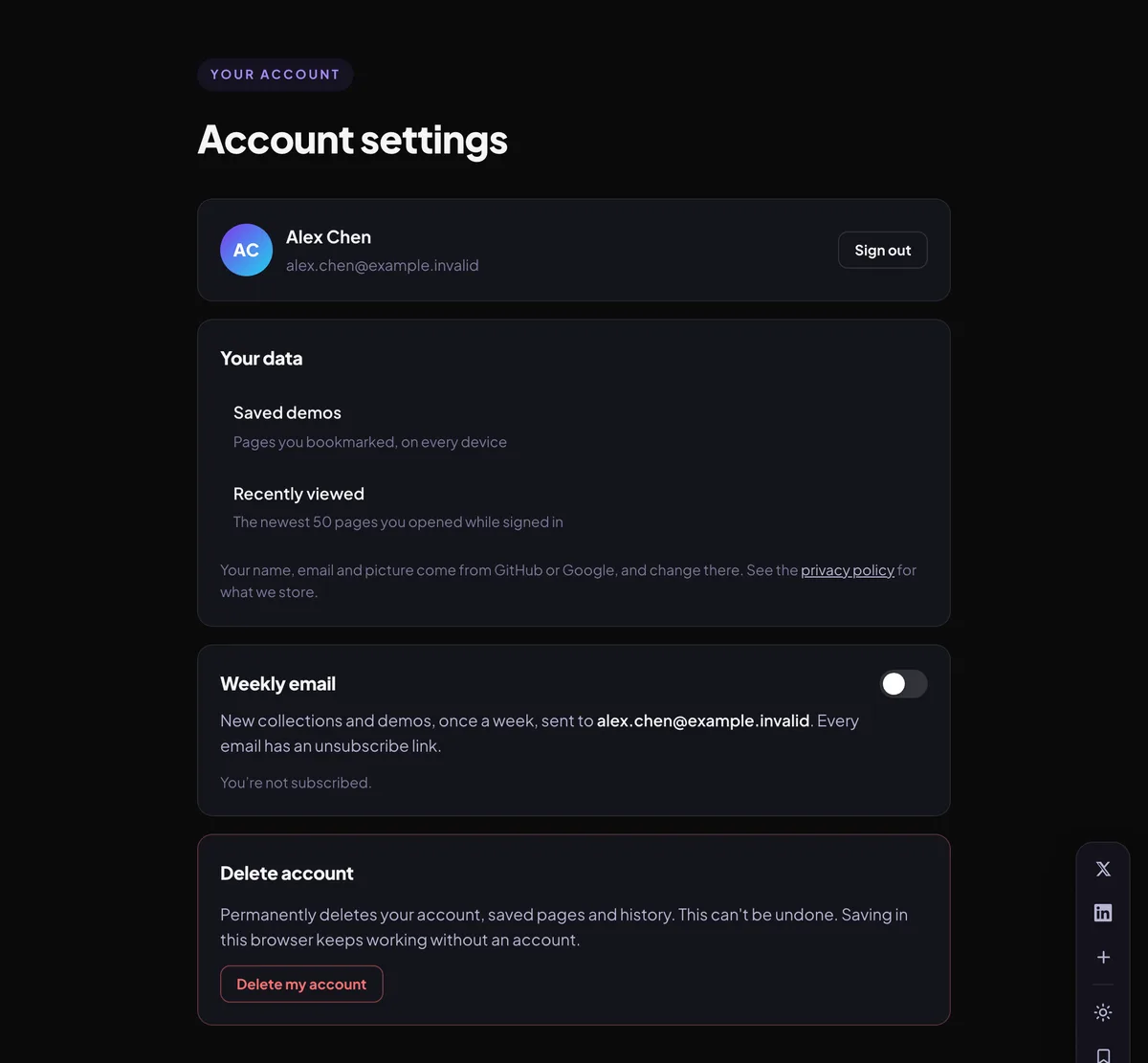
Click your avatar for your library and settings. In Account settings:
Weekly email is off unless you switch it on. Every email has an unsubscribe link.
Delete my account removes your account and everything attached to it: saves, loves, history and versions.
No. Copying code, the playground, exports and saving pages in your browser all work without one. An account keeps your saved pages, loves and playground versions on every device, and lets you share versions and suggest fixes.
Are my playground versions private?
Yes. Versions saved to your account are visible only to you, unless you switch on a share link for a version. Then anyone with that link can view and copy it, without your name or email, until you switch the link off.
Who can see a share link?
Only people you give the link to. Share links are not listed or searchable on the site. Switching the link off makes it stop working at once.
What happens when I report a problem or suggest a fix?
It goes to a private queue that only the CodeFronts team reads; nothing is posted on the page. If we use your fix and you ticked Credit me, the demo shows your name as "Improved by".
How do I delete my data?
Go to Account settings and choose Delete my account. Your account, saves, loves, history and versions are removed. Saves kept in your browser without an account can be cleared from Your library.
Something not covered here? Ask us and we’ll add it to this guide.