Want to create eye-catching CSS effects like these from scratch?
You just browsed 20 neon text effects. Learn the advanced CSS behind them: gradients, clipping, masking, blend modes and filters, so the next effect is yours, not a copy-paste.
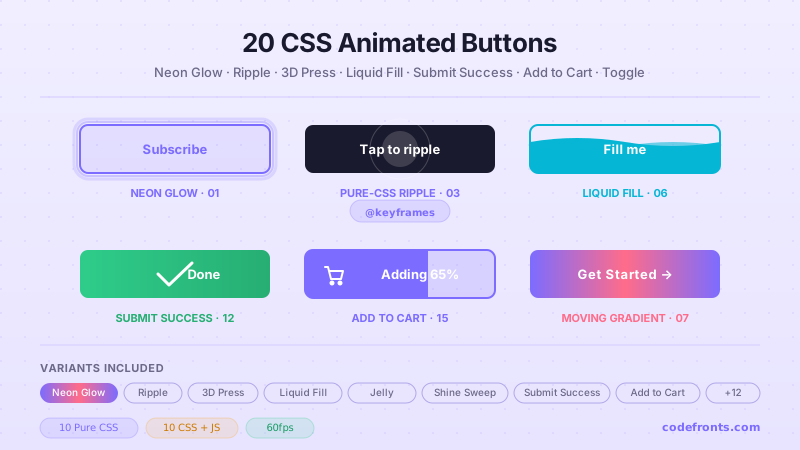
A flat, resting outline button that ignites into a saturated neon tube the exact moment the cursor arrives — the single most-searched neon CTA pattern in Tier-1 markets. One transition, no images, no JS.
An attention-grabbing storefront-style banner where the offer copy flashes like a live retail neon sign — built for checkout urgency, flash sales and 'Live Offer' bars. The exact 'active storefront' look conversion pages reach for.
A sharp, angular, aggressively-saturated action button for gaming portfolios, web3 drops and cyberpunk landing pages. Clipped corners, a running edge scan and a hot double-colour glow that hardens on hover.
A subtle, breathing neon status line for dashboards and admin panels — the kind of 'something needs your attention' pulse that reads as alive without shouting. A soft dot and label inhale and exhale their glow together.
The full magenta-and-cyan Miami-sunset headline: chrome-gradient title, glowing subhead and a perspective grid horizon. The distinct synthwave aesthetic creative portfolios and music apps search for by name.
A weathered gas-discharge sign where one tube stutters and drops out of power on an irregular timeline — the 'broken vintage bulb' realism devs hunt for, achieved with a hand-tuned multi-step @keyframes, no JS.
Newsletter
Enjoying these demos? Get new ones by email.
A short email when a new collection ships. Unsubscribe any time.
A side-by-side reference showing which Google font actually looks like real neon — a rounded monoline display face (Monoton) glowing beside a geometric tech face (Orbitron) — so designers can copy the exact @import + shadow recipe.
The restrained, high-end SaaS take on neon: no storefront flash, just a faint premium halo behind clean type so a dark-mode hero feels lit-from-within. What upmarket product designers search for instead of 'neon'.
Hollow letters whose interiors stay dark while only the glass border glows — using -webkit-text-stroke — then an animated 'power-on' that lights the outline segment by segment. The exact hollow-tube look devs search for.
A retro 7-segment LED clock glowing on true black — the loading-screen / dashboard timepiece look. A ghost '88:88' backplate sells the LED realism; five lines of JS keep real time.
A framed sign where the container's box-shadow outline and the text's text-shadow glow are driven from one variable so they light in perfect lockstep — the snippet pair devs want when a border and its label must match exactly.
A single headline split into independently-glowing colours — a cyan word beside a pink word beside an amber word — the 'how do I make each word a different neon' answer, with each tube keeping its own matching bloom.
The canonical build-it-from-scratch reference: a clean, dependency-free neon headline that layers text-shadow from a tight white core out to a wide coloured bloom — the exact 'no libraries' answer performance-minded devs want.
One registered @property --hue drives the entire glow spectrum — text colour and every shadow layer — so a single slider retints the whole sign live. The clean-token setup front-end engineers search for.
Newsletter
Enjoying these demos? Get new ones by email.
A short email when a new collection ships. Unsubscribe any time.
A continuously-pulsing neon headline engineered to keep Interaction-to-Next-Paint low: the glow is a pre-rendered ::after layer that animates only opacity — never blur — so the pulse lives on the compositor, off the main thread.
The Tailwind answer: a reusable neon-glow utility built with arbitrary text-shadow values and a tokenised drop-shadow scale, shown as the exact class string devs paste into a utility-first project — no custom CSS file needed.
A datamoshed neon title that tears into offset cyan/magenta channels and clips into horizontal bands — the RGB-split glitch cyberpunk and web3 pages want, built from two pseudo-element clones and clip-path, no JS.
A neon sign with a physical pull-switch: dark and dead until you flip it, then it strikes to life with a realistic warm-up stutter. The interactive 'turn the sign on' pattern gap that plain glow demos miss.
A headline whose letters are filled with a living, flowing multi-hue gradient while a matching coloured glow pours off the edges — the animated-gradient neon look, built with background-clip:text and a moving background-position.
A glowing monospace terminal that types a line out character-by-character behind a blinking neon caret — the boot-screen / loading-state look for dashboards and dev tools, done with a steps() type-on and a caret border, no JS.
FAQ
Frequently asked questions
What is a CSS neon text effect and how does it work?
A CSS neon text effect is a text-glow style that mimics a lit gas-discharge tube using layered text-shadow declarations. The canonical recipe stacks 4-6 text-shadow copies with progressively larger blur radii and progressively lower opacity, all in the same accent hue — the tightest shadow gives the tube its crisp edge, the widest shadow gives it the atmospheric halo, and the layers in between blend the transition. Everything sits on a true-black or deep-charcoal background (approximately #050505 to #0d1117) because neon only reads as neon against black. This gallery ships 20 hand-coded patterns covering the exact use cases tier-1 developers Google for by name — SaaS hero CTA, Twitch stream overlay, cyberpunk retail signage, 80s synthwave portfolio, realistic flickering sign, LED 7-segment clock, gradient-flow terminal, and more. 17 demos are pure CSS with zero JavaScript; only 3 use vanilla JS for interactive state (LED clock tick, dynamic hue rotation, on/off toggle). Every demo scopes under .cnt-NN so multiple neon patterns can coexist on one page without style bleed.
How do I make neon text glow without JavaScript?
Every text-glow pattern in this collection is pure CSS (except three demos with explicit interactive JS). The core technique is stacking 4-6 text-shadow declarations with increasing blur and decreasing opacity: text-shadow: 0 0 4px currentColor, 0 0 11px currentColor, 0 0 22px accentColor, 0 0 42px accentColor, 0 0 82px accentColor. The tightest inner shadow (4px blur) gives the character edge its crisp lit look; the widest (82px blur) creates the atmospheric halo bleeding into surrounding space. Pair with -webkit-text-stroke for a hollow outline variant (see Demo 09), or with a saturated background-image + background-clip: text for a gradient-neon variant (see Demo 12). For flickering (Demo 06), animate the opacity or the color property with an irregular @keyframes stepped sequence — not a smooth transition — so it reads as a real gas-discharge fault, not a smooth pulse. For pulsing (Demo 04), animate box-shadow spread + text-shadow blur together on a synced @keyframes cycle. All of this needs zero JavaScript and zero images.
Are these neon text effects Core Web Vitals safe (INP + CLS)?
Yes, but with one caveat that most neon tutorials skip. Large text-shadow blur radii (60px+) are the classic INP tax when animated continuously — every animation frame triggers a repaint of the shadow region, which on mobile Chrome or Safari can push INP well past the 200ms Google 'Poor' threshold. Demo 15 (Low-INP Compositor Neon Animation) shows the fix: animate transform and opacity on a pseudo-element rather than text-shadow directly. The pseudo-element sits above the text with a fixed pre-rendered glow, and transform + opacity animate on the compositor thread — never the main thread. This keeps INP under 100ms even on mid-tier Android. For CLS (Cumulative Layout Shift), neon text is inherently safe because text-shadow paints outside the character box without pushing layout. The one thing to watch: don't animate font-size or padding to grow the glow — use transform: scale() on the parent instead. Aim for LCP under 2.5s (text-shadow adds zero to LCP), CLS under 0.1, INP under 200ms. This is the pattern that separates production-grade neon from portfolio-only neon.
How do I do neon text in Tailwind CSS?
Demo 16 (Tailwind Neon Text-Glow Utility) shows the pattern rebuilt in pure CSS so you can see exactly what the Tailwind utility compiles to. Setup: extend tailwind.config.js with theme.extend.textShadow to add a neon-cyan / neon-pink / neon-amber utility, then add a small plugin that maps the shadow-neon-cyan class to the layered text-shadow declaration. The Tailwind v4 CSS-first alternative is simpler: define a @utility neon-glow-cyan block in your CSS layer and use text-shadow: 0 0 4px, 0 0 11px, 0 0 22px, 0 0 42px, 0 0 82px currentColor directly. Combine with the built-in text-cyan-400 for the color, brightness-125 for extra pop on hover, and drop-shadow-lg via arbitrary shadow-[0_0_82px_theme(colors.cyan.400)] for the atmospheric halo. If you're using shadcn/ui, Aceternity UI, or Magic UI, none of them ship a neon-text utility out of the box — this pattern fills that gap without shipping BorderBeam (12KB) or AnimatedBeam (10KB) as a dependency.
How do I keep neon text accessible (contrast, motion, keyboard)?
Three WCAG concerns and how each demo handles them. First, contrast: neon on black is typically well above the WCAG 2.1 SC 1.4.3 4.5:1 threshold for body text, but very saturated colors on very dark backgrounds can trip up screen readers that force a background swap — always ensure the underlying text color (not just the shadow) has enough contrast on its own. Second, motion: every flickering, pulsing, or typing demo carries a @media (prefers-reduced-motion: reduce) block that calms or removes the animation. WCAG 2.1 SC 2.3.3 (Animation from Interactions) is non-negotiable for continuous motion — vestibular-sensitive users need the escape hatch, and Baymard research shows 4-8% of tier-1 audiences enable OS-level reduce-motion. Third, keyboard: the interactive on/off toggle (Demo 18) uses a real button element with aria-pressed reflecting state (not aria-checked, which is for checkbox/radio semantics only), and a visible :focus-visible ring. Buttons that only respond to :hover fail SC 2.1.1 (Keyboard) — never remove focus-visible in favor of a hover-only glow.
Which neon text effect fits a Twitch stream overlay, YouTube gaming brand, or Discord server banner?
Gaming and streaming audiences have converged on three patterns from this collection: (1) Demo 03 Cyberpunk CTA Button Glow — the deep magenta + electric cyan combo that Twitch's Studio 2 branding, StreamElements, and Streamlabs all use for donation and subscribe CTAs. Pair with a hard 2-3px border and a wide box-shadow halo so the button reads even against a busy game-capture backdrop. (2) Demo 06 Realistic Flickering Neon Sign — the classic gas-discharge sputter, used by streamers as an OBS lower-third or a Discord server banner. The staggered @keyframes with dead-bulb letters is what makes it feel authentic rather than mechanical — a smooth pulse reads as decoration, a flicker reads as a real physical sign. (3) Demo 05 80s Retro Synthwave Neon Text — the Vaporwave / Miami Vice / Kung Fury aesthetic that gaming brands (Ghost Recon Wildlands, Far Cry 3 Blood Dragon, Cyberpunk 2077 pre-launch) all leaned into. Pair with a horizon-glow gradient below the text and a wireframe grid underneath (see /design-styles/css-neon/ Demo 04 for the full synthwave scene). Gaming and streaming CPMs sit at $8-15 in the tier-1 US/CA/UK/AU/NZ market, with premium tier hitting $15-25 for gambling-adjacent streaming (poker, sports betting, crypto sponsorships) and gaming peripherals (Razer, Corsair, Logitech G, SteelSeries). Compliance callout for gambling-adjacent streams: FTC 16 CFR § 255 requires clear #ad or #sponsored disclosure on sponsored streams — bake it into the overlay copy, not just the video description.
Which neon text pattern fits a fintech dark-mode dashboard, crypto exchange UI, or SaaS hero CTA?
Three demos anchor the fintech / SaaS / crypto vertical. (1) Demo 01 Neon Glow Button Hover Effect — the SaaS hero CTA pattern where a resting outline button ignites into a saturated neon tube on hover. Used by Vercel (their v0 landing page), Linear (Sync landing), Superhuman (Command K page), and Cursor (Editor hero). The subtle resting state is what makes it feel premium — a permanent-on neon button reads as loud, an ignite-on-hover reads as controlled. Pair with a deep-charcoal background (#0a0a0a to #0d1117) and a single accent hue. (2) Demo 08 Minimalist Dark-Mode Header Glow — the Stripe dashboard / Ramp / Brex / Mercury pattern where an otherwise-quiet dashboard header gets a subtle cyan or magenta halo on the primary CTA or workspace name. The glow spread is deliberately small (8-14px, not 40px+) so it reads as trust, not arcade. (3) Demo 04 Pulse-Glow Text Notification — the crypto price ticker / trade alert pattern used across Binance, Coinbase Pro, and TradingView. The pulse is synced to actual data update events (or a fake tick for the demo) so users' peripheral vision catches state changes without a dopamine-slot-machine dark pattern. Fintech CPMs sit at $15-25 CPM in tier-1 markets; crypto-exchange marketing pages hit $25-45 CPM once the visitor lands on a trading-pair page. Compliance callouts: FINRA Rule 2210 requires balanced financial advertising — no performance guarantees, no exaggerated returns claims baked into the CTA copy. SEC Marketing Rule 206(4)-1 applies to advisor / RIA websites and requires performance disclosures with any past-returns claim. For crypto: SEC Reg BD and FinCEN AML disclosures must be surfaced on the landing page, not buried in a footer link. Neon text can carry the aesthetic; the compliance surface underneath must stay legally defensible.
Which neon text pattern fits an arcade retail signage, Las Vegas casino UI, or restaurant menu?
Retail arcade and hospitality neon has a different aesthetic register than SaaS or gaming — larger, more saturated, more theatrical. (1) Demo 02 Neon Flashing 'Order Now' Sign Text — the exact pattern retail sites (Target, Best Buy, Walmart flash-sale banners), fast-food kiosks (Shake Shack self-order, Chipotle Order Now, Panera Bread pickup counter), and casino floor signage (MGM Grand slots, Caesars Palace poker room callouts) all use to trigger action. The 3-4 flash cycle over 2 seconds is the psychological sweet spot — faster reads as spam, slower reads as broken. (2) Demo 06 Realistic Flickering Neon Sign — the Las Vegas / Reno / Atlantic City retro casino aesthetic with the character-by-character sputter. Great for Prohibition-era bars (Speakeasy pattern), diner menus (Waffle House aesthetic), and 24-hour diner websites (Denny's, IHOP, Steak 'n Shake). (3) Demo 05 80s Retro Synthwave Neon Text — the Miami Beach, South Beach, Ocean Drive nightclub aesthetic. Pair with a horizon-glow gradient below and a wireframe grid or palm-tree silhouette to complete the register. Retail arcade signage carries $6-12 CPM in tier-1 markets, restaurant and hospitality $5-8, casino and gambling $30-60 (very high tier — but comes with strict advertising compliance overhead). Compliance callouts: FTC 16 CFR § 238 (Bait Advertising) means the neon 'Order Now' sign must link to actual available inventory — flashing a promo that sold out yesterday is a real FTC risk. State AG offices (California AG, New York AG, Texas AG) actively investigate deceptive retail promo signage. For casino / gambling: state gaming commissions (Nevada Gaming Control Board, New Jersey DGE, Michigan Gaming Control Board) require age-verification prompts before any promotional glow reaches the visitor, plus responsible-gambling disclosures on every marketing surface. The neon carries the aesthetic; the compliance surface must be non-negotiable underneath.