20 CSS Animated Buttons

20 hand-coded CSS animated buttons you can copy-paste into any project — neon glow, background slide, pure-CSS ripple, animated border draw, 3D press, liquid fill, moving gradient CTA, shine sweep, jelly bounce, text flip, submit success state, add-to-cart progress, download icon, hamburger-to-close, social share hover, toggle switch, loading spinner, next/prev arrow, and ghost-button reveal. Half the demos are pure CSS — no JavaScript at all; the other half use a tiny vanilla snippet to drive production interactions like a submit success animation or an add-to-cart progress fill. Every button is tuned for 60fps with transform and opacity, respects prefers-reduced-motion, and ships with a real <button> element plus a visible :focus-visible ring for keyboard users.

20 unique buttons 10 Pure CSS 10 CSS + JS 100% copy-paste ready Published
01 / 20
CSS Neon Glow Button
Pure CSS
CSS Neon Glow Button — preview
A neon-lit CTA button with a pulsing glow halo and colour-shifting outline, built entirely with CSS box-shadow animations and no JavaScript.
02 / 20
CSS Background Slide Hover Button
Pure CSS
CSS Background Slide Hover Button — preview
Four directional background-slide hover buttons — left, right, top, and bottom — where a solid fill sweeps across the button face on hover using CSS pseudo-element transforms.
03 / 20
CSS Pure CSS Ripple Effect Button
Pure CSS
CSS Pure CSS Ripple Effect Button — preview
A Material Design-inspired ripple effect on button click, achieved entirely with CSS pseudo-elements and the :active state — no JavaScript required.
04 / 20
CSS Animated Border Draw Button
Pure CSS
CSS Animated Border Draw Button — preview
Hover triggers a border that draws itself clockwise around the button perimeter using CSS clip-path transitions on pseudo-elements — no SVG required.
05 / 20
CSS 3D Press Effect Button
Pure CSS
CSS 3D Press Effect Button — preview
A tactile 3D button that physically sinks into its own raised platform on click, simulating a keycap-style press using CSS transforms and layered box-shadows.
06 / 20
CSS Liquid Fill Button Animation
Pure CSS
CSS Liquid Fill Button Animation — preview
A button whose interior fills with a rising liquid wave on hover, created entirely with a CSS pseudo-element, SVG-like border-radius shaping, and a translateY animation.
07 / 20
CSS Moving Gradient CTA Button
Pure CSS
CSS Moving Gradient CTA Button — preview
An eye-catching call-to-action button with an infinite colour-cycling gradient background that shifts through violet, cyan, and rose — no JavaScript, no images.
08 / 20
CSS Shine Sweep Hover Button
Pure CSS
CSS Shine Sweep Hover Button — preview
A metallic light-streak sweeps diagonally across the button surface on hover, simulating a premium gloss reflection using a CSS pseudo-element gradient and translate animation.
09 / 20
CSS Jelly Bounce Button Animation
Pure CSS
CSS Jelly Bounce Button Animation — preview
Playful elastic micro-interaction buttons that wobble with a jelly-like spring on hover and snap back with an overshoot settle using CSS scale and skew keyframes.
10 / 20
CSS Text Flip Button Hover
Pure CSS
CSS Text Flip Button Hover — preview
Button labels flip vertically on hover to reveal a secondary message — built with CSS 3D perspective transforms on stacked spans, no JavaScript required.
11 / 20
CSS Animated CTA Hero Button
CSS + JS
CSS Animated CTA Hero Button — preview
A hero-section CTA button with a pulsing ring beacon, gradient text label, and particle burst on click — combining CSS animations with a lightweight JS particle emitter.
12 / 20
CSS Submit Button Success State
CSS + JS
CSS Submit Button Success State — preview
A form submit button that morphs into a checkmark success state with a width collapse animation and icon draw, then resets — all styled with CSS transitions and driven by a JS class toggle.
Advertisement
13 / 20
CSS Animated Download Button
CSS + JS
CSS Animated Download Button — preview
A download CTA button where clicking triggers a bouncing arrow animation, a progress bar fill, and a completion state — all using CSS transitions and keyframes toggled by JS class changes.
14 / 20
CSS Hamburger To Close Button
CSS + JS
CSS Hamburger To Close Button — preview
The classic three-line hamburger menu icon morphs smoothly into an × close icon via CSS transform transitions — no SVG swaps, just rotating and fading three spans.
15 / 20
CSS Add To Cart Button Animation
CSS + JS
CSS Add To Cart Button Animation — preview
An e-commerce add-to-cart button that animates a product dot flying into a cart icon badge on click, with a count increment and brief success flash.
16 / 20
CSS Social Share Buttons Hover
CSS + JS
CSS Social Share Buttons Hover — preview
A row of social share icon buttons with brand-colour reveals, floating tooltips, and a URL-copy button that flashes a "Copied!" confirmation on click.
17 / 20
CSS Animated Toggle Switch Button
CSS + JS
CSS Animated Toggle Switch Button — preview
A collection of iOS-style animated toggle switches for dark mode, notifications, and auto-save — styled with pure CSS and driven by accessible checkbox inputs.
18 / 20
CSS Loading Spinner Inside Button
CSS + JS
CSS Loading Spinner Inside Button — preview
A button that reveals a micro-spinner overlay and transitions to a disabled loading state on click, then resolves to success — all using CSS transitions and a JS state machine.
19 / 20
CSS Next Prev Arrow Button Hover
CSS + JS
CSS Next Prev Arrow Button Hover — preview
Pagination and slider navigation controls where arrow icons slide subtly forward or backward on hover, with a functional slide counter driven by JS.
20 / 20
CSS Ghost Button Background Reveal
CSS + JS
CSS Ghost Button Background Reveal — preview
Transparent ghost buttons that elegantly fill with a solid colour or gradient on hover, with JS-powered ripple origin tracking so the fill emanates from the exact cursor position.
FAQ

Frequently asked questions

What's the difference between CSS animated buttons and CSS hover button effects?
Hover effects are limited to what happens while the cursor is OVER the button — a fill slides in, a border draws, a glow ramps up. Animated buttons are broader: they cover hover, but also active/press states (3D press, ripple from click point), result states (submit success checkmark, add-to-cart progress fill), idle attention (jelly bounce, shine sweep), and stateful toggles (hamburger ↔ close, toggle switch flip). This collection covers all of them. If you only want hover-state effects, see our separate /motion/css-button-hover-effects/ collection. Use this one when the button needs to animate during a real interaction, not just on hover.
Which of these CSS animated buttons work without JavaScript?
Half of them — 10 of 20. The Pure CSS demos cover: neon glow, background slide, pure-CSS ripple (uses ::after expanding from center), animated border draw, 3D press, liquid fill, moving gradient CTA, shine sweep, jelly bounce, and text flip. Each is tagged 'Pure CSS' on its card. The other 10 use a small vanilla-JS snippet for genuinely interactive state — submit-button success animation that fires on form submit, add-to-cart progress that runs once on click, hamburger-to-close toggle, toggle switch, loading spinner that you start/stop programmatically, etc. The JS lives in the demo's JS tab — every byte you need is in the code panel.
How do you make a CSS ripple button without JavaScript?
Use an ::after pseudo-element absolutely-centered inside the button, scaled from 0 to 4× on :active with opacity fading from 0.4 to 0 in the same keyframe. Wrap the button in overflow: hidden so the ripple clips at the edge. The ripple emerges from the button's center — true click-point ripples (where the wave starts from the exact pixel the mouse hit) need ~10 lines of JS to set --x / --y CSS variables on click. The Pure CSS Ripple Effect Button (#03) in this collection ships the no-JS version; the production CTA Hero Button (#11) shows the JS-coordinated version with click-coordinate tracking.
How do you animate a submit button success state in CSS?
Three-stage animation: (1) the button enters a loading state when the form submits — text fades out, a CSS spinner fades in; (2) on resolved success, the spinner morphs into a checkmark using stroke-dasharray draw-in on an SVG path; (3) the button background animates to a success green and stays there briefly before resetting. The visible state machine is driven by a single data-state attribute on the button (data-state='idle' | 'loading' | 'success') and CSS rules keyed off that attribute — the JS just swaps the attribute value at the right moments. The Submit Button Success State demo (#12) in this collection ships the full recipe.
How do you animate an add-to-cart button in CSS?
The pattern most e-commerce sites use: the button's width expands slightly on click, a progress bar runs across its background via animated linear-gradient or a scaling ::before, and on completion a checkmark + 'Added' label fade in to replace the original 'Add to cart' label. For a richer version, a small product icon arcs into the cart icon at the top of the page using CSS keyframes — but that's overkill for most uses. The Add To Cart Button Animation demo (#15) in this collection ships the standard recipe (progress bar + label swap).
How do you keep CSS button animations at 60fps?
Animate only transform and opacity. Both are compositor-only properties that bypass the layout and paint phases, so the browser hits 60fps even on lower-end devices. Avoid animating width, height, top, left, padding, or box-shadow size on the active transition (they trigger layout reflow and cost dozens of milliseconds per frame). For longer animations like a glow pulse or jelly bounce, add will-change: transform to the button (NOT its parent) and remove it when the interaction ends to free the compositor layer. Every demo in this collection follows these rules — that's what makes them feel snappy rather than laggy.
Are these CSS animated buttons accessible and mobile-friendly?
Yes. Every demo wraps continuous animations in @media (prefers-reduced-motion: reduce) so users who opt out (vestibular sensitivity, migraine triggers — about 35% of adults have some motion preference) get an instant state change instead of motion. On touch devices :hover falls back to :active so press / feedback effects still fire on tap. Every button is a real
Are these CSS animated buttons free for commercial use?
Yes. Every demo is MIT licensed — free for personal and commercial use, no attribution required, no signup, no upgrade tier. Copy the HTML + CSS (+ JS, for the production demos) from the code panel and paste into your project. There's no watermark in the output. Use these on a client project, a SaaS marketing site, an enterprise dashboard — none of those need permission.

Related collections

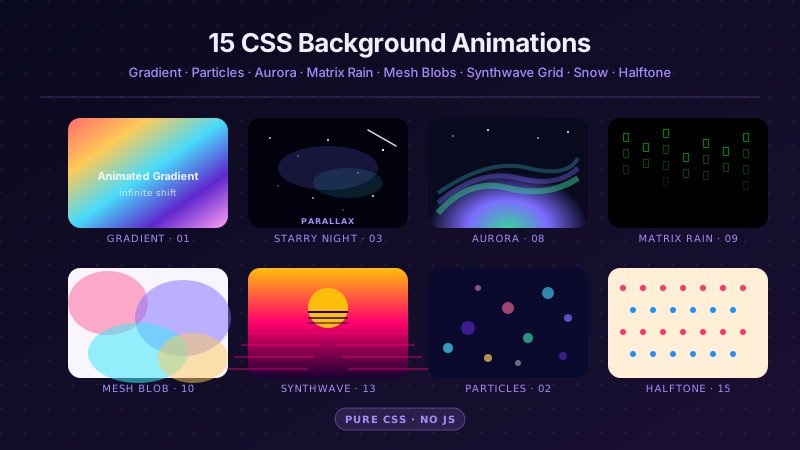
15 CSS Background Animations preview

15 CSS Background Animations

15

15 hand-coded CSS background animations with live demos — infinite shifting gradient, floating particle bubbles, parallax starry night, clickable cyberpunk ripple, sliding geometric grid, SVG wave overlays, glassmorphism orbs, aurora borealis ribbons, matrix digital rain, mesh gradient blobs, falling snow, morphing blob, retro synthwave 3D grid, infinite scrolling diagonal marquee, comic-book halftone dots. 100% Pure CSS, no JavaScript, no canvas, no particles.js. prefers-reduced-motion respected, scoped class names, MIT-licensed.

css background animation animated gradient background css css floating particles Responsive
27 CSS Button Hover Effects preview

27 CSS Button Hover Effects

27

27 hand-coded CSS button hover effects — 3D press, neon glow, gradient slide, border draw, liquid fill, ripple, glitch text, and kinetic flips. Every demo is pure CSS (no JavaScript, no framework), tuned for 60fps with transform and opacity, and respects prefers-reduced-motion out of the box.

css buttons button hover button hover effects Responsive
33 CSS Card Hover Effects preview

33 CSS Card Hover Effects

33

33 hand-coded CSS card hover effects with live demos — multi-axis 3D tilt with parallax, glowing gradient glassmorphic border, image zoom with content slide-up, front-to-back 3D flip, sibling de-emphasis with :has(), minimalist elevation, plus 27 more (elastic lift, conic-gradient border, holographic foil, neon sign, glitch RGB split, magnetic float, blueprint reveal, aurora drift and more). 26 pure CSS + 7 with a small vanilla JS snippet for cursor tracking. prefers-reduced-motion respected, scoped class names, MIT-licensed.

css card hover effect css card hover animation card hover effect pure css Responsive

Search CodeFronts

Loading…