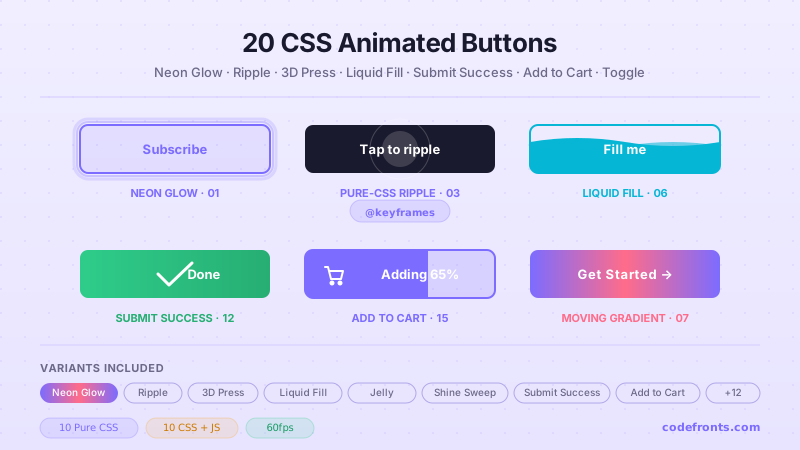
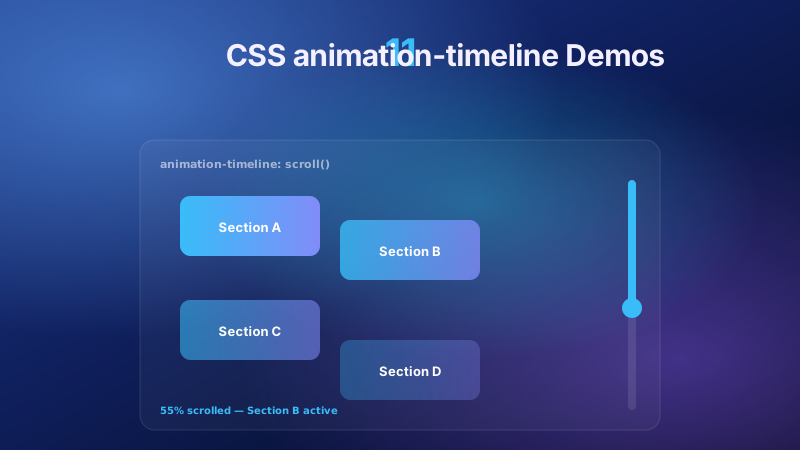
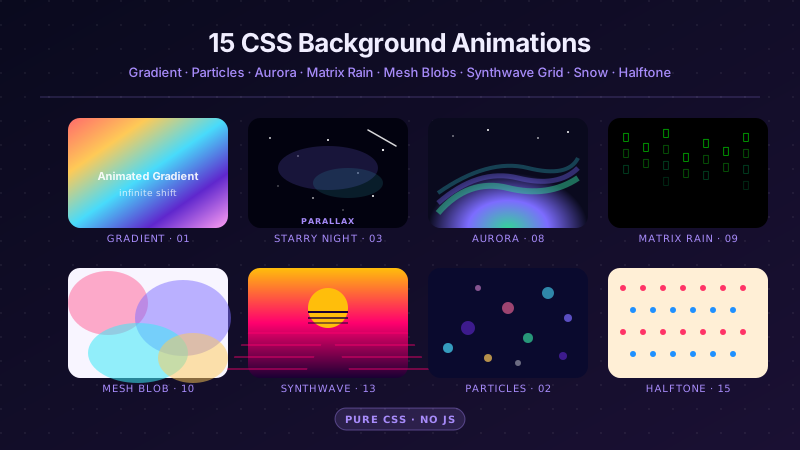
20 hand-coded View Transitions API patterns — document.startViewTransition() for single-page apps, @view-transition for multi-page sites with no JavaScript, shared-element morphs from card to detail, grid to lightbox and list reorder, plus the debugging pages for what actually bites: duplicate names silently aborting a transition, stretched images and warped children. Every demo feature-detects, so Firefox degrades to an instant update. Scoped under .vtr-NN, prefers-reduced-motion guarded, framework-agnostic.
Want to build production-ready CSS layouts, animations and UI from scratch?
You just browsed 20 view transitions. Learn the Flexbox, Grid and animation thinking behind them, so the next component starts in your head, not in a copy-paste.
The reference build every other demo in this collection borrows from. One call to document.startViewTransition() wraps a panel swap, and an annotation column names the three phases the browser runs: screenshot the old state, run your callback, screenshot the new state and animate between them. Reach for it the first time you replace a hand-rolled fade with the API.
The piece most developers do not know exists: a single at-rule, @view-transition { navigation: auto; }, shipped in the stylesheet of both pages, and same-origin navigations animate with no JavaScript at all. Static sites, Astro, Rails and Django get SPA-feeling page changes for free. The preview swaps two documents inside one browser frame with a pure-CSS switch, because a sandboxed frame cannot perform a real navigation.
A list rendered from data cannot carry hand-written view-transition-name values in a stylesheet, because each name must be unique in the document and the set changes at runtime. The fix is to set the name on the two participating elements immediately before the transition and clear it immediately after, so only the pair that is actually morphing is ever named.
The default transition is a cross-fade. This replaces it: your own @keyframes attached to ::view-transition-old() and ::view-transition-new() to get a slide-under, a scale-through or a directional wipe. Includes a diagram of the pseudo tree so you know which of the four layers to target for which kind of effect.
One transition, two behaviours: pass types: ['forward'] to document.startViewTransition() and branch on :active-view-transition-type(forward) in CSS. Forward navigation slides left, back slides right, from a single call site. This is the piece that makes the API usable in a real router, and the type list is cleared automatically when the transition ends.
A grid card expands into a full detail view with its image and headline flying to their new positions. The subject is the pairing contract that makes it work: the same view-transition-name must exist on the outgoing element and the incoming one, and only one element per name may be present when the browser takes each snapshot.
Newsletter
Enjoying these demos? Get new ones by email.
A short email when a new collection ships. Unsubscribe any time.
A cropped square thumbnail expands into a full-bleed overlay. The interesting part is not the overlay, it is the aspect-ratio change: the browser morphs the element's box, not its contents, so a square-to-landscape jump distorts the captured image unless object-fit is set on both states. Demo 18 covers the full fix.
Filter or sort a list and every remaining row glides to its new position. This is the native replacement for FLIP libraries and layout animations from a motion framework — no measuring, no getBoundingClientRect, no wrapper components. Each row needs its own unique name, and there is a practical ceiling worth knowing before you scale it.
The sliding underline that follows the active tab, built by giving the indicator element one view-transition-name and moving it in the DOM. No getBoundingClientRect, no custom properties tracking offsets, no resize listener re-measuring on layout change. The contrast with the manual approach is the whole point.
The dark-mode reveal that spreads from the toggle button as a growing circle. Read the click coordinates, compute the radius to the furthest viewport corner, and animate clip-path: circle() on the new snapshot. Two details make it correct: the new state has to paint above the old one, and the whole effect must be skipped under reduced motion.
The product thumbnail travels to the cart icon while the badge count updates in the same transition. Two named elements participate: the image, whose old position is the product card and whose new position is the cart, and the badge, which morphs between counts. The ordering trap is that the badge must already exist before the transition, or you get a fade instead of a morph.
Animating to intrinsic height without max-height guesswork or JavaScript measurement: name the panel, toggle it open inside the callback, and the browser interpolates the box. Also weighs the two honest alternatives — grid-template-rows: 0fr to 1fr and interpolate-size: allow-keywords — because the API is not always right for a disclosure.
A mobile navigation drawer where one transition handles the panel slide, the backdrop fade and the content shift together, instead of three separate CSS transitions that can drift out of sync. Also covers the part the API does not do for you: moving focus into the drawer when it opens and returning it to the trigger on close.
Animating a real <dialog> opened with showModal(), backdrop included. The wrinkle is that both the dialog and the view-transition pseudo-elements live in the top layer, so the interaction is subtler than it looks — this shows what actually works, and compares it against the @starting-style plus transition-behavior: allow-discrete route.
Newsletter
Enjoying these demos? Get new ones by email.
A short email when a new collection ships. Unsubscribe any time.
Step two slides in from the right on Next and from the left on Back, with the step indicator travelling as its own named element. The form itself is deliberately plain — two fields per step — because the subject is the step-change mechanism and the direction-aware branch, not the form design.
Full-viewport transitions are a genuine vestibular trigger, and this API makes them very easy to overuse. Three tiers side by side: the full transition, a reduced variant that keeps a short cross-fade because motion-sensitive does not always mean motion-free, and complete suppression through skipTransition(). Covers both the CSS route and the JavaScript route.
Firefox has not shipped this API. The one-line guard — if (!document.startViewTransition) { update(); return; } — is what separates a progressive enhancement from a broken page, and it has to run before any other transition code. This is the complete wrapper every other demo in the collection uses, with the un-transitioned path shown as the correct path rather than a degraded one.
The single most-hit visual bug in the API. When an element's aspect ratio changes during a morph, the default sizing of the captured old and new images stretches them, producing a visible squash-and-stretch. This shows the broken version and the fixed version side by side, with both available fixes: object-fit on the pseudo-elements, and a width and height override on the image pair.
When a parent container morphs, its children are captured as pixels inside the parent's flat snapshot and warp along with it — text stretches, buttons skew. The fix is to give the children their own view-transition-name so they animate as independent groups. Shown as a matched pair: one card with only the parent named, one with the children named too.
The debugging page. Four failure modes in the order they actually bite: a duplicate view-transition-name aborting the whole transition with no error, pseudo-element paint order that ignores page z-index, a flash of the old state when the callback does async work without returning a promise, and transitions stacking during rapid interaction.
FAQ
Frequently asked questions
What is the View Transitions API and how is it different from a CSS transition?
A CSS transition animates one element between two style values. The View Transitions API animates the page between two DOM states — including changes a CSS transition cannot express, like an element moving to a different position in the tree, or content being replaced entirely. The model is worth understanding because everything else follows from it: the browser screenshots the current page, runs the callback you pass to document.startViewTransition(), screenshots the new page, and cross-fades between the two images. Because it is working with snapshots rather than live elements, it can animate between states that share no DOM relationship at all. That is why a grid card can appear to expand into a full detail view even though those are two completely different elements. The practical consequence is that the DOM update must happen inside the callback — mutate outside it and you get no transition, no error, and no clue what went wrong.
Does the View Transitions API work in Firefox?
Not yet. Chrome shipped same-document transitions in 111 and Safari in 18; Firefox has not shipped any part of the API. That is not a reason to avoid it, but it is a reason to write the guard properly. Every demo in this collection opens with the same three lines: if document.startViewTransition is missing, apply the DOM update directly and return. The result in Firefox is that the interface still works — the card still opens, the list still filters, the theme still toggles — it simply happens instantly instead of animating. That is a legitimate end state rather than a broken one, which is what makes this API a genuine progressive enhancement rather than a dependency. The one thing you must not do is call the API unguarded: it throws a TypeError in Firefox, and that error kills the rest of your script, so a missing three-line check can take out unrelated functionality on the page.
Why is my view transition not animating at all?
In the large majority of cases it is a duplicate view-transition-name. The specification requires every name to be unique within the document at the moment the transition runs, and if two elements share one the browser abandons the entire transition — not just that pair. There is no console error and nothing animates, which makes it the most confusing failure in the API. It usually happens when names are assigned in a stylesheet to a repeating component, or when names set programmatically for a previous transition were never cleared. The fix is to set the name on just the two elements participating in a given morph, immediately before the transition, and clear it as soon as the transition finishes. The second most common cause is mutating the DOM outside the callback: the browser takes its "after" snapshot when your callback resolves, so if the change already happened, both snapshots are identical and there is nothing to animate.
How do I add page transitions to a multi-page site without JavaScript?
Add @view-transition { navigation: auto; } to a stylesheet loaded on both pages. Same-origin navigations then animate automatically with no script involved at all, which is the part most developers do not realise exists. It works on plain static HTML, and on Astro, Rails, Django, Hugo or anything else that serves real documents — the whole point is that it makes a traditional multi-page site feel like a single-page app without adopting a client-side router. Three requirements matter: the pages must be same-origin, the rule must be present on both the outgoing and the incoming document, and the navigation must not be intercepted. Support arrived later than the same-document API — Chrome 126 and Safari 18.2 rather than 111 and 18 — so do not assume a browser that supports startViewTransition() also handles the at-rule. Where it is unsupported the navigation simply completes without animating.
Why do my images stretch or squash during a view transition?
Because the browser is interpolating the element's box, and the captured snapshots are being scaled to fit it. When the old and new states have different aspect ratios — a cropped square thumbnail expanding into a wide hero image, say — the intermediate frames stretch one image and squash the other, producing a visible distortion partway through. The default sizing on ::view-transition-old() and ::view-transition-new() is what causes it. The fix is to set object-fit on those pseudo-elements so the captured image maintains its ratio inside the animating box, or to override the width and height on the ::view-transition-image-pair() so both snapshots share consistent dimensions. This is the single most-reported visual bug with the API, and it is worth getting right before shipping any image morph, because it is far more noticeable in motion than it looks in a still frame.
How do I make view transitions accessible?
Three things, and the second is the one most tutorials skip. First, honour prefers-reduced-motion — a full-viewport wipe is exactly the kind of motion that triggers vestibular discomfort. You can suppress it in CSS by setting animation: none on the transition pseudo-elements inside the media query, or in JavaScript by checking matchMedia and applying the update directly. Reduced does not have to mean removed: a short cross-fade is often a reasonable middle tier. Second, a view transition does not move focus. If the visible content changes — a drawer opens, a detail view replaces a grid, a wizard advances a step — you must move focus to the new content yourself and restore it on close. The animation looks complete while the keyboard user is still stranded on the old element. Third, transitions are invisible to screen readers, so where the change carries meaning, pair it with a live region announcement.
Can view transitions replace Framer Motion or a FLIP library?
For layout animations, often yes. The classic FLIP technique — measure the first position, apply the last, invert the difference with a transform, then play — exists because the platform had no way to animate an element between two layout positions. The View Transitions API does exactly that natively, which means list reordering, filtering and shared-element morphs no longer need a library or manual getBoundingClientRect() measurement. Where libraries still earn their place is gesture-driven and interruptible animation: dragging, spring physics, and animations that need to be reversed midway. There is also a practical ceiling — a few dozen simultaneously animating elements is comfortable, several hundred is not, because each one is captured as a snapshot. The honest summary is that the API removes the most common reason people reached for an animation library, without replacing everything those libraries do.
How do these port to React, Vue, Svelte and Astro?
The CSS ports unchanged, and the JavaScript is a handful of lines in every framework — the only thing that varies is where the DOM update lives. In React, wrap the state update: document.startViewTransition(() => flushSync(() => setState(next))). The flushSync matters, because React batches updates by default and the browser needs the DOM to have changed by the time the callback resolves. Vue uses await nextTick() inside the callback for the same reason, and Svelte 5 uses await tick(). Astro is the simplest case: its <ClientRouter /> component wires the API up for you, and for a purely static site the @view-transition at-rule needs no framework at all. One trap is universal — always feature-detect first, because the framework does not do it for you, and an unguarded call throws in Firefox.