Building the whole landing page, not just this section?
You just browsed 22 Tailwind feature sections. Cruip makes complete Tailwind CSS templates for landing pages, SaaS websites and admin dashboards, coded in HTML, React, Next.js and Vue and used by 60K+ developers. Single templates start at $49.
A SaaS product tour: a segmented tab strip swaps a drawn product screenshot and three benefit bullets. State lives in a native radio group read by group-has-[#id:checked]/tour:, so switching costs zero script — and because the inputs are real radios, arrow keys rove the strip for free, which retires the CSS original's 20-line controller.
The zig-zag feature section: three rows, each a copy block beside a product visual, flipping sides on every other row. The flip is one variant on the parent — lg:even:[&>figure]:order-first — so rows can be added, removed or reordered without touching a class.
A dark metrics band: four stat cards whose numbers count up the first time they scroll into view, each paired with a one-line feature claim and a sparkline. Numbers ship in the HTML at their final value, so with no JS, reduced motion or a screen reader the real figure is always there — the script only animates from zero.
The before/after pitch: a muted 'the old way' card beside a glowing 'with Fern' card, joined by a round arrow badge. The highlight card's gradient border is a padding-box / border-box background pair — two arbitrary background layers, no pseudo-element and no wrapper.
A product-demo player with synced chapters: a 12-second looping 'video' (three drawn scenes) plays beside a chapter list whose progress bars fill in lockstep. Play/pause is a checkbox read by group-has-checked/player:, which sets animation-play-state: paused on every moving part — one toggle, zero JavaScript.
An integrations directory in a feature section: twelve app tiles with a category filter (All / Data / Comms / Dev) and three callouts. The filter is a radio group; tiles outside the chosen category dim and shrink via group-has-[#id:checked]/int: variants, keeping the grid stable instead of reflowing.
Newsletter
Enjoying these demos? Get new ones by email.
A short email when a new collection ships. Unsubscribe any time.
An expandable feature list paired with a preview pane: five native <details name> cards form an exclusive accordion, and the preview on the right swaps to match whichever card is open — read straight from the DOM with group-has-[#id[open]]/acc:. Height animates with ::details-content + interpolate-size.
Three plan columns whose feature rows line up perfectly across cards, even when one value wraps to two lines. Each card is grid-rows-subgrid row-span-8, so all three share one set of row tracks — the alignment the CSS original faked with fixed heights.
An enterprise trust block on deep navy: four certification seals (SOC 2 Type II, ISO 27001, GDPR, HIPAA) with audit dates, a live 'all systems operational' strip, and three security features with spec-sheet detail. Seals use a conic-gradient ring so they read as badges, not buttons.
A developer-facing feature split: benefits on the left, a request/response pair on the right with cURL · Node · Python tabs and a one-click copy button. Tabs are a pure radio group; the only script copies whichever snippet is visible and flips a data-copied attribute the button reads.
Every feature claim backed by a customer: three feature cards, each closing on a short quote, a named person and the metric they saw. Cards use grid-rows-subgrid so titles, descriptions and quotes line up across the row regardless of copy length.
Scroll storytelling without a library: a sticky left column holds the headline and a progress rail that fills as you read, while four step cards scroll past on the right, each easing into focus. The rail is driven by a named view timeline shared through timeline-scope — all arbitrary properties, gated behind supports-[animation-timeline:view()]:.
The most-used feature layout, refined: six features in a hairline-ruled grid (gap-px over a tinted background), each with a gradient icon tile. On hover a soft radial spotlight blooms from the icon corner and the arrow link slides in — all group-hover:, no extra elements.
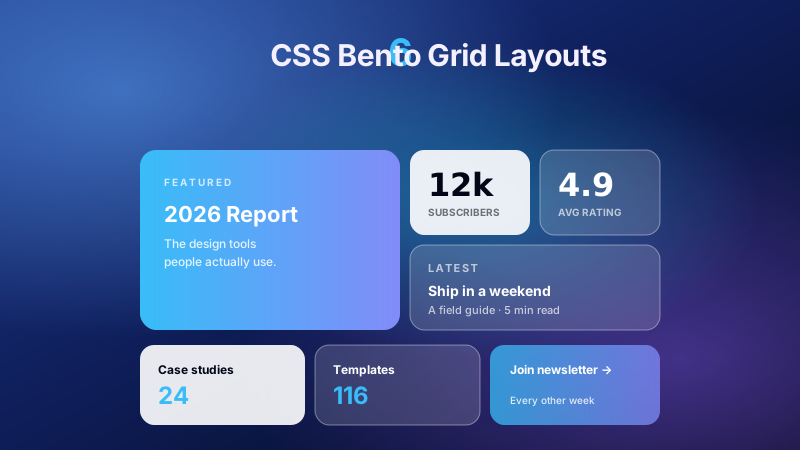
An asymmetric bento of five features on a 4×2 grid: a hero tile spanning two by two with a live chart, a tall tile, a wide tile and two squares — each holding a small drawn product moment. Spans are utilities (lg:col-span-2 lg:row-span-2); on phones it collapses to a clean single column.
Newsletter
Enjoying these demos? Get new ones by email.
A short email when a new collection ships. Unsubscribe any time.
Frosted glass done properly on a dark aurora: three slowly drifting colour fields sit behind a grid of glass cards with backdrop-blur-xl, a top-edge highlight and a hairline ring. Where backdrop-filter is unsupported, supports-[…]: swaps in a more opaque fill so text stays readable.
Six feature cards that rise into place as they enter the viewport — no IntersectionObserver, no AOS library. Each card runs a keyframe on its own view() timeline via arbitrary properties; engines without scroll timelines fall back to a one-time starting: entry, and reduced motion shows everything settled.
An editor-window feature block: file tabs (radio state), CSS-counter line numbers, a highlighted diff line and a copy button — beside three developer benefits. Line numbers are before:content-[counter(line)] on each line span, so copying the code never copies the numbers.
A real, accessible <table> comparing your product against two alternatives and the spreadsheet, grouped into sections. Your column is tinted and crowned; the feature column stays sticky while the table scrolls horizontally on phones; and a row-hover highlight uses has-[td:hover]: nowhere but plain hover: on the row.
A modern SaaS feature grid with a split header (headline left, summary + CTA right), a wide featured card with a drawn dashboard, and four supporting cards. Cards reveal a gradient border on hover via a padding-box/border-box background pair, and the whole block reflows from one to three columns.
Three feature cards resting in a gentle 3D tilt that straighten and lift toward you on hover or focus, with inner layers (icon, title, glow) floating at different depths. Built entirely on v4's native 3D utilities — perspective-distant, transform-3d, rotate-y-*, translate-z-*.
A mobile-app feature section with a CSS-drawn phone at the centre, flanked by features on both sides on desktop. The phone floats on a slow keyframe, notification chips orbit it at different speeds, and the screen shows a real app UI — no images, no device-frame library.
A vertical timeline of four milestones: a single rail on phones, an alternating two-sided layout from md: up, with the centre line filling as you scroll (scroll-driven, progressive). Alternation is one variant on the list item — md:even:[&>article]:col-start-3 — not separate left/right markup.
FAQ
Frequently asked questions
How do the feature cards animate in on scroll without IntersectionObserver or a library like AOS?
Demos like the Feature Cards with Scroll Reveal and the stat band use CSS scroll-driven animations — animation-timeline: view() ties each card's keyframes to its own position in the viewport instead of the document clock. You pair it with animation-range (for example entry 0% cover 40%) so the card finishes rising as it clears the fold. No IntersectionObserver, no AOS, nothing to initialise. The one trap: it only runs where scroll timelines are supported, so set the finished state (full opacity, no translate) as the default and treat the motion as progressive enhancement — if it is unsupported the card simply shows. Every reveal also sits behind @media (prefers-reduced-motion: reduce), which cancels the transform so content is never hidden from someone who opted out of motion.
How does the stat counter animate numbers up from zero without any JavaScript?
The Stat Counters band uses a registered custom property plus a CSS counter. You declare the value with @property --n as an integer starting at 0, animate it to the target on a scroll timeline, then print it with counter(n) inside a pseudo-element's content. Because @property makes the variable animatable, the browser interpolates the whole-number steps for you. Two gotchas: you cannot animate a raw unregistered variable, so skipping the @property rule leaves the number frozen at its start value; and the pseudo-element text is not reliably read by assistive tech, so keep the real figure as plain text in the markup as well. On browsers without scroll timelines the static value shows immediately, which is the correct resting state anyway — the count-up is decoration, not the content.
Can I build an exclusive accordion where opening one feature card closes the others without JavaScript?
Yes — the Accordion Feature Cards section uses the native <details name> attribute. Giving every <details> in the group the same name turns them into an exclusive set, so opening one auto-closes its siblings exactly like a radio group, with zero script. Each card's <summary> is already focusable and toggles with Enter or Space, and the open state is exposed to screen readers for free. Two things to watch: the preview pane that updates with the open card is driven purely by the <details> open state through :has(), so a browser without :has() support keeps the pane static rather than broken; and you should still give summary a visible :focus-visible ring, because it is easy to hide the default marker triangle and lose all focus feedback with it.
Why won't my sticky feature column stay pinned as I scroll?
The Sticky Scroll section pins the left headline column with position: sticky and a top offset while the taller right-hand stack scrolls past it. The usual reason it refuses to stick is an ancestor with overflow: hidden (or auto/scroll) — that creates a scroll container which clips the sticky context, and Tailwind's overflow-hidden on a wrapper is the most common culprit. The second reason is the pinned element's parent being exactly its own height, leaving no distance to travel: the sticky column must sit in a grid track shorter than its scrolling sibling. Also give it a real top- value — position: sticky with no offset behaves like static. The progress rail that fills as you read is a separate scroll-timeline animation and is purely decorative, so it is safe to drop where unsupported.
Are the tabbed product tour and code-snippet tabs accessible when built with radio inputs and no JavaScript?
The Tabbed Product Tour and the editor-window Code Snippet block both drive their panels with hidden <input> radios and :checked plus :has() to swap content — genuinely no script. Each option is a real <label> tied to its input, so it is clickable, and you move between options with the arrow keys because that is native radio behaviour. The honest limitation: this is a radio group, not an ARIA tab widget, so a screen reader announces radio button rather than tab. For a marketing feature strip that trade-off is usually fine and far more robust than hand-rolled role="tablist" focus management. Keep a visible :focus-visible ring on the labels, and never hide the inputs with display: none — use a visually-hidden clip pattern so they stay focusable and keyboard-reachable.
When should I avoid the 3D tilt feature cards, and how do I keep them accessible?
The 3D Tilt cards rest at a slight rotateX/rotateY under a perspective parent and straighten and lift on :hover and :focus-within. Skip the resting tilt when a card holds dense copy or a data table — rotated text is harder to read and reads as broken at small sizes — and skip it on touch-first layouts, where there is no hover so the cards just sit permanently skewed. Because the lift also triggers on :focus-within, keyboard users get the same feedback mouse users do, which is the part most tilt effects miss. Wrap the whole effect in @media (prefers-reduced-motion: reduce) so it flattens to a plain upright card for anyone who opted out of motion, and keep the animated properties to transform and opacity only so hover stays on the compositor and never retriggers layout as the pointer moves.
Should I use a real table or styled columns for a feature comparison, and how do I keep the rows aligned?
The collection ships both patterns. The Feature Comparison Table uses a real <table> with <th> scope headers — the right choice when you compare products cell by cell, because a screen reader announces the row and column header for each cell automatically. The Plan Feature Comparison Columns instead renders three separate plan cards and keeps their feature rows aligned across cards — even when one value wraps to two lines — with CSS grid subgrid, so every row shares one track height. The common bug with the card approach is hard-coding row heights to force alignment; that shatters the moment copy wraps differently at another breakpoint. Reach for the real table when the data is a matrix, and for the column cards when each plan needs its own CTA and visual weight. Don't fake a matrix with stacked <div> elements — you lose the header-to-cell association entirely.
How is the bento feature grid laid out, and how do I make it reflow cleanly on mobile?
The Bento Grid section places five features on a 4×2 CSS grid, where the hero tile spans two columns and two rows (col-span-2 row-span-2) and the smaller tiles fill the remaining cells. The asymmetry comes entirely from per-tile span utilities, not fixed pixel sizes, so the tiles stay fluid. To reflow on small screens, drop the span utilities at the base breakpoint and reintroduce them from md: up — start as a single-column stack, then let md:col-span-2 rebuild the mosaic on wider viewports. The trap is leaving the spans applied at every breakpoint: a two-column span inside a one-column grid overflows its track, and the tile either clips or forces a horizontal scrollbar. Give the grid an explicit grid-auto-rows height so the hero tile's row span has a predictable size to multiply, rather than collapsing to its content.