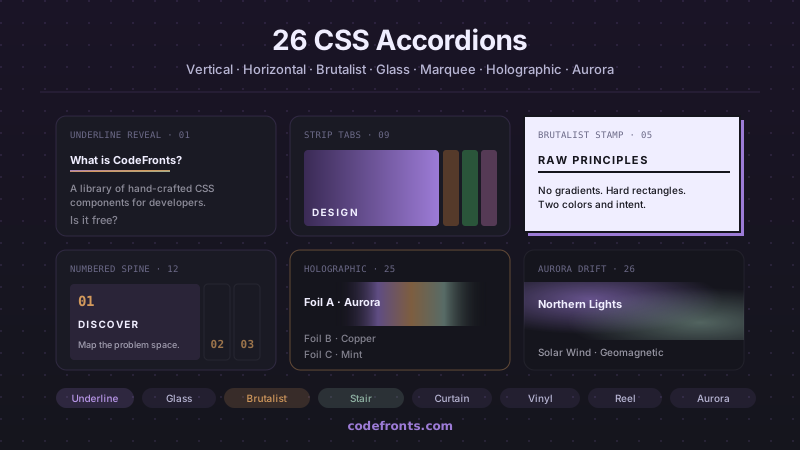
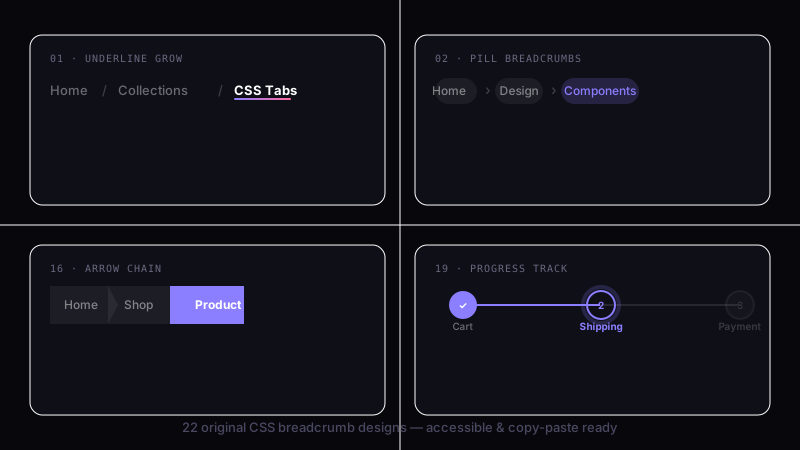
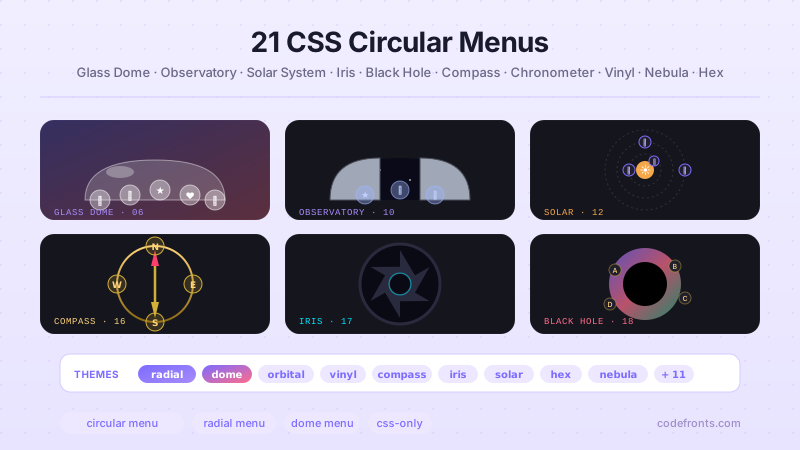
22 Tailwind dropdown menus for site navigation, mega menus, and app UI — hover slide-downs, clip-path and 3D-flip reveals, glassmorphism and staggered panels, four-column and split-screen mega menus, zero-JS <details> builds, nested multi-level flyouts, command palettes, and custom selects. Scoped under .tdd-NN for no-collision pasting, prefers-reduced-motion guarded, framework-agnostic.
Building a whole Tailwind app, not just this component?
You just browsed 22 Tailwind dropdown menus. Untitled UI Pro unlocks 5,000+ components and sections and 250+ page examples for React, styled with Tailwind CSS v4. One licence is a one-time $349 with lifetime updates; teams start at $999.
The default dropdown, and the one worth porting first: hover a nav item and its panel grows down while the content fades in a beat later. In utilities the two-speed reveal is a single transition-[max-height,opacity,translate] plus one arbitrary transition-delay, and the hover bridge that keeps the menu alive across the gap is an after: strip on the group itself.
A curtain that falls open: the panel is always full height, and a clip-path polygon animates from a zero-height strip at its top edge to the full rectangle. Both polygons live on the panel as arbitrary utilities, which is the whole argument for the port — a mismatched pair of point counts is the classic bug in this pattern, and here the pair is one line apart.
A panel that folds open from its top edge like a hinged lid. v4 finally ships the 3D primitives as first-class utilities — perspective-[800px], transform-3d, rotate-x-90, origin-top — so the entire effect is markup, and the stylesheet holds nothing but tokens.
The springy one: the panel snaps open on scale-y with an overshoot curve, so it briefly overshoots its own height and settles. Porting it is mostly about the easing token — an overshoot curve is a design decision, so it belongs in @theme as --ease-tdd04, not inline as an arbitrary value.
Frosted glass over a vivid gradient, where the port is almost free: backdrop-blur-xl and backdrop-saturate-200 are real utilities, the translucent border is border-white/35, and the layered inner glow is one arbitrary shadow-[…] because a composed inset shadow is not a design-scale value.
Links that cascade in one by one. The CSS version writes an nth-child rule per item; Tailwind cannot, because variant values must be static classes. The idiomatic answer is the per-item index pattern — each link carries style="--i:2" and one shared utility reads it, so adding a sixth link means copying a line and incrementing a number.
Newsletter
Enjoying these demos? Get new ones by email.
A short email when a new collection ships. Unsubscribe any time.
The four-column mega menu — three link groups and a featured card — where the port is almost entirely about grid. grid-cols-[1fr_1fr_1fr_1.4fr] states the whole layout in one utility, and the responsive collapse that the CSS version leaves as a to-do becomes a single max-md:grid-cols-1.
An editorial nav where a rule sweeps left-to-right under the hovered item and a plain panel fades in below. Two things make the port interesting: the underline is an after: pseudo styled entirely in utilities, and the visibility trick — the one transition Tailwind's scale genuinely cannot express — stays an arbitrary shorthand.
The dropdown the browser already ships. <details> toggles itself, is keyboard operable for free, and v4 reads its state with the open: variant — so a click-to-open menu with zero JavaScript is four utilities and a marker reset.
The no-JS mobile nav, and the demo where peer earns its keep: a visually hidden checkbox is the state, and peer-checked: drives both the burger-to-X morph and the panel reveal from two elements away — no ~ selectors, no stylesheet.
Three levels deep, each submenu flying out to the right of its parent — and the demo that makes named groups indispensable. group/l1, group/l2, group/l3 keep each level's hover from leaking into its children, which is exactly the bug the CSS version fights with > combinators.
The collapsed-sidebar pattern: a 60px icon rail where each icon reveals a labelled flyout to its right. The port is mostly positional, and the one thing worth stating out loud is that the rail must not clip — overflow-visible is load-bearing, and in utilities it sits right next to the width that makes it necessary.
The retail mega menu: a billboard column on the left, categorised links on the right, one grid-cols-[1.2fr_1fr] holding the split. It is the demo where Tailwind's ratio tracks and per-instance overrides shine — the second panel restyles its whole billboard with a single gradient utility, no modifier class.
An iOS-style segmented control where each pill lifts on hover and drops its own panel. The port is small and the lesson is about surfaces: a trough (shadow-[inset_…]) plus a raised pill (shadow-sm) is two utilities, and the whole control reads correctly without a single custom rule.
Newsletter
Enjoying these demos? Get new ones by email.
A short email when a new collection ships. Unsubscribe any time.
An 18-swatch palette in a dropdown, each swatch scaling up on hover with a pure-CSS tooltip. Two things are worth the port: the swatch colours are inline custom properties (eighteen one-off hex values are not a design scale), and the tooltip is after:content-[attr(data-name)] — an attr() read, in a utility.
A custom right-click menu that opens at the pointer. The port draws the line the whole collection argues for: JavaScript computes the two numbers only the runtime can know — left and top, clamped to the viewport — and writes one data-open attribute. Every visual state is a data-open: variant in the markup.
The WAI-ARIA menu button, and the port's cleanest win: the open state isaria-expanded, so aria-expanded: on the button and group-has-aria-expanded: on its panel style straight off the accessibility attribute. Style and semantics cannot drift, because there is only one source of truth.
Items that crystallise out of a frosted blur, one after another. The CSS version computes the stagger in JavaScript and writes inline transitionDelay on every item; here the delays are declarative — style="--i:3" plus one utility — and the script shrinks to a single attribute toggle.
A Spotlight-style palette that filters as you type. The port keeps every visual state in the markup — backdrop, scale-in, focused row — and leaves the script doing what only a script can: matching text, wrapping the hit in <mark>, and moving a data-active attribute down the list.
Type three letters, get matching destinations. The port's two lessons are focus-within: — the input ring belongs to the field wrapper, and Tailwind has a variant for exactly that — and the discipline of rendering suggestion rows from one class string the script holds, so a row's appearance is still declared in one place.
A dropdown containing a real tabbed interface. Both states read off ARIA: the panel opens on the trigger's aria-expanded, and the tabs style themselves from aria-selected — so the tab strip's appearance and its announcement can never disagree.
A styled replacement for <select>, with the real element still in the DOM for form submission. Options stagger in on an overshoot curve, selection is aria-selected, open state is aria-expanded — three declarative states, and a script that only moves values between them.
FAQ
Frequently asked questions
How do I make a Tailwind dropdown open on hover without any JavaScript?
Put the trigger and panel in the same relative container and drive the panel off the trigger's hover state with the group variant. Give the wrapper class="group", then style the panel opacity-0 invisible group-hover:opacity-100 group-hover:visible plus a transform like -translate-y-2 group-hover:translate-y-0. The slide-down fade demo is exactly this. Two things bite people: animate visibility alongside opacity or the invisible panel still eats clicks, and keep the trigger and panel edges touching — a gap between them closes the panel the instant the pointer crosses it. Add a small padding bridge (pt-2 on the panel wrapper) rather than a margin so the hover area stays continuous. Hover-only menus are fine for a mouse but strand keyboard and touch users, so reserve this pattern for secondary nav and use the ARIA or details demos when the menu is essential.
Why does my Tailwind dropdown panel stay clickable when it looks hidden?
Because opacity-0 only makes the panel transparent — it still occupies its box and still receives pointer events, so links underneath fire on the invisible layer. The fix used across these demos is to pair opacity with invisible (or hidden) and toggle both together: opacity-0 invisible group-hover:opacity-100 group-hover:visible. invisible removes it from hit-testing while keeping it in layout, which lets your transition still animate the fade; hidden removes it from layout entirely and kills any enter transition, so use it only when you don't animate. If you want the transform to animate but the panel gone when closed, add pointer-events-none group-hover:pointer-events-auto as a belt-and-braces guard. The elastic-bounce and stagger demos all layer these three utilities so the closed panel never intercepts a stray click.
How do I stagger the child links so they animate in one after another in Tailwind?
Plain CSS writes an nth-child rule per item to offset each delay; Tailwind can't generate those in markup, so the stagger demos put the delay on each item inline. Give every link the same enter transition (opacity-0 translate-y-1 transition flipped by the parent's group-hover:) and then vary only transition-delay per item with an arbitrary value: [transition-delay:60ms], [transition-delay:120ms], and so on. The blur-entrance demo does the same but adds blur-sm group-hover:blur-0 so items crystallise rather than just slide. The common mistake is putting the delay on the container — it delays the whole group once instead of cascading. Keep the delays under roughly 250ms total or the last link feels laggy, and drop them entirely under motion-reduce: so the whole menu appears at once for anyone who has asked for reduced motion.
What is the peer utility and why do the no-JS mobile nav and checkbox demos need it?
peer lets one element style a sibling based on its state, which is how the checkbox-hack mobile nav works with no script. A visually hidden <input type="checkbox"> carries the class peer, its label is the hamburger button, and the panel that follows reacts with peer-checked:translate-x-0 (closed state -translate-x-full). group reacts to a parent's state; peer reacts to a preceding sibling's — so the input must come before the panel in source order, because CSS sibling combinators can't look backwards. Hide the input with sr-only, not hidden, or it stops being focusable and the toggle dies for keyboard users. Point the label at the input with a matching for and id so Space and Enter toggle it, and add peer-checked:rotate-90 on the icon for the open affordance.
How do I build a keyboard-accessible dropdown menu in Tailwind, and which demos are safe to ship as primary navigation?
Use the ARIA menu-button demo, not a hover panel. The trigger is a real <button> carrying aria-expanded and aria-controls, and the open state is that attribute — style the panel with aria-expanded:-driven classes rather than a hover flag, so the visual and the semantics can never disagree. The native <details> and <summary> demo is the other safe default: the browser handles the toggle, focus, and Space/Enter for free, and you only style open: states. For the full menu pattern you still owe arrow-key movement, Escape to close and return focus to the trigger, and roving tabindex — a little script the demo includes. Hover-only, right-click, and pure :hover menus are mouse-only; keep those for enhancements and route anything a keyboard or screen-reader user must reach through the ARIA or details demos.
How do I position a nested submenu to fly out to the side without it clipping off-screen?
The nested multi-level demo nests each submenu inside its parent <li> as a relative container and gives the child panel absolute left-full top-0 so it sits to the parent's right, revealed by that item's own group-hover:. The trick v4 makes clean is named groups: mark each level group/lvl1, group/lvl2 and react with group-hover/lvl2:, otherwise a single unnamed group opens every level at once when you hover the top item. Two gotchas: keep parent and child edges touching (use padding, not margin, as the bridge) or the flyout closes as the pointer crosses the gap, and near the viewport edge swap left-full for right-full so the last level opens leftward instead of overflowing. Deep fly-outs are hard on touch and keyboard — flatten to an accordion on small screens.
How do I style a custom select dropdown in Tailwind while keeping the form working?
The custom-animated-select demo keeps the real <select> in the DOM for form submission and native mobile pickers, then layers a styled overlay on top for the desktop look. Don't try to replace the element — you lose the value in the submitted form, the required-field validation, and the OS picker on phones. Instead visually hide the native control (keep it focusable, not display:none), mirror its options in a styled list, and write the chosen value back to the real <select> so a normal <form> submit carries it. Wire keyboard support — Up/Down to move, Enter to choose, Escape to close — and reflect aria-expanded on the trigger. If you only need color, border and font changes, the far cheaper route is appearance-none plus a background arrow and padding on the native element, and skip the custom overlay entirely.
When should I not build a mega menu, and how do the grid demos lay one out?
The mega-menu and split-screen demos build the panel with a single grid declaration — grid grid-cols-4 gap-8 for three link groups plus a featured card, or grid-cols-[1.2fr_2fr] for a billboard column beside categorised links — so the port is mostly translating one layout line, not per-item positioning. Skip the mega menu when your nav has only a handful of destinations: a wall of columns on hover is more surface than the content justifies and it hides links behind a hover the way a simple list wouldn't. It's also punishing on touch, where there's no hover and the panel can swallow the viewport, and on keyboard, where tabbing through dozens of links per menu is slow. Reserve it for genuinely deep catalogs — retail, docs, large SaaS — collapse it to a stacked accordion under md:, and make sure every column heading is a real heading so screen-reader users can navigate by structure.