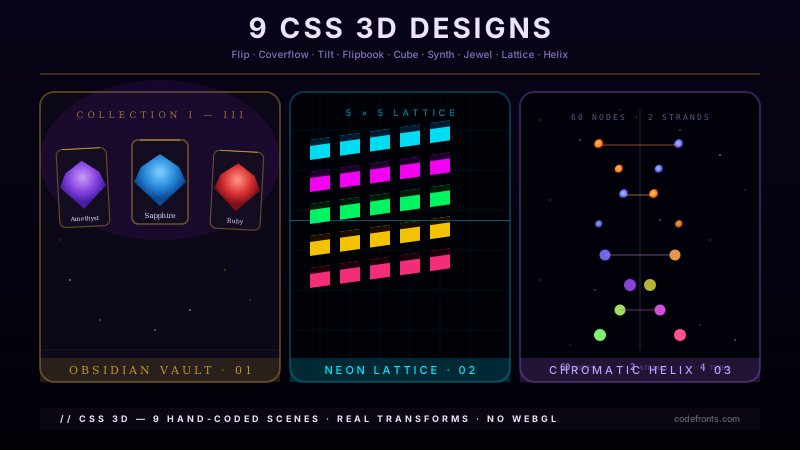
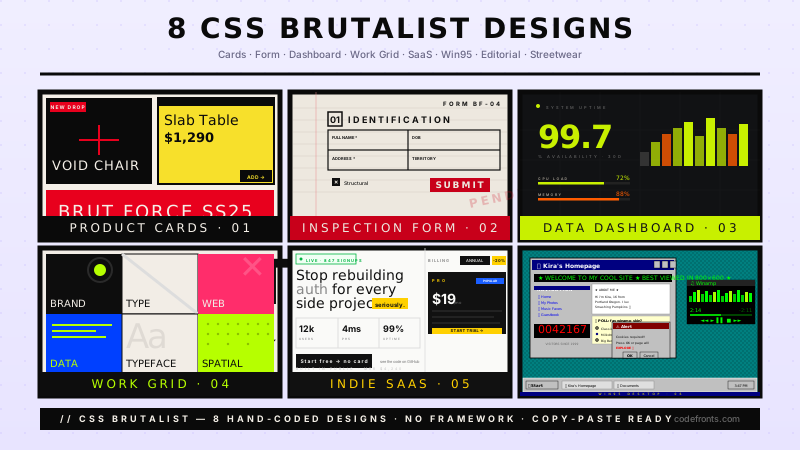
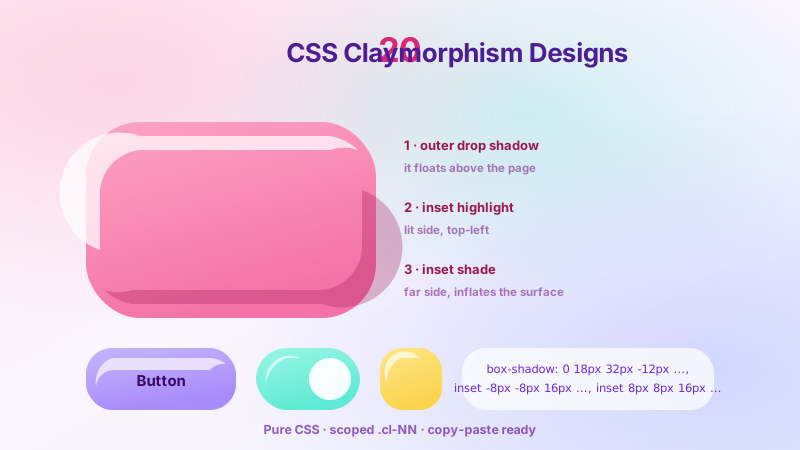
20 Tailwind retro UI templates that rebuild the look of old hardware and software from scratch — CRT scanlines and phosphor tubes, pixel-art and dithered sprites, bevelled 16-bit chrome and System 7 windows, DOS and teletext cell grids, a full Windows 95 desktop, plus vaporwave, arcade, Y2K aqua and neo-brutalist boards. Scoped under .twr-NN for no-collision pasting, prefers-reduced-motion guarded, framework-agnostic.
Building a whole Tailwind app, not just this component?
You just browsed 20 Tailwind retro ui. Untitled UI Pro unlocks 5,000+ components and sections and 250+ page examples for React, styled with Tailwind CSS v4. One licence is a one-time $349 with lifetime updates; teams start at $999.
A CRT look is not one effect, it is four: scanlines, curvature, phosphor bloom and mains flicker. Each is a separate layer with its own checkbox, so you can stack them one at a time and see what each contributes. The port is instructive because three of the four move cleanly into the class list — and the fourth, the fractional-DPR scanline fix, is the demo's whole reason for keeping a stylesheet.
The same 12×12 sprite at 1×, 4× and 8× with default smoothing on the left and nearest-neighbour on the right, both sides labelled, plus the two things people get wrong: a non-integer scale factor reintroduces blur even with the property set, and the property does nothing to a shape drawn in CSS rather than sampled from a bitmap. The port has one genuinely awkward corner — a two-declaration progressive fallback has no utility form.
Ordered dithering is how a limited palette fakes colours it does not have: alternate two available colours in a fixed pattern and the eye averages them. Built from layered repeating-conic-gradient checkerboards over flat palette fills — and because every pattern is an arbitrary background utility, each band's coverage is legible in the markup instead of hidden behind a modifier class.
Every raised or sunken control of the 16-bit desktop era is the same object: four box-shadow insets in a fixed order — outer light, outer dark, inner light, inner dark — with the order reversed for the pressed state. This is the demo where a four-layer shadow is too long to keep repeating in a class list, so it becomes a real named utility with @utility, and active:twr04-sunken gets the pressed state for free.
The other great desktop metaphor, and a deliberate contrast to the bevelled 16-bit look: horizontal pinstripe title bar, square close box on the left, grow box bottom-right, one-pixel black outline everywhere and no colour at all. Two colours means every state has to be spatial — which turns out to suit utilities well, because each state is a different set of properties rather than a different shade of one token.
A character-cell interface reproduced as one: an 80×25 field where every cell is exactly one monospace advance, framed with code page 437 box-drawing characters and restricted to the 16-colour CGA palette as theme tokens. The constraint is the subject — nothing can sit between two cells — and Tailwind's container-query utilities turn out to be the cleanest way yet to make 80 columns fit their frame exactly.
Newsletter
Enjoying these demos? Get new ones by email.
A short email when a new collection ships. Unsubscribe any time.
The British broadcast text format rebuilt cell by cell: 40×25 characters, seven saturated colours on black, double-height headline rows, and mosaic graphics assembled from 2×3 subcells inside single character cells. In utilities the mosaic becomes something the CSS version could not be — every subcell states its own colour, so the picture is legible in the markup.
Two monochrome tubes side by side with the phosphor named on each: P1 green and P3 amber. Persistence is a real trailing fade on newly written lines rather than a static glow, and the port changes how the script talks to the CSS — it sets a data- attribute and a data-* variant does the styling, which is the pattern to reach for whenever JS and utilities meet.
A full desktop: icon field, taskbar with a working Start menu, a window with title bar and system buttons, and a dialog. Every raised and sunken edge is the four-inset bevel as a named @utility, and the Start menu drops its :has() rule entirely — a peer-checked: variant does the same job from the markup, which is the port's cleanest simplification.
A command console that boots: staggered POST lines, a typed command and a live status column, all under the CRT treatment from demo 01. The boot reveal is pure CSS with the text in the DOM from the start — and in utilities the stagger becomes something you can read off each line, because every line carries its own [animation-delay:...].
A game HUD and control set built entirely from stepped box-shadow blocks: segmented health, score with tabular figures, a lives row, and buttons whose notched corners are shadow offsets rather than a border image. The palette is a fixed eight-colour NES subset, and the port makes the discipline enforceable — every colour in the markup is a palette utility, so a ninth colour would have to be typed as a raw hex and would stand out in review.
A single board of components in the hard-edged neo-brutalist style — thick black borders, solid offset shadows, clashing flats, no gradients and no radius. It is deliberately one board rather than a component library, because the point is the lineage: this is what the era's chunky, unapologetic chrome turned into once designers stopped apologising for it. It is also the style utilities were practically designed for.
A portable tape deck with turning reels, a mechanical counter, and transport keys that travel when pressed. It is the counterpoint to the one-bit bevel: skeuomorphic depth models a light source and a material, so it needs graded shadows and inner reflections — long arbitrary values that are worth keeping inline precisely because every control's depth is slightly different.
A perspective grid running to a banded sunset, with chrome lettering and a palm silhouette — the outrun scene built from a rotated grid plane, repeating gradients and a clipped text fill, no images. It also names what it is: this aesthetic comes from 1980s marketing and album art, not from 1980s computers, which makes it the odd one out here on purpose.
Newsletter
Enjoying these demos? Get new ones by email.
A short email when a new collection ships. Unsubscribe any time.
An arcade attract screen: illuminated marquee, high-score table with initials, and the insert-coin prompt cycling on the cabinet's own cadence. The blink is the interesting part — exactly the pattern the pause-and-stop criterion exists for — and in utilities the whole rotation becomes a group-data-[attract=...] state machine, with the script owning nothing but the attribute.
A character-cell console on paper white rather than the usual black: box-drawn panels, a block-letter banner, and a working command line that takes input without a form element. The banner is aria-hidden with a real text alternative, because ASCII art read aloud is several hundred punctuation marks and no information.
A personal-homepage guestbook: odometer hit counter, webring navigation, signed entries and a “best viewed in” badge, on the grey ground and ridged borders of the era. The point it makes is the one that matters most about this period — reproduce the look, never the markup, because everything that made these pages work is now the reason they fail.
The early-2000s gel look, built correctly: glossy pill buttons, translucent panels over a pinstriped ground, and a candy-stripe progress bar that flows. The gloss is the interesting part — four separate highlights, not one gradient — and in utilities it becomes a before:/after: pair on the button itself, which is the clearest the technique has ever looked.
A mail-order catalogue page: ruled columns, small caps, halftone product plates and a printed price block with the order code set in monospace. The typographic decisions are the demo — catalogue type was small, tightly leaded and heavily tracked in the labels, and only some of those choices survive contact with an accessibility audit unchanged.
A portfolio laid out as a desktop: menu bar, icon field and two windows you can move. The drag is the point — a pointer-only implementation fails keyboard operability outright, so every title bar is focusable, responds to the arrow keys, and the script writes only custom properties and data- attributes, never a style rule or a class.
FAQ
Frequently asked questions
How do you scale pixel art in Tailwind without it turning blurry?
The key declaration is image-rendering: pixelated on the scaled sprite, applied in Tailwind via an arbitrary property like [image-rendering:pixelated]. The browser default is bilinear smoothing, which turns a 12×12 sprite blown up to 8× into a blurry smear; pixelated tells it to use nearest-neighbour so every source pixel becomes a crisp block. Two common bugs: first, the effect only looks right at integer scale factors — a 3.5× scale leaves uneven pixel widths, so pin the container to whole multiples of the source size. Second, a few browsers honour crisp-edges instead, so ship both values. Keep the intrinsic sprite small and let CSS do the upscale; upscaling a large image defeats the point. A background sprite needs the same rule on the element carrying background-image, not on a child.
How do you build CRT scanlines and screen curvature with pure CSS?
Scanlines are a repeating-linear-gradient laid over the content: alternate a transparent stripe with a faint black stripe every two pixels, e.g. repeating-linear-gradient(to bottom, transparent 0 1px, rgba(0,0,0,.35) 1px 2px), on an overlay element with pointer-events: none so it never blocks clicks. Curvature is faked with a large border-radius plus an inset box-shadow that darkens the corners like a real tube. Phosphor bloom is a soft text-shadow in the phosphor colour, and mains flicker is a low-opacity animation on the overlay. The overlay must sit absolute inset-0 above the screen layer with a higher z-index, and keep the stripe at 1–2px — wider stripes read as window blinds, not scanlines. Combine all four layers rather than one; a single effect on its own looks flat and unconvincing.
How do you make the raised and pressed bevel borders from 16-bit desktop UIs?
Every raised or sunken control of that era is four stacked box-shadow insets: a light shadow on the top-left edges and a dark shadow on the bottom-right, e.g. inset 1px 1px 0 #fff, inset -1px -1px 0 #808080, inset 2px 2px 0 #dfdfdf, inset -2px -2px 0 #000. To make a button look pressed, swap the light and dark sets so the highlight moves to the bottom-right. In Tailwind write it as one arbitrary [box-shadow:...] value and set border: none, because the bevel replaces the border entirely. The usual bug is anti-aliasing softening the 1px edges — keep every offset at whole pixels and avoid sub-pixel transform on the element. Do not combine a real border with the shadows; the two edges fight each other and the crisp two-tone look is lost.
Which retro effects need prefers-reduced-motion, and how do these demos handle accessibility?
Several demos animate continuously — CRT mains flicker, the arcade attract cycle, the cassette reels, the terminal boot typing and the guestbook counter. Each guards its motion behind @media (prefers-reduced-motion: reduce) with animation: none, so a user who opts out gets the static frame. The flicker is the important one: a rapidly pulsing opacity can trigger discomfort, so it stays subtle and is removed entirely under reduced motion. For the desktop demos, the draggable windows are pointer-operated, so keyboard and screen-reader users need the window content to stay reachable in normal document order — the drag is an enhancement, not the only way in. Icon-only controls such as transport keys and window buttons carry aria-label, and the decorative scanline and bezel layers use aria-hidden so assistive tech skips them.
How do you create dithering patterns with CSS gradients?
Ordered dithering fakes a colour a limited palette does not have by alternating two colours it does have in a fixed grid. In CSS you build the grid with layered repeating-linear-gradient, or a small tile repeated as a background: a checkerboard is two repeating-linear-gradients at 45 and -45 degrees, and a Bayer-style pattern is several offset gradients stacked. Set background-size to the cell size — 2px or 4px reads as fine dithering, larger reads as a visible pattern. The classic bug is smoothing: gradients interpolate by default, so use hard colour stops like #000 0 2px, #fff 2px 4px with no soft transition, otherwise you get a blur instead of two flat colours. Blend by layering two flat gradient tiles, rather than reaching for a real smooth gradient, which defeats the limited-palette illusion entirely.
How do you make the desktop windows draggable in the portfolio and Windows 95 demos?
The window drag is a small pointer-event handler, not CSS. On pointerdown over the title bar you record the pointer position and the window's current offset, call setPointerCapture so the drag survives the cursor leaving the element, then on pointermove apply the delta with transform: translate(...). Using transform is smoother than writing left and top because it stays on the compositor. Release on pointerup. Two bugs to avoid: text selection during the drag — set user-select: none on the title bar while a drag is active — and accidentally starting a drag from the system buttons, so exclude events that originate on the close or resize controls. Raise the focused window with a higher z-index on pointerdown so it stacks above its siblings, the way a real desktop does.
When should you not use a retro UI style?
Retro styling is a strong aesthetic, not a default. Skip it on anything where the priority is fast, unambiguous task completion — checkout flows, dashboards, and forms handling money or health data — because bevels, scanlines and low-contrast phosphor palettes reduce legibility and can push text below the contrast ratios those interfaces need. The character-cell and teletext demos use tight monospace grids that do not reflow gracefully, so they suit a hero, an about page or a game UI rather than dense responsive content. The CRT flicker and pixel scaling are decorative layers; keep them off the actual reading surface. Use these styles where the nostalgia is the message — a portfolio, a launch page, a game menu — and reach for a plain, accessible layout wherever the user came to get something done rather than to admire the frame.
Can these retro effects be done with Tailwind utility classes, or do they need custom CSS?
Most of the look is reachable with Tailwind's arbitrary-value syntax rather than a separate stylesheet. The bevels are one [box-shadow:...] value, scanlines are an [background:repeating-linear-gradient(...)], pixel scaling is [image-rendering:pixelated], and the phosphor glow is [text-shadow:...]. Keyframes are the exception: @keyframes cannot live inside a class, so the flicker, boot-typing and reel-spin animations are defined once in a small @layer or a plain style block and then referenced with animate-[name]. Fonts matter too — the terminal and DOS demos need a real monospace face loaded, and the pixel demos want a bitmap-style font; Tailwind only sets the family, it does not ship the font itself. Everything else — layout, spacing, colour and plain borders — is ordinary utility classes.