You just browsed 15 Tailwind navigation menus. Nucleo is a library of 44,000+ SVG icons in five families (Core, UI, Sharp, Pixel and Micro Bold), with web, Mac and Windows apps to manage them. The All Icons Bundle is $149 with lifetime updates.
The foundation of every site header, rebuilt in utilities: a sticky, frosted navbar whose links draw an underline with after:scale-x-*. The line grows in from the left and retracts to the right, the active page is styled from aria-current itself, and a native <details> menu takes over below md.
A product-site navbar with rich dropdowns — a two-column panel with icon tiles, a compact list and a resources menu — that open on group-hover/dd: and, just as importantly, on group-focus-within/dd: so keyboard users get the same menu. An invisible hover bridge fixes the classic ‘menu closes when you move to it’ bug. Zero JavaScript.
A dark developer-platform header with a true mega panel: six icon-led product links in a two-column grid, a featured promo card, and a footer of release tags. The panel anchors to the nav, not the menu item, so it is always centred and never clips off-screen. Opens on hover and keyboard focus. Zero JavaScript.
A mobile-first header whose three-bar icon morphs into an X and slides a dark drawer in from the right, with a blurred backdrop and links that cascade in one after another. State comes from one sr-only checkbox read by group-has-checked/root:, so the toggle works from the keyboard too. Zero JavaScript.
A cinematic, portfolio-grade overlay: the menu wipes down with a clip-path reveal, giant links rise out of masks one after another, and hovering one link dims the rest. A side column carries contact details and socials. Everything replays on every open because it is built from transitions. Zero JavaScript.
A sticky, frosted header that compresses from 72px to 52px, tightens its logo and buttons and gains a soft shadow once you scroll. An IntersectionObserver sentinel flips one data-shrunk attribute; every visual change is a data-shrunk: or group-data-shrunk/bar: utility. The reading-progress bar is a CSS scroll-driven animation, with a JS fallback only where unsupported.
Newsletter
Enjoying these demos? Get new ones by email.
A short email when a new collection ships. Unsubscribe any time.
An admin-dashboard sidebar that collapses from 240px to a 68px icon rail with an edge handle. In rail mode, labels fold away, count badges become notification dots, and hovering an icon shows a tooltip — all from one sr-only checkbox read by group-has-checked/root:. Ships with a dashboard: stat cards and an orders table. Zero JavaScript.
Three tab patterns in one demo — capsule tabs, underline tabs and an iOS-style segmented control — each with an indicator that glides between options on a spring curve. Hidden radios drive everything through group-has-[#id:checked]/a:, which means the arrow keys move between tabs natively. Panels fade in with starting:. Zero JavaScript.
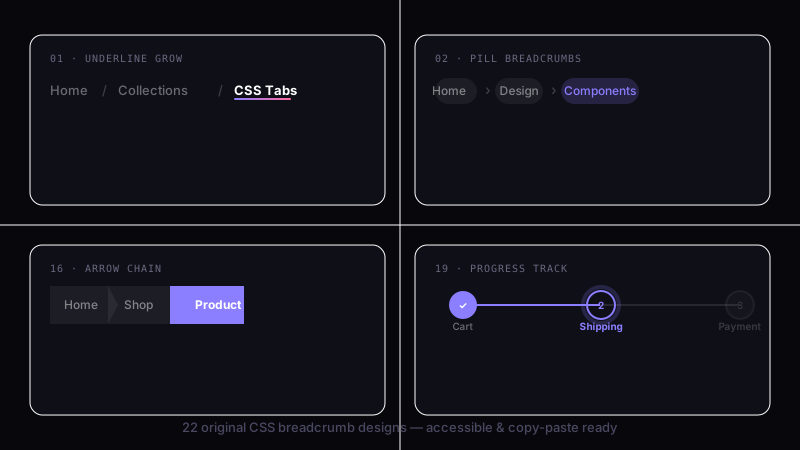
Seven breadcrumb patterns in one sheet: chevron, slash, icon, filled pill, arrow steps cut with clip-path, a collapsed trail with a native <details> overflow menu, and a mobile back link. The documentation example ships Schema.org BreadcrumbList microdata for rich results. Every trail is a <nav aria-label="Breadcrumb"> with aria-current="page". Zero JavaScript.
A floating frosted-glass navbar over drifting aurora orbs, with a matching glass hero card. The glass is backdrop-blur-2xl backdrop-saturate-150 plus an inner specular highlight, and it falls back to a solid tinted surface via supports-[backdrop-filter:blur(1px)]: where blur isn't available. Orbs drift on three @theme animations and stop under reduced motion. Zero JavaScript.
An app-style floating dock: five icons, and the active one expands into a tinted pill that reveals its label, each tab in its own colour. Icons spring on selection, a Messages badge shows until you open Messages, and the page above swaps with a starting: fade. Radios behind the scenes mean arrow keys work. Zero JavaScript.
A documentation-site sidebar with nested, animated sections. The checkbox hack is gone: every section is a native <details>, so it announces expanded/collapsed, works with Enter and Space, and opens for find-in-page. Height animates to auto through ::details-content with interpolate-size; chevrons turn with group-open/l1:. Zero JavaScript.
A creative-studio navbar whose links lean toward the cursor, with the label drifting further than its pill for a parallax feel, and a soft amber spotlight that follows the pointer across the page. JS only writes four custom properties; Tailwind consumes them with translate-x-(--tnv13-dx) and a radial-gradient background. Eased with a rAF lerp, disabled for touch and reduced motion.
A cyberpunk command bar on a faint cyan grid: a flickering neon logo, a scanning gradient rule under the bar, and links that each ignite in their own hue with a glowing underline that grows from the centre. The Access button fills with a slide-in reveal. Built on v4.1's text-shadow-* utilities and three @theme keyframes. Zero JavaScript.
Newsletter
Enjoying these demos? Get new ones by email.
A short email when a new collection ships. Unsubscribe any time.
A floating pill nav whose indicator slides between five tabs with a spring, squashes and stretches mid-flight, and recolours to each section's accent with a matching glow. Panels below swap with a starting: fade: metrics, traffic bars and quotas. The morph re-triggers on every switch by giving each state its own keyframe utility. Zero JavaScript.
FAQ
Frequently asked questions
How do I animate a navbar hover underline in Tailwind without extra markup?
Demo 01 draws the underline with a pseudo-element, not a real border element. Give each link relative and add an after: layer — after:absolute after:left-0 after:bottom-0 after:h-px after:w-full after:origin-left after:scale-x-0 after:bg-current after:transition-transform — then flip it on hover with hover:after:scale-x-100. Scaling a full-width bar from scale-x-0 keeps the animation on the compositor, so it stays smooth, and because the bar is always full width the motion reads as a wipe rather than a grow. The classic bug is animating width from 0 instead: that triggers layout on every frame and janks. Add focus-visible:after:scale-x-100 so keyboard users get the same cue, and set origin-left consistently or the underline will retract from the wrong side on blur.
How can a Tailwind dropdown menu open on both hover and keyboard focus?
Demo 02 keeps the trigger and its panel inside one group relative wrapper and drives the panel from the group's state. The panel starts invisible opacity-0 translate-y-1 and becomes group-hover:visible group-hover:opacity-100 group-hover:translate-y-0. Hover alone excludes keyboard users, so add group-focus-within:visible group-focus-within:opacity-100 — focus-within fires when any link inside the panel is tabbed to, which keeps it open while you move through it. Use invisible/visible rather than hidden so the fade can run; hidden is display:none and cancels the transition. Put the trigger in a real <button> with aria-expanded mirrored by a tiny script, and give the panel role="menu" only if you also wire arrow-key movement — otherwise leave it as a plain list so screen readers announce links normally.
What is the difference between the dropdown in demo 02 and the mega menu in demo 03?
Both open a panel under a top-level item, but they solve different scales. Demo 02's dropdown is a single compact panel anchored to its trigger — a two-column tile grid plus a short list — sized to its content and positioned with absolute near the link. Demo 03's mega menu is a full-width band: the panel spans the header, laid out as a six-item icon grid in two columns with a featured promo cell, so it carries a whole product taxonomy at once. Reach for the dropdown when a section has a handful of destinations; reach for the mega menu when you have twenty-plus links that need grouping and visual hierarchy. Do not use the mega menu for three links — the giant empty band reads as broken — and do not cram a product catalog into the small dropdown, where the overflow will scroll awkwardly or spill off-screen on narrow viewports.
How does the full-screen overlay menu in demo 05 reveal with clip-path?
Demo 05 keeps the overlay in the DOM at full size and reveals it by animating clip-path rather than toggling display. Closed, the panel is clipped to a zero-height inset at the top; open, the inset expands to cover the viewport, so the menu wipes down like a blind. In Tailwind you drive this with an arbitrary property on a state class — the closed state sets the inset rectangle, the open state sets inset(0) — and add transition-[clip-path] plus a duration. The giant links ride in on a staggered translate-y with increasing transition-delay. The common mistake is hiding the overlay with hidden between states, which kills the wipe; keep it rendered and move focus into it on open instead. Because the panel stays in the layer, trap focus inside it and make Escape close it, or keyboard users land on hidden-but-focusable links behind the clip.
Why does my sticky navbar jump when it shrinks on scroll like demo 06?
Demo 06 compresses a sticky top-0 header from 72px to 52px by toggling a scrolled class once the page passes a threshold, then transitioning height, logo scale and padding together. The jump you are seeing usually comes from one of two things. First, the class is toggled on every scroll event with no hysteresis, so near the threshold it flaps on and off — add a small dead zone (shrink past, say, 40px, restore below 10px) or throttle with requestAnimationFrame. Second, the content below the header reflows because the header is in flow; keep it sticky so it reserves no extra space, and animate only transform/padding where you can rather than height, which forces layout. Give the bar will-change-transform sparingly and a single transition-all duration-300 so the logo, buttons and shadow all settle on the same curve.
How does the collapsible sidebar in demo 07 keep labels accessible when collapsed?
Demo 07 collapses a 240px sidebar to a 68px icon rail by toggling a width class and transitioning width. In rail mode the text labels are not removed — they are hidden with opacity-0 and width clamping while the icons stay, and each row keeps an aria-label or a title tooltip so the destination is still announced and discoverable on hover. The mistake is setting labels to hidden in rail mode: that removes them from the accessibility tree, so a screen-reader user on the collapsed rail hears only unlabeled icons. Keep the links as real anchors, mark the current one with aria-current="page", and expose the collapse toggle as a <button> with aria-expanded. Avoid animating width on a sidebar that contains a long scrolling list on low-power devices — the per-frame reflow of the whole rail can stutter; collapsing a fixed-width rail is cheap, a fluid content column is not.
How is the sliding tab indicator in demo 08 positioned without JavaScript measurement?
Demo 08 shows three variants — capsule, underline and an iOS-style segmented control — and the pure-CSS ones avoid measuring the DOM by using equal-width tabs. When every tab is the same fraction of the track, the indicator is just a child whose translate-x is a multiple of 100% of its own width, switched per active state, with transition-transform for the slide. That only holds while the tabs are uniform; the moment labels differ in length you need to read each tab's offset and width in script and write them to CSS variables, because a fixed translate will no longer line up. For accessibility, if you use role="tablist" you must also implement arrow-key movement between tabs and pair each role="tab" with its role="tabpanel" via aria-controls; if these are page links rather than in-page panels, leave them as a plain nav and skip the tab roles entirely.
When should I avoid the magnetic hover and neon effects in demos 13 and 14?
Demo 13's magnetic navbar leans each link toward the cursor by reading pointer position and writing a translate offset, with the label drifting further than its pill; demo 14's neon bar layers glow with text-shadow, a flickering keyframe and a scanning gradient rule. Both are pointer- and motion-heavy, so skip them where they cost more than they add. Magnetic hover depends on a mouse — on touch there is no cursor to lean toward, so guard it behind a (hover: hover) and (pointer: fine) media query and let it fall back to a static pill, or the links simply will not react to taps. Honour prefers-reduced-motion: reduce and disable the lean, the flicker and the scan for users who ask for less motion. The neon flicker is also a poor fit for a utility dashboard or a content-dense header where it competes with the content; save it for a landing page or a brand-forward site where the spectacle is the point.