
01. CSS Flexbox Holy Grail Layout (opens in a new tab)
A classic holy grail layout — fixed header, footer, left sidebar, right aside, and expanding main column — built entirely with nested flex containers and no CSS Grid.
A CSS flexbox layout uses native display: flex to arrange items along one axis with intelligent sizing, spacing, and alignment. These 15 hand-coded layouts are production-ready flexbox templates for the patterns developers ship every day — holy grail page shells, responsive card grids, sticky navbars, sidebar dashboards, pricing tables, sticky footers, kanban boards, chat interfaces and more. Copy the CSS, drop in your content, and ship.
Related20 CSS Container Queries30 CSS Grid Layouts5 CSS Ways to Center a Div15 CSS Card Grid Layouts
Course pickPartner: Zero to Mastery
Affiliate linkWant to build responsive Flexbox layouts from scratch?
You just browsed 15 layouts. Learn how containers, items, alignment and wrapping really work, so every layout starts in your head, not in a copy-paste.
Every ZTM course in one membership: $25/month, paid yearly at $299 · 30‑day money-back guarantee
Fundamentals of CSS Flexbox. We may earn a commission, at no extra cost to you.
flex-direction: column and flex-wrap: wrap with a fixed container height — no JavaScript required.flex: 1 1 180px with a max-width cap — cards reflow from four columns to one with no JavaScript or media queries.min-height: 100% and flex: 1 on the main content pushes the footer to the bottom on any page length.flex: 2, flex: 1, flex: 1.5) and variable-height tiles, each captioned with a category tag and title — creating an asymmetric editorial grid like Unsplash or Pinterest.display: flex on a container so its children arrange themselves along one axis — horizontal (flex-direction: row, the default) or vertical (flex-direction: column). Flex children get intelligent sizing via flex-grow (fill remaining space), flex-shrink (give up space when crowded), and flex-basis (their starting size). Alignment along the main axis uses justify-content; along the cross axis uses align-items. Combined with gap, flex-wrap, and the min-width: 0 trick for overflowing text, flexbox is the right tool for any single-axis arrangement: navbars, button rows, card lists, sidebar shells, chat bubbles, pricing columns, and kanban boards.min-block-size: 100dvh on body (the dynamic viewport unit handles iOS Safari's address-bar resize correctly, unlike the legacy 100vh), display: flex, flex-direction: column — then flex: 1 on the main content area. The footer naturally sticks to the bottom because main grows to fill any remaining space. No position: absolute, no negative margins, no calc(100vh - footerHeight) hacks. Demo #09 (CSS Flexbox Sticky Footer Layout) ships the full snippet — copy it as-is and the footer sticks at any content length on any device. The pattern degrades gracefully to 100vh for browsers that don't support 100dvh (Safari < 15.4, Chrome < 108) via min-block-size: 100vh; min-block-size: 100dvh; stacked declarations.min-width: auto that resolves to their intrinsic content size — so a long URL, an unbreakable word, or an inline code block inside a flex child can push the whole container wider than its parent and break the layout. The fix is one line: min-width: 0 on the offending flex child. This unlocks the normal CSS overflow behavior (overflow: hidden, text-overflow: ellipsis, white-space: nowrap then work as expected). Pair it with flex: 1 1 auto for shrinkable text content and flex-shrink: 0 for fixed-width siblings (icons, indicators). This is the single most common flexbox bug — every demo in this collection that has shrinkable text content (chat #12, navbar #03, magazine #08) applies the min-width: 0 defensively so it never bites users who copy and adapt the code.flex = display: flex, flex-row / flex-col, justify-between / items-center / gap-4, flex-1 / flex-shrink-0 / min-w-0. Each demo here translates directly — copy the structural decisions (which child gets flex: 1, which gets min-width: 0) into Tailwind utilities. **Bootstrap 5** uses similar tokens via its d-flex / justify-content-between / align-items-center / flex-fill / flex-shrink-0 utilities — the grid module above is built on flexbox under the hood. **MUI** (Material UI) exposes flexbox via its Stack and Box components and their props (direction, spacing, justifyContent). **Chakra UI** has Flex, HStack, and VStack primitives. **shadcn/ui** components use Tailwind utilities directly so any pattern here works inside a shadcn project unchanged. The underlying CSS knowledge is portable across all five frameworks — these demos teach the pattern; the framework adds syntactic sugar. Want the converted utilities? Drop a demo's CSS into our [CSS to Tailwind converter](/tools/css-to-tailwind-converter/) to see the utility-class equivalent.grid-template-rows: masonry) is still behind a flag in most browsers as of 2026 — it ships in Firefox but isn't in Chrome / Safari stable yet. The cleanest flexbox alternative uses flex-direction: column with multiple columns and a column-count fallback, or — more commonly — three or four vertical flex columns each containing items of varying height, items distributed in render order. Demo #04 (CSS Flexbox Masonry-Style Layout) ships this pattern: three columns side-by-side (display: flex), each column is itself a flex container (flex-direction: column; gap), and items are distributed across columns in render order. The visual result reads as a Pinterest-style masonry. The tradeoff: items aren't auto-balanced across columns (you may end up with one taller column), but it works in every browser today with no JavaScript. When grid-template-rows: masonry ships universally, swap the flex columns for a CSS grid container — the markup stays the same.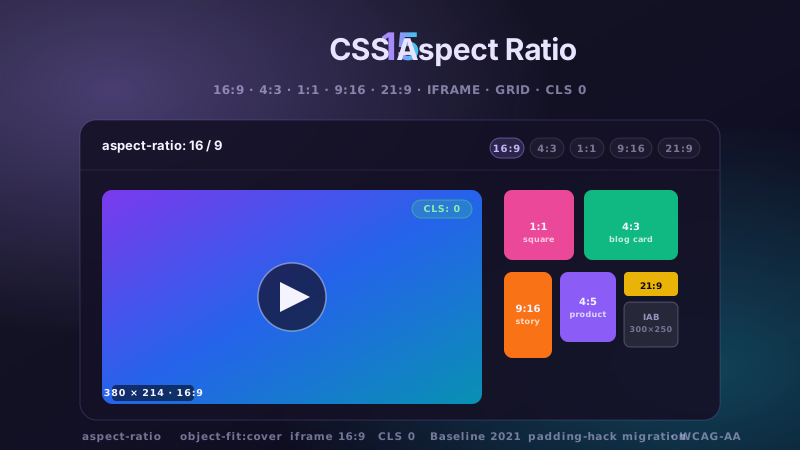
15 hand-coded CSS aspect-ratio demos for video embeds, product galleries, IAB ad slots, native dialogs, and CLS-safe placeholders: 16:9 iframe YouTube embed with click-to-load facade + up-next rail, 21:9 full-screen hero video with min-height/max-height:100svh guardrails + Ken Burns drift, 1:1 Instagram-style square grid with 2×2 feature tile, 4:3 magazine card image cover, 9:16 vertical stories rail (TikTok/Reels/Shorts pattern) with scroll-snap + segment bars, 4:5 apparel product image gallery with radio-driven state + 1:1 thumbnails, 1:1 zoom thumbnail carousel with pointer-tracked --zx/--zy magnifier, prevent-layout-shift placeholder with live PerformanceObserver CLS meter (before/after side-by-side lab), dynamic content fallback with three policies (bend/strict/auto) via :has() toggle, IAB ad banner slots (728×90 leaderboard, 300×250 medium rectangle, 300×600 half-page, 320×50 mobile) with skeletons + container-query mobile swap, responsive modal dialog sized min(92vw, 88svh×16/9, 1080px) with @starting-style animation, responsive OpenStreetMap iframe wrapper with 16:9 → 1:1 container-query narrow swap, media query orientation live HUD + resize:both container-ratio playground, object-fit logo cloud with contain/cover/fill switcher via :has(), and side-by-side padding-top hack (height:0 + padding-top:56.25%) → modern aspect-ratio migration comparison with live ratio picker. 11 truly Pure CSS + 4 with a tiny optional vanilla JS snippet (facade swap, pointer magnifier, CLS meter, native dialog). Every demo is scoped under a unique .car-NN prefix so it drops into any project without CSS collisions, ships prefers-reduced-motion guards, and is framework-agnostic (works as-is in React, Vue, Svelte, Astro, Next.js, Remix, or plain HTML).
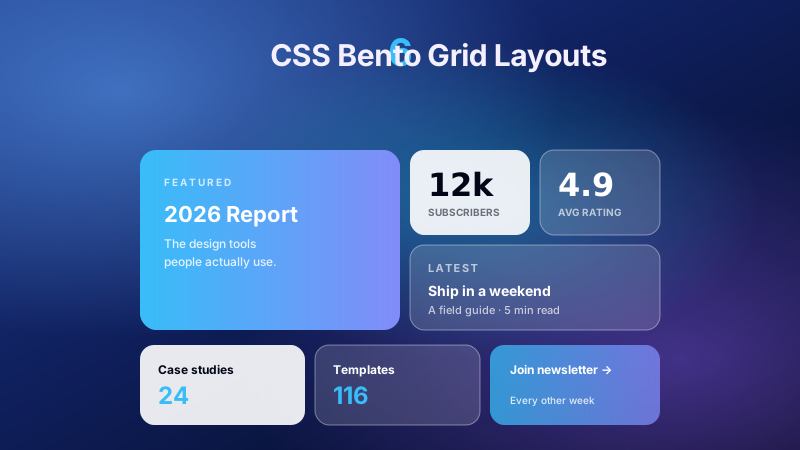
6 production CSS bento grid layouts with 12 hand-coded designs — Apple-style product showcase, SaaS feature value-prop matrix, analytics dashboard overview, creative portfolio, e-commerce category hub, and link-in-bio social hub. Each topic ships 2 sub-variants side-by-side so visitors see both a keynote aesthetic and a paper-doc variant at once. Container queries, CSS Grid, zero dependencies, copy-paste ready.
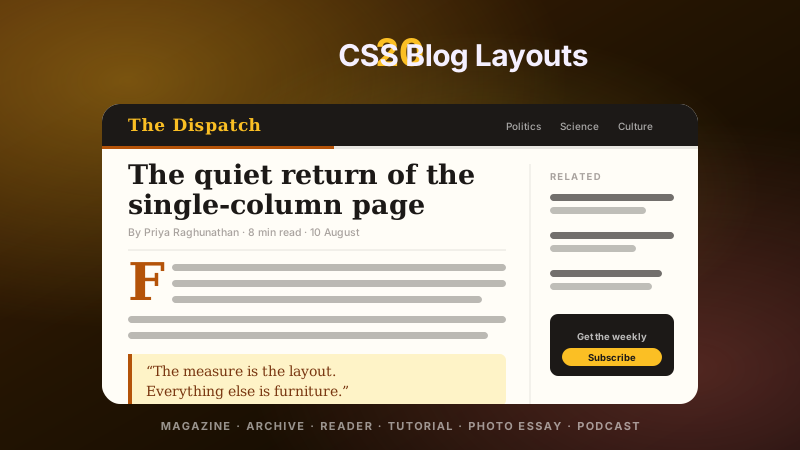
20 hand-coded CSS blog and editorial layouts for magazine homepages, news sites, personal archives, newsletter back-issues, recipe and podcast blogs, developer tutorials, and long-form journalism. Covers a magazine homepage with hero plus editor-picks rail, a news homepage with breaking-news ticker, blog archives with sticky year separators, Substack-style issue-numbered archives, recipe card grids with prep-time badges, podcast episode lists with waveforms, long-form articles with scroll-driven reading progress, drop caps and floated pull quotes via first-letter, Medium-style 65ch centred reader layouts, dev tutorials with a sticky code panel beside prose, interview transcripts with alternating speakers, case-study pages with stat counters, video blogs with an episode rail, full-bleed photo essays, news articles with sticky related-stories sidebars, documentation pages with prev/next chapter nav, a standalone blog post card, a scroll-snap category filter bar, an inline newsletter callout that breaks out of the prose column, and a horizontal featured-post rail. 12 are pure CSS with zero JavaScript. Every layout is scoped under a .bl-NN prefix for no-collision pasting, guards prefers-reduced-motion, and ports unchanged to React, Vue, Svelte, Astro, Next.js and Tailwind.


