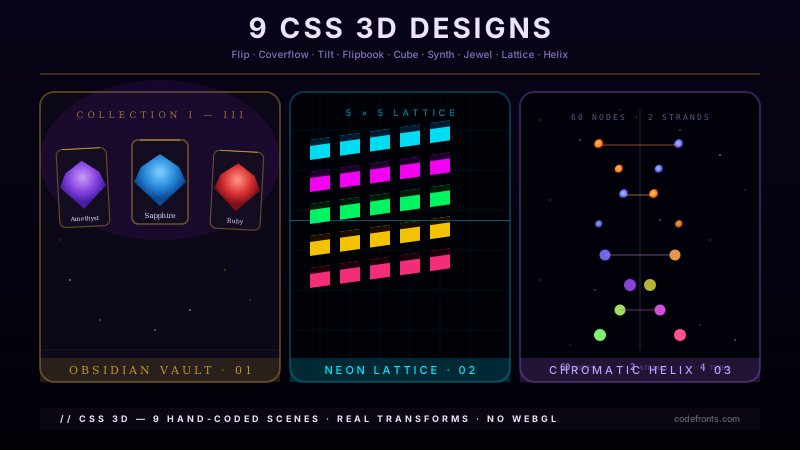
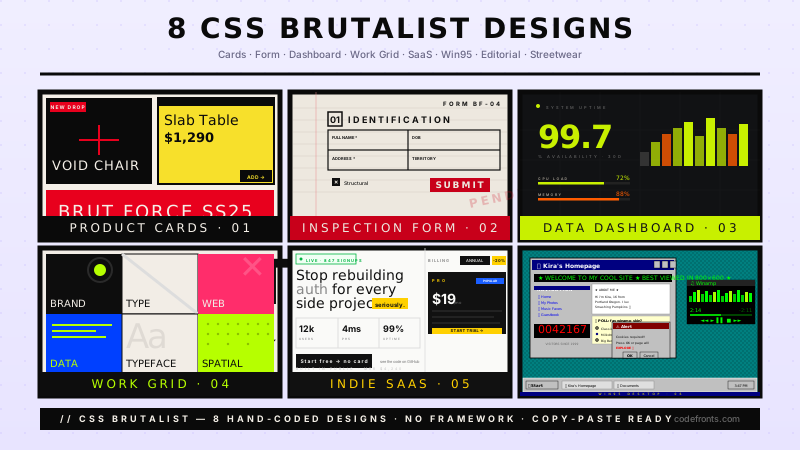
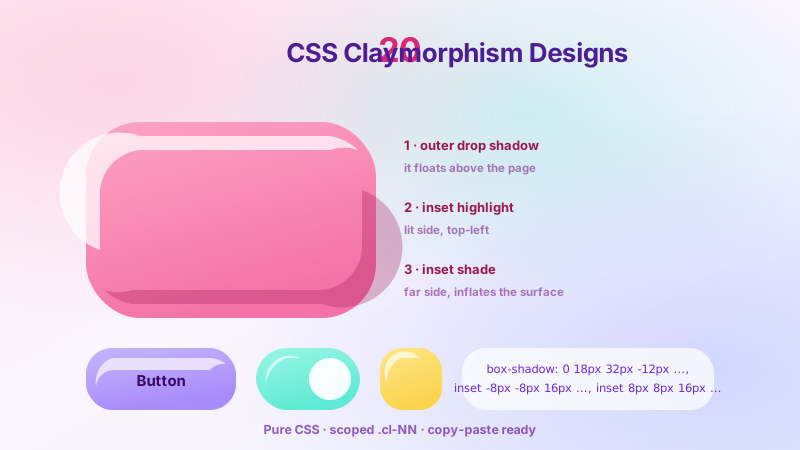
20 hand-coded grain and noise textures — the fine speckle that makes a flat gradient look printed rather than rendered. It comes from one SVG primitive, feTurbulence, inlined as a data URI so there is no image request and no tiling PNG to ship. These cover the parameters themselves, then grain on gradients, photos, cards, glass and buttons, plus halftone, dither, letterpress and risograph looks. Scoped under .grn-NN, prefers-reduced-motion guarded, framework-agnostic.
Taking this style from one component to a whole product?
You just browsed 20 textures. Untitled UI is the Figma UI kit 380,000+ designers use, with 10,000+ components and variants in Pro, plus a matching React library on Tailwind CSS. Figma Pro is a one-time purchase from $129.
Every grain effect on the modern web comes out of one SVG primitive: <feTurbulence>. This demo is the parameter sheet for it — six live plates, each changing exactly one attribute (type, baseFrequency, numOctaves, seed, stitchTiles) so you can see what each dial does before guessing at values in production.
A specimen sheet for the only two attributes that decide whether your grain reads as expensive film stock or as a broken JPEG. Nine baseFrequency steps from 0.05 to 1.6, an octave ramp beside them, and the two-value baseFrequency trick that stretches grain into brushed metal.
The shippable form of browser-generated grain: the whole <feTurbulence> document folded into a URL-encoded data URI, parked in one custom property, and reused across a hero, a pricing card, a footer and a button. About 380 bytes, one CSS declaration, zero network requests — and no SVG block in your markup at all.
Grain has two dials after generation: how strong it is and how it composites. This is the full matrix — eight mix-blend-mode values against one identical noise layer, plus a five-step opacity scale with the range that actually ships marked on it. The difference between "expensive" and "dirty" is almost always one of these two numbers.
Raw feTurbulence writes independent noise into red, green and blue, so untinted grain is colour confetti. feColorMatrix fixes that properly: flatten the RGB to a constant tint and drive the alpha channel from the noise luminance. The result is single-hue grain you can colour like any other design token — shown here as six named film stocks.
Everyone repeats that SVG filters are expensive. Nobody says how expensive. This demo measures it live in your own browser: frame time for a grained surface versus a plain one, the cost curve across numOctaves, the cost of six blended layers, and the real byte size of each texture definition read straight out of the computed styles.
Newsletter
Enjoying these demos? Get new ones by email.
A short email when a new collection ships. Unsubscribe any time.
Banding is not a bug in your gradient, it is the 8-bit display pipeline showing through. The fix is the same one film and print have used for a century: add noise. This is a full-bleed dusk hero built the correct way — oklab interpolation, a grain dither layer, and an honest side-by-side against the untreated version.
The darkroom treatment, in CSS: a radial vignette to pull the eye inward, film grain composited in luminosity so it never shifts the photo's colour, and a print-style caption plate. Three photos, three grain weights, and the layer order that makes the difference between "treated" and "filtered".
The reason most card UIs feel like plastic is that they have no surface. This is the fix that costs 4% opacity: a fine noise layer, a one-pixel inset highlight along the top edge, and a shadow tuned to the same light direction. Six product cards, three elevation levels, one texture token — and grain weight that scales with elevation the way real light does.
A production landing hero: photograph, colour wash, two grain layers at different scales, and a text scrim that guarantees contrast. Full-bleed, 100svh-correct on mobile, and built so the treatment survives every image you swap in — which is the actual requirement, since you do not control the photo the marketing team picks.
Frosted glass looks fake because real glass has surface imperfection and backdrop-filter: blur() has none. Adding grain fixes it — but only if the grain sits above the blur. This demo ships both orders side by side over the same photograph so the difference is impossible to miss, plus a full glass panel set you can lift straight into a product.
A complete form kit where every interactive surface is a material: buttons, inputs, a select, checkboxes, a range slider and a segmented control, all carrying the same grain token at weights tuned per state. Every control is at least 44px, every focus ring is visible, and pressing a button genuinely feels like pressing something.
Two coloured sections meeting at a hard line is the most obvious seam in web design. This divider replaces it with a torn, grained transition: a mask driven by feTurbulence so the edge dissolves irregularly instead of stepping, and a grain band that carries texture across the join. Three divider variants — torn, fade, and ruled — in one page.
Halftone is how ink reproduces a continuous-tone photograph, and CSS can do it with one radial-gradient and one blend mode. This is the newspaper treatment done properly: a dot screen at a real print angle, dot pitch scaled to the surface, and the contrast pre-boost that stops halftone turning everything to grey mush.
Newsletter
Enjoying these demos? Get new ones by email.
A short email when a new collection ships. Unsubscribe any time.
Ordered dithering — the 4×4 Bayer matrix that gave early Macintosh and Game Boy graphics their look — rebuilt in CSS as a tiled threshold map. Combined with hard-light it turns any smooth gradient into stepped, pixel-honest shading, and it doubles as the most aggressive banding fix in this collection.
Letterpress is ink pressed into paper, and it comes down to two things: a paper surface with fibre, and type that is debossed with a single consistent light source. This is a stationery set — invitation, business card and specimen sheet — built with turbulence for the stock and a two-value text-shadow for the press.
Risograph printing is cheap, slightly wrong, and beloved for exactly that. The look is two spot inks printed in separate passes that never line up perfectly, over-printing where they overlap and showing paper where they miss. This is a full event poster built from that mechanism: two offset ink layers, multiply overprint, and grain that belongs to the paper rather than the ink.
Weave is two sets of threads crossing at right angles, and that is exactly what two repeating-linear-gradients are. Add turbulence for thread irregularity and you get linen, canvas, hessian and denim as pure CSS — no images, resolution-independent, and themeable. Shown as a real fabric swatch catalogue.
Grain that looks refined on a light surface looks like a dirty screen on a dark one. The reasons are measurable — perceptual contrast, shadow crush, and the fact that overlay is not symmetric — and the fixes are specific. This is a full dark dashboard with the corrected recipe, plus the exact per-theme numbers to copy.
Animated grain is the most convincing film effect on the web and the most likely thing in this collection to make somebody ill. This demo ships both halves properly: a real projector-gate animation built the performant way, and a static fallback that is a genuine design rather than a switched-off version — plus the reasoning for why flicker is the specific risk.
FAQ
Frequently asked questions
How do you add a grain or noise texture in CSS?
You generate the noise with SVG rather than shipping an image. An <feTurbulence> filter produces fractal noise procedurally, and that SVG can be inlined into CSS as a data URI on background-image, so the texture costs a few hundred bytes of markup instead of a tiling PNG and an extra network request. The pattern is: a <filter> containing <feTurbulence>, a <rect> that has the filter applied, the whole SVG URL-encoded, and then a low opacity plus a mix-blend-mode so the noise modulates the surface underneath rather than sitting on top of it as visible static. Demo 01 breaks down every parameter and demo 03 covers the data URI encoding, including the characters that must be escaped or the background silently fails to render.
What do baseFrequency and numOctaves actually do?
baseFrequency is grain size and it is the parameter that matters most. Low values (around 0.5) give coarse, blotchy noise; high values (around 1.2 and above) give fine film-like grain. It accepts two numbers rather than one, and passing different values stretches the noise on one axis — which is how you get directional grain like brushed metal or paper fibre rather than uniform speckle. numOctaves is how many layers of detail are summed: 1 is smooth and cheap, 4 is richly detailed and noticeably more expensive to paint, and past about 5 the visual difference stops being perceptible while the cost keeps climbing. type switches between fractalNoise, which is soft and cloud-like and correct for grain, and turbulence, which is higher contrast and better for smoke or marble. seed just changes the random pattern — useful when two adjacent elements would otherwise show visibly identical noise. Demo 02 renders a scale of each so the values are picked by eye rather than guessed.
Why does my CSS gradient have visible bands, and does noise fix it?
Yes, and it is the most practical use of grain on the web. Banding happens because a gradient across a large area needs more distinct colours than 8 bits per channel can supply, so the browser rounds to the nearest available value and you see stepped bands instead of a smooth ramp — most visible on dark, low-contrast, large-area gradients, which is exactly what hero sections tend to be. Adding a fine noise layer at very low opacity, typically 3 to 6 percent, breaks the boundary between adjacent bands: the eye averages the dithered pixels back into the intermediate colour that the display cannot show directly. This is the same trick print has used for a century and the reason a photograph reproduces smoothly in a newspaper. The noise has to be fine and faint — coarse or strong noise reads as dirt rather than dissolving the bands. Demo 07 puts a banded gradient beside a dithered one with the opacity exposed as a control.
Is an SVG noise texture better than a PNG?
In almost every case, yes. A seamless noise PNG large enough to tile without a visible repeat is typically 100 to 300KB, and it costs a network request that blocks nothing but still competes for bandwidth during the initial load. The equivalent feTurbulence filter inlined as a data URI is usually under a kilobyte, needs no request at all, scales to any size without tiling artefacts, and can be recoloured or resized by editing a number rather than re-exporting an asset. The trade-off is paint cost: an SVG filter is computed by the browser rather than decoded, so a very large noise surface with a high numOctaves can be measurably slower to paint than blitting a bitmap, and animating one is considerably more expensive again. The practical rule is to keep numOctaves at 1 or 2 for full-page backgrounds, reserve higher values for small surfaces, and never animate the filter itself when animating a cheap transform on top of it produces the same impression. Demo 06 measures both sides.
How do you change the colour of an SVG noise texture?
Not with the fill property, which is the usual first attempt and does nothing, because feTurbulence generates its own RGBA channels and ignores the element's fill. The correct tool is <feColorMatrix> chained after the turbulence, which remaps those channels. The most useful form is type="saturate" with a value of 0 to make the noise monochrome — which is what you want most of the time, since coloured speckle reads as chroma artefacting rather than grain — and then a matrix that pushes the result toward a hue if you want warm or cool grain. The alpha channel is worth separating from the colour: setting alpha through the matrix rather than through CSS opacity keeps the noise from washing out the layers beneath it. Demo 05 walks the matrix values with live plates.
Why does grain look wrong in dark mode?
Because the same noise reads as two different things depending on what it sits on. On a light surface, grain reads as texture — paper, film, ink. On a dark surface, the identical values read as sensor noise or compression artefacting, because that is what the eye is used to seeing in dark photographs. Three adjustments fix it. The opacity has to drop, often by half, since noise is far more visible against black than against white. The blend mode usually needs to change: overlay and soft-light work well on light grounds but crush on dark ones, where screen at low opacity is often the better choice. And the noise should be biased slightly light rather than symmetrical, because dark speckle on a dark surface disappears while the light speckle is doing all the visible work anyway. Demo 19 puts a naive inversion beside a recalibrated pair.
Does animated grain need a reduced-motion fallback?
Yes, and it is one of the clearer cases for it. Animated film grain works by reshuffling the noise several times a second, which produces exactly the kind of rapid, full-field visual churn that triggers discomfort for people with vestibular sensitivity — and unlike a decorative slide-in, it never stops. Any animated grain belongs inside a @media (prefers-reduced-motion: no-preference) block so the default state is static. The good news is that static grain loses almost nothing: the texture is still there, it simply stops shimmering. The same applies to steps()-driven grain, which people sometimes assume is exempt because it is not a smooth transition — it is not exempt, and a stepped flicker is arguably worse. Demo 20 ships the guarded pattern.
Can you get halftone, dither and print textures in pure CSS?
All three, and none of them need an image. Halftone is a grid of dots whose size carries the tone, built from a radial-gradient tiled with background-size and masked so the dots grow in the shadows and shrink in the highlights. Ordered dithering uses a small repeating Bayer matrix as a threshold map — at a 4px tile the result is visually indistinguishable from real ordered dithering, with no canvas and no shader. Letterpress is an inset shadow pair plus a paper-fibre noise layer, and the impression comes from the shadow, not the texture. Risograph is two spot-ink layers deliberately offset by a few pixels with multiply overprint where they overlap, which is exactly what the real process does wrong and why the look is loved. Demos 14 through 18 build each one.