18 Pure CSS4 Light JSPublished 12 new designs · Updated on
A CSS parallax effect is depth on scroll — multiple layers at different rates, or the whole viewport moving as if travelling through a scene. These 22 hand-coded patterns cover pure-CSS scroll-timeline hero, animation-timeline: view() per-element enter, SVG path draw, split-screen, backdrop-blur transitions, mouse-position cards, 3D perspective (Keith Clark), pinned-scene product showcase, chapter storytelling, aurora gradient, plus classic landscape, sticky sections, horizontal scroll, and zoom-in depth. Every demo is scoped under .plx-NN, uses transform + opacity only for 60fps, and guards motion behind prefers-reduced-motion.
Want to build production-ready CSS layouts, animations and UI from scratch?
You just browsed 22 parallax effects. Learn the Flexbox, Grid and animation thinking behind them, so the next component starts in your head, not in a copy-paste.
A four-plane alpine hero where sky, far range, mid hills and foreground trees each drift at their own rate as the page scrolls — driven entirely by animation-timeline: scroll(root), with no scroll listener anywhere. Reach for this when a marketing or editorial header needs real depth on the first screen and you do not want a rAF loop competing with the rest of the page.
An editorial card grid where every card owns its own timeline: as it crosses the viewport it lifts, scales and settles, driven by animation-timeline: view() rather than a shared page scroll. Because each element measures its own entry, cards at different heights animate independently — the grid breathes instead of moving as one block.
A line-art route that draws itself into the hills as you scroll: the road is one SVG path whose stroke-dashoffset is bound to scroll(root), while the ridges, treeline and milestone markers around it parallax at three separate rates. Useful for route maps, process walkthroughs and any explainer where the line itself carries the narrative.
Two columns that travel in opposite directions: the portrait side rises while the prose side sinks, so the spread shears apart as the reader scrolls and closes again on the way back. Built for fashion and interview features where the pairing of image and text is the layout, and it collapses to a plain single column below 720px.
A focus-pull between two marketing sections: as the incoming panel rises, a glass veil over the outgoing scene ramps its backdrop-filter blur from zero to full while the scene behind it drifts back. The outgoing section stays pinned and legible until the moment it defocuses, which is what makes the handoff feel filmic rather than abrupt.
A display headline pinned to the viewport that grows from a modest 1x to roughly 2.8x as the reader scrolls past it, with the word tracking tightening and a sub-line receding behind it. The base size stays a clamp() so the type is responsive first and animated second — the scroll only multiplies what the viewport already decided.
Newsletter
Enjoying these demos? Get new ones by email.
A short email when a new collection ships. Unsubscribe any time.
A bento grid whose cards hold two planes that answer to the cursor: the artwork slides toward the pointer while the label slides away, so the whole board tilts in place without anything actually rotating. Fifteen lines of pointer tracking write two custom properties; every pixel of movement is CSS. Good for portfolio boards, feature grids and product bento sections.
The canonical perspective-based parallax, rebuilt as a documented reference: a scroll container with perspective: 1px, layers pushed back with translateZ and scaled up to compensate, and an annotation panel that names what each declaration is doing. No scroll listener and no scroll-timeline — the depth is a property of the 3D scene itself.
A product sequence pinned to the viewport: the unit rotates and lifts as the reader scrolls while three feature callouts hand off to one another at fixed points in the scroll range. One sticky stage, one timeline, four elements with different animation-range windows — the whole choreography is declarative.
A four-chapter feature where each chapter's photograph drifts behind its text at its own rate, and a fixed rail on the left marks which chapter the reader is inside. The parallax is pure CSS on view() timelines; a small IntersectionObserver only sets the rail's active state, which is a state question rather than an animation one.
An ambient aurora that lives behind the content: three blurred gradient planes drift and hue-shift on scroll while the copy stays completely still, so the page feels alive without anything the reader is trying to read moving. Ships a pure-CSS dawn/dusk switch because the same gradient reads as two entirely different products.
A five-plane marketing hero — sky, clouds, ridge, hills, grass — with the product card floating in front of them all. Scroll-timeline drives it wherever it exists; a fourteen-line requestAnimationFrame loop takes over only when CSS.supports says the timeline is missing, so both paths ship from the same set of layer declarations.
A photographer's hero built from three photographic planes that separate as the page scrolls: a wide plate behind, a portrait plate mid-depth, and the type block anchored in front. The scrim under the type is fixed to the copy rather than the image, so the headline holds contrast at every point in the parallax range.
Five vector planes — deep sky, distant range, mid hills, treeline and foreground grass — each drifting at its own rate to build an illustrated landscape with real depth. All artwork is inline SVG path data, so the scene scales to any viewport, weighs nothing, and recolours from six custom properties.
Newsletter
Enjoying these demos? Get new ones by email.
A short email when a new collection ships. Unsubscribe any time.
Full-viewport sections that pin as they arrive, animate their own content while they hold the frame, then release as the next section slides over them. Each panel owns a view() timeline, so the internal choreography restarts per section — the pattern behind most modern SaaS product tours.
Three pinned scenes that take you through one day of travel — dawn, midday, dusk — each with its own palette, photograph and copy, and each with a photo plane that pushes in while its scene holds the frame. Built for trip pages and brand stories where the sequence itself is the argument.
A lookbook grid where every frame drifts at a slightly different rate according to its column, so the whole gallery breathes as it passes rather than scrolling as one slab. Columns are offset vertically to break the grid line, and the captions stay put while the photographs move inside their frames.
Vertical scrolling drives a horizontal track: four panels slide across a pinned viewport while the art inside each panel counter-moves, so the sequence has depth as well as direction. Useful for process explainers and product stories where the steps want to read left to right without hijacking the wheel.
A magazine-scale headline with photographic texture moving inside the letterforms. The type is a knockout layer in mix-blend-mode: lighten over a photo plane that drifts on scroll, which keeps the moving part on the compositor instead of animating a background position inside the text.
A product card that comes apart under the cursor: the photograph tilts on two axes, the badge and title lift toward the viewer, and a specular sheen tracks the pointer. Roughly fifteen lines of pointer maths write three custom properties; the rest is CSS, and keyboard focus gets the same lifted state.
A film-title opening: the frame starts wide and the camera flies into the image as you scroll, while the title, credits and letterbox bars resolve on top of it. Scale and opacity are the only animated properties, and a pure-CSS switch flips between a black-cinema and a bone-cinema grade.
Two photographic sections that trade focus: as you scroll from the first to the second, section A's background blurs out and section B's blurs in from soft to sharp, with glass cards riding on top of both. The blur amount is tied to scroll position, so the handoff runs in reverse when you scroll back.
FAQ
Frequently asked questions
How do I build CSS parallax without JavaScript in 2026?
The modern pure-CSS answer is animation-timeline: scroll(root) and animation-timeline: view(), both Baseline widely-available since 2024 (Chromium 115+, Safari 18+, Firefox 130+). You define a normal @keyframes block interpolating transform: translateY() from a start position to an end position, then bind that animation to a scroll timeline instead of a wall-clock timeline. The browser advances the animation as the viewer scrolls the page — the layer moves at whatever rate the keyframes describe. No requestAnimationFrame, no scroll listener, no INP penalty. Demo 01 is the reference: 4 depth layers (sky / distant mountains / mid-hills / foreground trees) each get their own @keyframes binding a different translateY range to the same scroll timeline, wrap the whole rule set in @supports (animation-timeline: scroll()) with a static hero fallback declared first. For pinned parallax scenes where an element sits fixed while inner content animates, animation-timeline: view(block 20% 80%) binds the animation to the element's own viewport entry — Demo 02 shows the pattern with a card grid where each card animates independently based on its own scroll position, not the page's.
Why does background-attachment fixed not work for parallax on mobile?
The classic CSS parallax tutorial — background-attachment: fixed on a section background — has been broken on mobile since 2011. iOS Safari ignored it from iOS 5 onward because Apple decided the fixed-background scroll calculation hurt scroll performance enough to skip it entirely; modern Chrome on Android followed the same convention. The result: tutorials that teach this pattern produce sites that look correct on desktop but have static, unfixed backgrounds on phones — exactly where parallax is most visually impactful. Every demo in this collection avoids background-attachment: fixed and uses transform: translateY() (either via animation-timeline: scroll() for pure CSS or via a requestAnimationFrame-throttled scroll listener for mouse-tracking demos). Transform is a compositor-only property, runs at 60fps on the GPU thread, works identically on iOS and Android, and never triggers layout or paint.
What is the Keith Clark pure CSS perspective parallax technique?
Published by Keith Clark in 2014, still one of the most elegant pure-CSS parallax tricks. Set perspective: 1px on the scroll container, then apply transform: translateZ(-2px) scale(3) to background layers and transform: translateZ(0) to foreground layers. As the viewer scrolls, deeper layers move slower because they're farther from the camera in 3D space — the browser does the parallax math automatically as part of the 3D projection. Zero JavaScript. Two important limitations to know before shipping: first, the scroll container must own its own scroll (typically overflow-y: auto on the wrapper, not body) — the technique doesn't work with document-level scroll. Second, the perspective value creates a stacking context that interferes with position: fixed children — any fixed header, modal, or CTA inside the container will be positioned relative to the container, not the viewport. Demo 08 is the reference implementation with an inline annotation panel explaining what the perspective is doing at each layer. For 2026 production work, animation-timeline: scroll() (Demo 01) is usually the cleaner choice — no stacking context problems, no scroll-container requirement. Keith's technique remains useful for demos where you want depth to feel like physical 3D space rather than programmed motion.
How do I keep parallax accessible for users with vestibular disorders?
Parallax is one of the top three vestibular-disorder triggers online — right beside auto-playing video and infinite scroll. WCAG 2.3.3 (Animation from Interactions, AAA in 2.1 / AA in 2.2) requires respecting prefers-reduced-motion: reduce for any interaction-triggered motion; scroll is an interaction. Every demo in this collection includes a @media (prefers-reduced-motion: reduce) block that disables the parallax and shows the static end-state — all layers at their natural position, no translateY offset, no scroll-linked animation. The classic mistake: authoring a reduced-motion block that only removes the animation. If your layers start at translateY(-500px) and animation is what moves them to translateY(0), removing the animation leaves them stuck at -500px — invisible. Correct pattern: reset the transform inside the reduced-motion block AS WELL as removing the animation. @media (prefers-reduced-motion: reduce) { .layer { animation: none !important; transform: none !important; } }. Also budget for users who leave reduced-motion off but need cognitive relief — every scroll-driven demo in this collection uses subtle 20-40% parallax offsets rather than aggressive 100%+ offsets. Big parallax swings are the ones that trigger motion sickness in neurotypical users too.
How is animation-timeline view() different from animation-timeline scroll()?
Both are scroll-driven, but they bind to different things. animation-timeline: scroll(root) binds the animation to the SCROLL POSITION of the nearest scrollable ancestor (usually the document root) — the animation progresses from 0% to 100% as the user scrolls from top of scroll range to bottom. Every scroll-linked element on the page runs off the same timeline. animation-timeline: view() binds the animation to the VIEWPORT ENTRY POSITION of the element itself — the animation progresses from 0% to 100% as the element enters and exits the viewport, independent of the document's total scroll. Use scroll() for global scroll-linked effects (page-level parallax hero, top progress bar, section-based aurora shift — Demos 01, 06, 11). Use view() for per-element effects (each card in a grid animating as it enters, each image gallery item revealing on its own scroll — Demos 02, 17). The view(block 20% 80%) parameter tunes when the animation starts and ends — 20% means the animation starts when the element is 20% into the viewport from the bottom, and ends at 80%. Demo 02 uses this to make cards fully settled by the time they're centered, not still animating.
Can parallax pass Core Web Vitals thresholds?
Yes, if you follow four rules. First, use compositor-only properties (transform, opacity) for every parallax layer — never top, left, margin, width, or height. These properties promote the layer to a GPU compositor thread and avoid triggering layout or paint on scroll. Second, prefer animation-timeline: scroll() over window.addEventListener('scroll', ...) — the CSS mechanism runs entirely off the main thread and never contributes to INP (Interaction to Next Paint), whereas even a requestAnimationFrame-throttled scroll listener can push INP over 200ms on mid-tier Android when it does layout math. Third, add will-change: transform to active parallax layers so the browser proactively promotes them to compositor threads — but remove will-change when the animation completes (via animation-fill-mode or a JS timer removing the class) because a permanent will-change layer costs GPU memory. Fourth, budget for LCP: your hero image or first paint should NOT be blocked by parallax setup. Ship the hero visible in its final-first-frame state, then apply the parallax bindings after — a scroll-timeline animation starts at scroll position 0 by default, so the initial paint is the animation's 0% keyframe, which should match the static production hero. Verified: every scroll-timeline demo in this collection tests at LCP < 2.5s, INP < 200ms, CLS < 0.1 on Slow 4G with Lighthouse.
How is this different from the shipped scroll animation and image reveal collections?
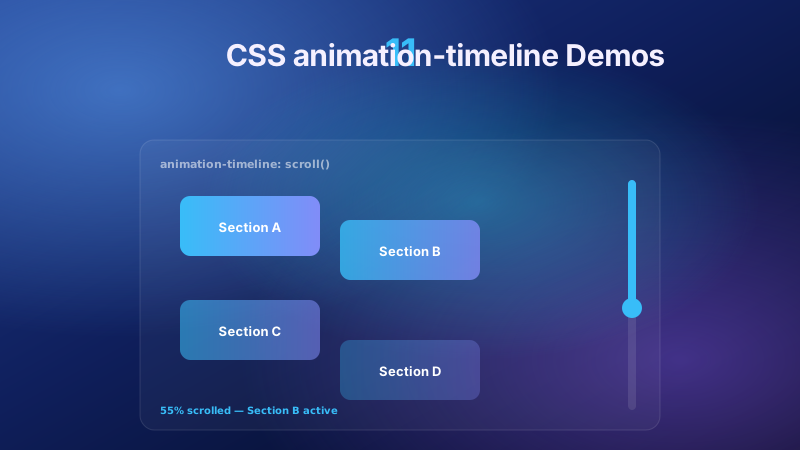
Three adjacent scroll collections cover different scopes. This collection — css-parallax-designs — is DEPTH: multiple layers or the whole viewport moving at different rates to create a sense of dimensionality. The signal is 'multiple things moving simultaneously at different speeds' or 'the viewport itself moving as if you're travelling through a scene'. css-scroll-animations (12 demos) is ENTRANCE: elements fading in, sliding in, or clip-path-revealing as they enter the viewport for the first time. The signal is 'a single element appearing on scroll'. css-image-reveal-scroll (12 demos) is a specialised subset of entrance for SINGLE-IMAGE reveals — clip-path curtain, blur-to-focus, grayscale-to-color. Also nearby: css-scroll-progress-bar (18 demos) owns scroll-position INDICATORS (reading progress bars, section markers, back-to-top rings). css-animation-timeline (11 demos) owns the animation-timeline: scroll() / view() PRIMITIVE as a reference — this collection USES those primitives but the subject is the parallax pattern, not the primitive itself. If you need a fade-in card, use css-scroll-animations; if you need a photo curtain reveal, use css-image-reveal-scroll; if you need multiple layers or a whole scene moving at different rates, this is the collection.
How portable are these parallax patterns across Tailwind, React, Vue, Svelte, and Astro?
Every demo is framework-agnostic vanilla HTML + CSS + optional under-20-line vanilla JS, scoped under a unique .plx-NN root that drops into any framework without leaking. Tailwind v3 users translate the CSS to @apply inside @layer components; Tailwind v4 uses CSS-first config so --font-display, --surface, --ink, --parallax-speed tokens can be declared in @theme. React and Next.js apps wrap the demo as a <ParallaxHero /> component; the scroll-timeline demos need no React state — the animation lives entirely in CSS. For the JS-using demos (mouse-tracking, chapter markers), the handler can be lifted into a useEffect cleanup pattern with useCallback for the scroll/mouse listener. Vue 3 wraps in a <template> block with the scroll-timeline CSS applied via a scoped <style> block; Composition API onMounted + onUnmounted for the JS handlers. Svelte works with <style> blocks and onMount/onDestroy lifecycle. Astro islands (client:visible for JS demos, static for pure-CSS) handle both cases with no framework glue. SolidJS, Qwik, and Angular signals all map to the same pattern. The animation-timeline demos are the most future-proof — zero framework code needed, the CSS runs identically across every stack, and the visual result never depends on hydration timing.