About this generator
Most CSS glassmorphism generators give you a blur slider, a transparency slider, and a copy button. The output looks like flat plastic, not glass — and on a busy background, your text becomes unreadable. This generator was rebuilt to ship the full vibrancy formula Apple uses: blur, saturation, brightness, and tint, all tunable in real time on nine different surface presets.
Four things make this different from every other free glass generator. Saturation + brightness controls — the missing knobs that turn flat glass into refractive glass. Background-aware WCAG contrast scoring — every background sample is alpha-blended through your glass and the resulting effective surface is checked against your text color, so contrast failures get flagged before you ship. Reduced-transparency fallback — the export includes a @media (prefers-reduced-transparency: reduce) block that swaps the glass for a solid surface when the user has accessibility transparency reduction enabled. Seven framework exports — CSS, SCSS @mixin, Tailwind arbitrary classes, CSS Modules, styled-components, React inline-style, and Vue scoped CSS.
Curated preset library covers the full glassmorphism timeline: Frosted Card and Subtle Pane for the 2020-era flat aesthetic; Crystal Modal and Heavy Frost for stronger blur applications; Tinted Violet and Tinted Rose for brand-color glass; Liquid Glass for the iOS 26 / macOS Tahoe Apple style; Vibrancy Pane for the macOS app-window classic.
Permalink: every adjustment encodes into the URL hash, so you can bookmark a tuned glass or send it to a teammate. No login, no watermark, no paywall. Free and MIT-licensed.
Why use this Glassmorphism Generator?
How to use this generator
Glass property reference
| Property | Typical value | What it does |
|---|---|---|
| background | rgba(TINT, ALPHA) | Translucent tint sits on top of the page background — alpha 0.05–0.18 is the sweet spot for "frosted" rather than "ghost" or "milk". Tint defaults to white (255,255,255) but accepts any brand color. |
| backdrop-filter | blur(N) saturate(N%) brightness(N%) | Blurs the pixels behind, then re-saturates and re-brightens them. Saturate > 100% is the secret ingredient that turns flat glass into refractive Apple-style glass; brightness adds the subtle highlight. |
| -webkit-backdrop-filter | same as backdrop-filter | Safari required the prefix until ~Safari 17. Always include both for cross-browser support. |
| border | 1px solid rgba(255,255,255,ALPHA) | A hairline rim catches light at the glass edge. 0.18–0.32 alpha; thicker for "premium" weight, thinner for subtle. |
| border-radius | 10–22px | Soft corners read as polished glass. Sharp corners (0–4px) read as architectural panels. iOS Liquid Glass uses 22px+ for prominent pills. |
| box-shadow | 0 8px 32px rgba(0,0,0,0.18) | Floats the glass off its background. Keep it soft and dark — competing color shadows fight the glass effect. |
| @media (prefers-reduced-transparency: reduce) | fallback solid color | Detects when a user has the OS accessibility transparency-reduction setting on. The generator emits a fallback block that swaps glass for a solid tinted surface — ~4-8% of users need this for readability. |
Common glass patterns
.glass-card {
  background: rgba(255, 255, 255, 0.08);
  backdrop-filter: blur(20px) saturate(160%);
  -webkit-backdrop-filter: blur(20px) saturate(160%);
  border: 1px solid rgba(255, 255, 255, 0.18);
  border-radius: 14px;
  padding: 22px;
  box-shadow: 0 8px 32px rgba(0, 0, 0, 0.18);
}.glass-violet {
background: rgba(139, 92, 246, 0.18);
backdrop-filter: blur(22px) saturate(180%);
-webkit-backdrop-filter: blur(22px) saturate(180%);
border: 1px solid rgba(255, 255, 255, 0.22);
border-radius: 14px;
padding: 22px;
}.glass-modal {
background: rgba(255, 255, 255, 0.12);
backdrop-filter: blur(40px) saturate(200%);
-webkit-backdrop-filter: blur(40px) saturate(200%);
border: 1.5px solid rgba(255, 255, 255, 0.32);
border-radius: 16px;
padding: 26px;
}.glass-liquid {
background: rgba(255, 255, 255, 0.08);
backdrop-filter: blur(30px) saturate(220%) brightness(110%);
-webkit-backdrop-filter: blur(30px) saturate(220%) brightness(110%);
border: 1.5px solid rgba(255, 255, 255, 0.40);
border-radius: 22px;
padding: 24px;
box-shadow: 0 8px 32px rgba(0, 0, 0, 0.18);
}
@media (prefers-reduced-transparency: reduce) {
.glass-liquid {
background: #2a2238;
backdrop-filter: none;
-webkit-backdrop-filter: none;
}
}Pro tips
Frequently asked questions
Why does this glassmorphism generator have saturation and brightness controls when most don't?
Because real glass refracts color. The classic CSS glassmorphism recipe — backdrop-filter: blur(20px) — produces a flat, washed-out glass that looks lifeless on vivid backgrounds. The macOS / iOS vibrancy effect Apple ships uses an additional saturate(180%) to amplify the color behind the glass so the surface picks up brand identity from whatever it's sitting over. Brightness adds a subtle highlight that mimics real refraction. Generators that ship blur-only produce plastic glass; this one ships the full vibrancy formula (blur + saturate + brightness + tint + border-light) so the output feels like Apple's, not 2020's flat-blur trend.
What is prefers-reduced-transparency, and why should I care?
It's a CSS media query — set when a user enables 'Reduce transparency' in their OS accessibility settings (macOS Accessibility > Display, iOS Settings > Accessibility > Display & Text Size > Reduce Transparency, Windows Settings > Accessibility > Visual Effects). About 4-8% of users — primarily those with low vision, vestibular sensitivity, or migraine triggers — enable it because glass effects make text harder to read. The generator's export includes a @media (prefers-reduced-transparency: reduce) block that swaps your glass for a solid background using your chosen tint — so accessibility-conscious users get a readable surface instead of broken glass. WCAG 2.2 1.4.3 (Contrast) and 1.4.11 (Non-text Contrast) become trivially satisfiable when this fallback ships.
How does the Tailwind glassmorphism export work? Tailwind has backdrop-blur — why arbitrary values?
Tailwind v3.3+ ships backdrop-blur-{sm,md,lg,xl,2xl,3xl} (named scales) and backdrop-saturate-{50,100,150,200}. Those cover ~80% of cases. The arbitrary-value syntax — backdrop-blur-[22px] backdrop-saturate-[185%] — is for the other 20% where you need a specific value like 22px instead of one of the named scales. The Tailwind export emits arbitrary values for everything customizable so the output stays accurate to your slider position; if you'd rather use named utilities, the CSS export gives you the raw declaration you can paste into a Tailwind @layer components block.
Why are some preset backgrounds gradients and some look like 'photos'? Real photos behind glass would look better.
The preview canvas uses CSS-only backgrounds (gradients, mesh, repeating patterns) for three reasons: (1) zero asset weight — the generator works offline, no image downloads, no DPI banding; (2) reproducibility — what you see is exactly what ships, no 'we picked a stock photo with different colors'; (3) compatibility — every modern browser renders these surfaces identically, so the preview matches the real-world result. For users testing on actual product photography: build the glass with the gradient preset, then drop the exported CSS into your site over your real photo — the glass effect renders identically regardless of what's underneath.
Can I save my glass to my project as a CSS class, or do I have to copy it every time?
Both work. Quick path: copy the CSS export and paste under your .glass class. Tokenized path: copy the SCSS export which provides a @mixin glass you can include from any component. Tailwind path: paste the class string into your component template. The URL hash also encodes the full state — bookmark a tuned glass card for your design system docs, link to it from your Storybook story, share it with a teammate.
Does the saturation control work in Safari? backdrop-filter has had spotty support.
Yes, fully. Safari has shipped backdrop-filter since version 9 (2015) and saturate() since the same release — the export includes the -webkit-backdrop-filter prefix automatically. The single browser to watch was Firefox: it didn't ship backdrop-filter until version 103 (July 2022). Older Firefox gracefully degrades to your chosen background color without breaking the layout. If you need a Firefox <103 fallback that LOOKS like glass, the SCSS export's @supports query path swaps in a slightly-tinted solid surface instead — fully covered.
How is this different from the Glassmorphism.com generator or the dozens of others?
Glassmorphism.com (the first viral glass generator) ships blur + bg alpha + radius and nothing else — no saturate, no brightness, no contrast checker, no accessibility fallback, no multi-format export. This generator adds saturate, brightness, contrast scoring against every background sample, the prefers-reduced-transparency fallback, seven framework export targets (CSS, SCSS, Tailwind, CSS Modules, styled-components, React, Vue), URL-hash persistence, and a curated preset library spanning glassmorphism + neo-glassmorphism + iOS liquid-glass aesthetics. For users coming from Hype4's glassmorphism playground or ui.glass: same baseline, plus six features they don't ship.
What's the 'liquid glass' aesthetic? Is that different from regular glassmorphism?
Liquid glass — popularized by iOS 26 and macOS Tahoe — is glassmorphism plus three extra cues that make the surface feel like real glass rather than a blurred photo: (1) higher saturate (180-220%) so the color underneath BLEEDS through brighter, (2) a subtle inner border-light that mimics light catching the top edge, (3) very low background alpha (0.05-0.10) so the glass is mostly transparent. The 'Liquid Glass' preset in this generator is calibrated to those Apple-published values. For 2020-era flat glassmorphism (blur + 15-20% alpha + no saturate), use the 'Frosted Card' or 'Subtle Pane' presets.
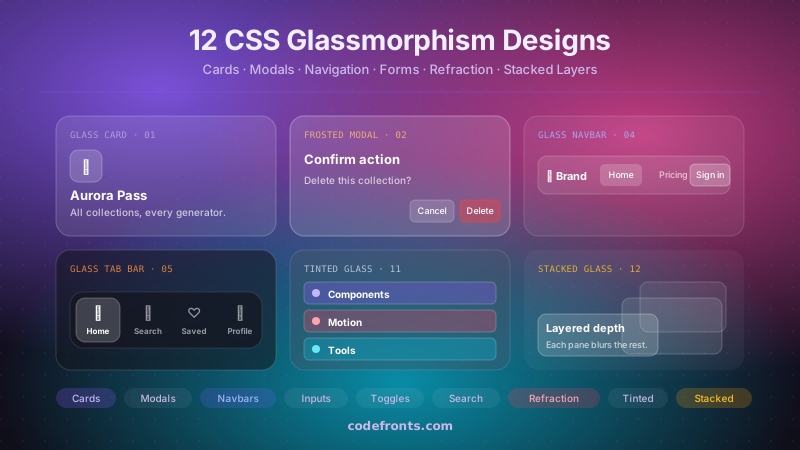
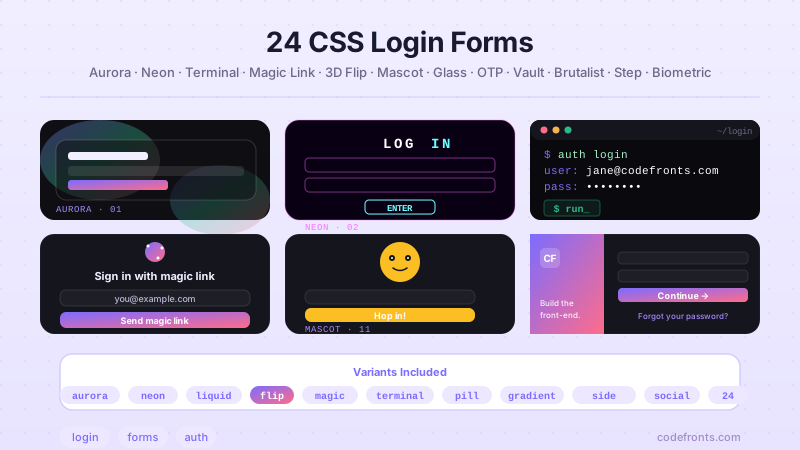
See it used in real designs
Browse hand-coded collections that put this tool to work.
Related tools
Premium design system · Untitled UI
AffiliateTuning one value? Get the whole system.
- 900+ colour, type & effect styles (Pro)
- 10,000+ components & variants (Pro)
Affiliate link: we may earn a commission at no extra cost to you.
Untitled UI Pro: 900+ colour, type and effect styles for Figma · from $129 one-timeGet Untitled UI Pro →Affiliate link