
01. Luxury Product Card with 3D Cube Unfold Flip (opens in a new tab)
A luxury watch product card that opens like a book — the back face hinges in from the right edge rather than the conventional spin-around-center flip.
23 CSS flip cards for product and pricing comparisons, team bios, flashcards, trivia quizzes, trading cards, business cards, and event tickets — spanning hover, click, and keyboard triggers, rotateY/rotateX axes, diagonal twists, book and ticket folds, and clip-path reveals. Scoped under .fc-NN for no-collision pasting, prefers-reduced-motion guarded, framework-agnostic.
Related20 CSS Rotate Animations15 CSS 3D Tilt Hover Cards20 CSS Cards33 CSS Card Hover Effects23 Tailwind CSS Flip Cards
Course pickPartner: Zero to Mastery
Affiliate linkWant to build production-ready CSS layouts, animations and UI from scratch?
You just browsed 23 flip cards. Learn the Flexbox, Grid and animation thinking behind them, so the next component starts in your head, not in a copy-paste.
Every ZTM course in one membership: $25/month, paid yearly at $299 · 30‑day money-back guarantee
The CSS Bootcamp. We may earn a commission, at no extra cost to you.
scene wrapper holds perspective: 1200px to establish the 3D viewing depth. An inner card element uses transform-style: preserve-3d so its child front/back faces participate in that 3D space. Both faces use backface-visibility: hidden so only the front-facing one is visible at any moment. The back face is pre-rotated rotateY(180deg) at rest so it starts face-down. On :hover of the scene, the card receives transform: rotateY(180deg); the back's pre-rotation and the live hover rotation cancel, leaving the back face forward-facing. A cubic-bezier(.4, 0, .2, 1) easing on transition: transform .7s gives the flip a natural deceleration. Zero JavaScript required — demos #01, #02, #04, #05, #11, and #12 in this collection ship this exact recipe.:hover fires inconsistently on touch screens — some mobile browsers emulate it on tap, others don't fire it at all, and once flipped the visitor can't easily flip back without tapping outside. The reliable fix is a click handler that toggles an .is-flipped class on the card. CSS targets the class instead of :hover: .card.is-flipped { transform: rotateY(180deg) }. The JavaScript is six lines — query the card, listen for click (which fires on both touch and mouse), call card.classList.toggle('is-flipped'). Tapping again flips it back. Demo #16 in this collection (Click-to-Flip JavaScript Toggle Card) ships the full pattern with aria-pressed for screen readers and button semantics for keyboard support. If your target audience is >40% mobile (most e-commerce sites are), use the click-to-flip pattern not the hover one.rotateY(180deg) flips the card around the vertical axis — the right edge moves toward the viewer and the left edge moves away, like turning a playing card over in your hand. This is the standard, intuitive flip used in 16 of the 18 demos here. rotateX(180deg) flips around the horizontal axis — the top edge moves away and the bottom edge moves toward the viewer, like flipping a calendar page. The vertical-axis flip works best for landscape-oriented cards (product cards, business cards, photos); the horizontal flip works best for portrait or square cards where the visual rhythm of top-to-bottom motion feels more natural — and stands out from the conventional rotateY everyone else uses. Demo #15 in this collection (Vertical Axis Top-to-Bottom Flip Card) ships the rotateX recipe, and it's the easiest one-line swap from any rotateY demo: just rename the property.display: grid on the scene with grid-template-areas: 'face' so both faces stack in the same cell, then animates the scene's height via a JavaScript ResizeObserver that watches whichever face is currently visible. Demo #17 in this collection (Dynamic Height Auto-Resizing Flip Card) ships the full pattern — scene height transitions smoothly to match the visible face. This solves the #1 unanswered question on Stack Overflow about flip cards.<button> element with aria-pressed="false" / "true" so screen readers announce the toggle state. The trivia quiz demo (#07) and the language flashcard demo (#06) use the same pattern. Every demo in this collection wraps animations in @media (prefers-reduced-motion: reduce) so visitors with vestibular sensitivity (about 35% of adults have some motion preference) get an instant state change instead of a 700ms 3D rotation. WCAG 2.2 non-text contrast (3:1) is met on every visible state, and focus rings stay visible during the flip animation.transform: rotateY(180deg) to the parent card, the back face inherits the rotation — which mirrors all its text and images horizontally (right-to-left). The fix is to pre-rotate the back face by rotateY(180deg) at rest. The two rotations cancel: the back starts mirrored relative to its parent, then when the parent rotates 180deg, the back's local rotation flips it back to normal-reading. The same trick applies to rotateX flips — pre-rotate the back by rotateX(180deg). Without this pre-rotation, every word on the back will read backwards. Every demo in this collection includes the pre-rotation, and the howItWorks notes on demo #01 explain the math in plain English.grid-template-columns: repeat(auto-fit, minmax(280px, 1fr)) — the grid adjusts column count automatically based on container width: 4 columns on desktop, 2 on tablet, 1 on mobile, no media queries needed. Each card keeps its own perspective and flip independently (perspective is per-element, not per-grid). Set gap: 24px for breathing room. Demo #18 in this collection (Responsive CSS Grid Flip Card Matrix) ships this exact pattern with 6 cards in a single matrix. The whole grid is one component — no wrapper math, no JavaScript breakpoints, no resize listeners. It just works at any viewport width from 320px to 4K.backface-visibility: hidden is a visual property, not a content-hiding property. Both the front and back HTML content sit in the DOM at all times, fully crawlable by Googlebot and indexable. The browser only hides the back visually until the flip rotates it into view. Compare this with content hidden via display: none or loaded via JavaScript after page paint — those forms of hidden content do get downweighted by Google because they're not part of the rendered page. Flip-card hidden content is closer to a tab interface (role="tabpanel" hidden) which Google has confirmed is fine for ranking. The lighthouse SEO score on every demo page in this collection is 100/100; the per-demo URLs are individually indexable; and the ItemList JSON-LD points to those URLs so Google understands the collection structure.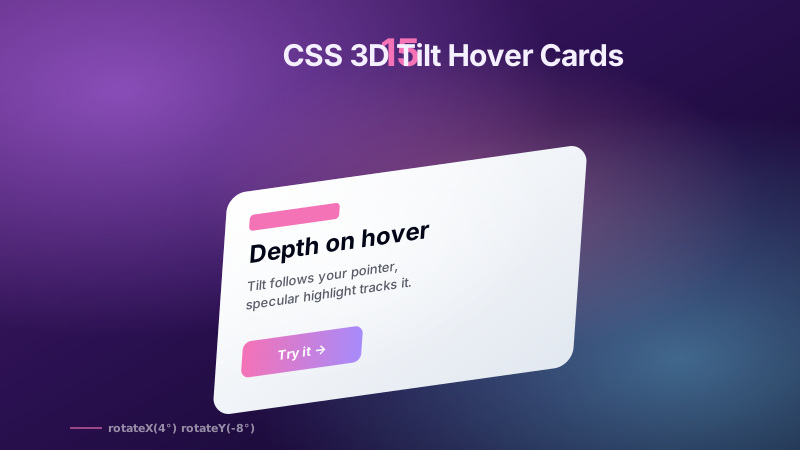
15 mouse-aware 3D tilt hover cards — e-commerce product spotlight, glassmorphism parallax team card, interactive pricing tier, holographic NFT collectible, pop-out mascot, dark tech grid with border glow, media player album art, blog article preview, cyberpunk neon glow, dashboard KPI widget, minimalist real estate, flip-to-back tilt, mobile app showcase, course learning card, and a Pure CSS touch-friendly tilt. Vanilla JS writes --rx/--ry/--mx/--my; all rendering stays in CSS on the GPU.
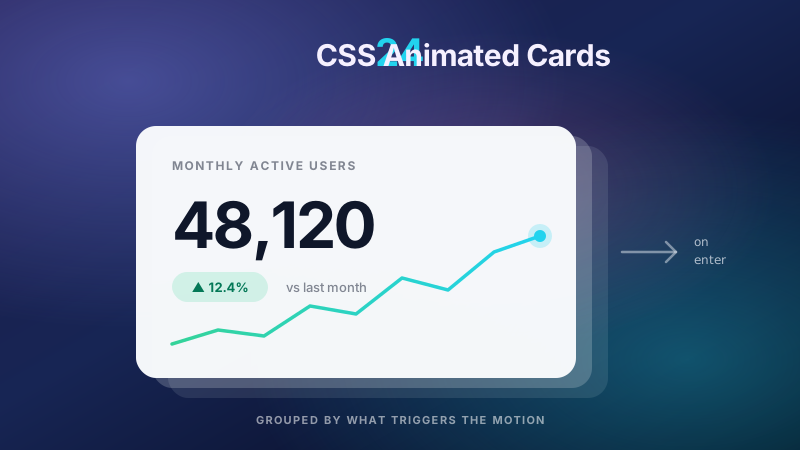
24 hand-coded CSS animated card patterns organised by what triggers the motion, not by card style. Scroll and entrance triggers: staggered grid reveals, @starting-style mount-in, scroll-driven scale and fade on animation-timeline: view(), View Transitions API card-to-detail morphs, blur-to-sharp lazy image loading, and FLIP re-layout when a filter changes. State-change triggers: add-to-cart success morph, like and save particle burst, expand and collapse to intrinsic height with calc-size(), swipe-to-dismiss on Pointer Events, and skeleton-to-loaded crossfade. Data-driven triggers: count-up KPI metrics, SVG sparkline draw-on-enter, and progress ring fill on load. Ambient idle loops: breathing glow, floating drift, animated gradient mesh backgrounds, conic rotating borders, auto-cycling testimonial decks, and live status pulses. Plus four hover patterns where the effect is the topic itself: cursor spotlight, holographic foil glare, corner ribbon slide, and horizontal accordion expand. Every card is scoped under a .ac-NN prefix for no-collision pasting, guards prefers-reduced-motion, animates compositor-only properties, and ports unchanged to React, Vue, Svelte, Astro, Next.js and Tailwind.
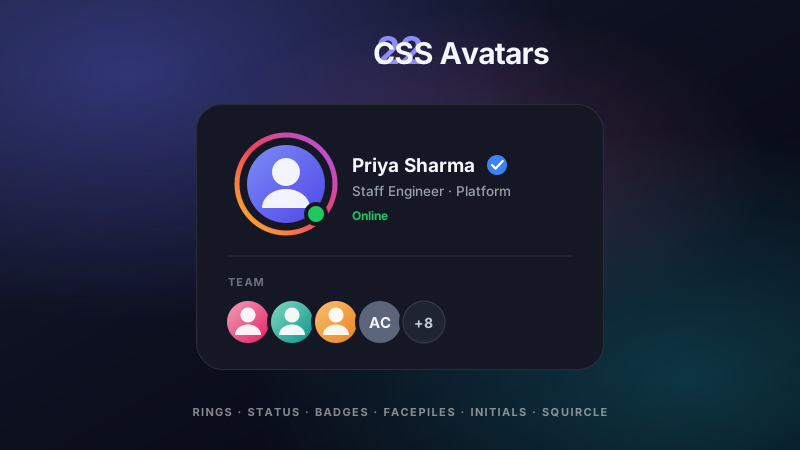
22 hand-coded CSS avatars for chat apps, team dashboards, comment threads, account menus, and social profiles. Covers circular and squircle shapes, gradient and conic story rings, hexagon clip-path crops, online status dots, notification count badges, verified checkmarks, stacked facepiles with plus-N overflow, initials fallbacks for users without photos, broken-image recovery, avatar pickers, and a size scale system where the ring, badge, and status dot all scale from a single custom property.


